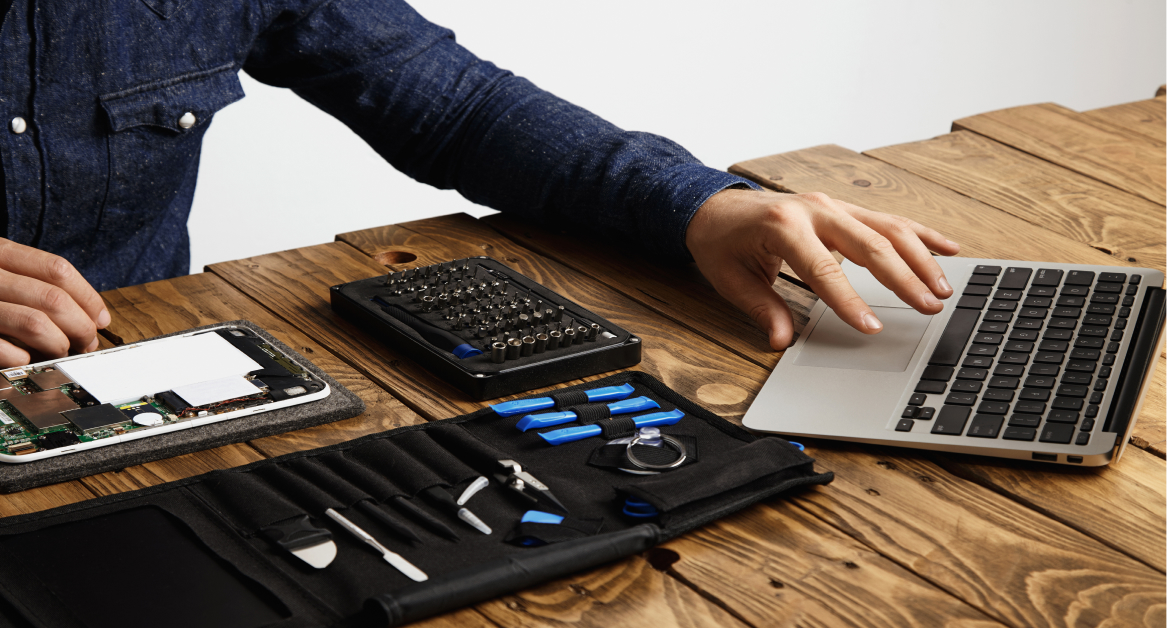
IT hardware procurement is the process of planning, sourcing, buying, delivering, and tracking the physical technology employees need to work. This includes laptops, desktops, monitors, phones, peripherals, networking equipment, and other company-owned devices.
For modern teams, procurement should not stop after choosing a vendor or placing an order. IT also needs to make sure each device fits the employee’s role, meets security requirements, arrives when needed, enters the asset inventory, and can be supported throughout its lifecycle.
This becomes more important for remote and distributed teams, where employees may work across different cities or countries. A structured IT hardware procurement process helps companies control costs, reduce onboarding delays, standardize equipment, and maintain visibility from purchase through recovery or retirement.
What is IT hardware procurement?
IT hardware procurement refers to the process of acquiring physical technology assets that support business operations. This includes laptops, desktops, servers, networking equipment, monitors, phones, printers, storage devices, and scalable access control hardware such as control panels, boards and hubs that enhance security and integration capabilities.
The process covers more than purchasing. It connects hardware requirements, supplier selection, budgeting, delivery, deployment, asset tracking, support, and lifecycle planning.
Key components of IT hardware procurement
A structured IT procurement process ensures businesses get the right equipment at the right time, balancing cost control measures with performance needs. The key components include:
- Needs assessment – Identifying what hardware is required based on business operations and employee needs.
- Vendor management – Select suppliers based on product quality, pricing, availability, delivery, warranty, support, and risk.
- Cost analysis – Compare purchase price with shipping, configuration, warranty, repairs, support, and expected lifespan.
- Procurement processes – Standardize requests, approvals, ordering, receiving, and deployment.
- Lifecycle management – Plan for tracking, support, repair, recovery, reuse, refresh, and eventual retirement.
IT hardware procurement vs software procurement
Hardware and software procurement both require purchasing controls, but the operational requirements differ.
| Area | Hardware procurement | Software procurement |
|---|---|---|
| What is purchased | Physical devices and equipment | Licenses, subscriptions, and applications |
| Main considerations | Specifications, stock, logistics, warranties, compatibility | Licensing, access, renewals, usage, compliance |
| Delivery | Physical shipment or local collection | Digital access or account provisioning |
| Ongoing management | Tracking, repair, replacement, refresh | License usage, renewals, access, updates |
| End of use | Recovery, reuse, resale, recycling, disposal | License removal, cancellation, reassignment |
Hardware procurement requires stronger coordination between purchasing and physical IT operations because each purchase becomes an asset that the company needs to track.
Why IT hardware procurement matters
A structured approach gives IT and procurement teams more control over what they buy, why they buy it, and what happens to the equipment afterward.
Controls total hardware costs
The cheapest device is not always the lowest-cost option.
Companies also need to consider accessories, configuration, shipping, warranty coverage, support, repairs, expected lifespan, downtime, recovery, and replacement.
Looking at the total cost of ownership gives procurement teams a clearer picture than comparing purchase prices alone. Standardizing approved devices can also reduce unnecessary hardware variation and make supplier pricing easier to compare.
Keeps employees equipped for their roles
Different roles place different demands on hardware.
A designer may need more memory, storage, display quality, or graphics performance than an employee working primarily in browser based applications. A remote salesperson may need a lightweight laptop, reliable webcam, headset, and portable accessories.
Matching hardware to real workloads helps companies avoid both underpowered devices and unnecessary overspending.
Prevents incompatible or inconsistent devices
Buying hardware without clear standards can create a mixture of models, specifications, operating systems, accessories, and warranty arrangements.
That variation increases the workload for IT teams. Support becomes harder, spare equipment becomes less interchangeable, and replacement planning becomes more complicated.
Approved device standards give teams a smaller set of known configurations while still allowing exceptions for roles that have different requirements.
Supports hardware security requirements
Procurement decisions can affect security before a device reaches an employee.
IT teams may need hardware that supports current operating systems, encryption, firmware security, strong authentication, endpoint management, and company security policies.
Supplier risk also matters. NIST’s finalized 2026 guidance on ICT supplier due diligence recommends considering factors such as product provenance, supplier resilience, foundational cybersecurity practices, ownership concerns, and supply-chain tiers before acquisition decisions are made.
Security requirements should therefore be part of hardware specifications and supplier evaluation, not added only after a purchase is complete.
Improves refresh and replacement planning
Procurement should not start only when a laptop fails.
Purchase dates, warranty status, repair history, device age, performance, and available inventory can help IT teams identify upcoming demand. This allows procurement teams to plan refreshes and replacements instead of relying on urgent purchases.
The same information can also show whether an existing device can be reused before another one is ordered.
IT hardware procurement for distributed teams
IT hardware procurement becomes more complex when employees work across multiple cities, countries, and time zones.
In one office, IT may be able to store devices, configure laptops, hand them directly to employees, and handle repairs locally. Distributed teams need a process for each of those steps.
The challenge is not only buying hardware. IT also needs to know which device an employee needs, where it should be sourced, how it will reach them, who owns it, and what happens if it later needs repair, replacement, retrieval, or reuse.
Local availability affects delivery speed
A device that is readily available in one country may be delayed, unavailable, or significantly more expensive in another.
Distributed procurement should account for local inventory, shipping timelines, warranty coverage, import requirements, and regional supplier options.
Where exact models are unavailable, companies can define approved alternatives that meet the same minimum performance and security standards.
Device standards keep procurement consistent
Global procurement does not mean every employee needs exactly the same laptop.
Instead, IT can define approved models or minimum specifications based on employee roles, workloads, security requirements, and location.
Clear standards simplify purchasing and support. They also reduce the number of device types, chargers, operating systems, and warranty paths IT teams need to manage.
Procurement data should connect with asset tracking
Hardware procurement should create a reliable asset record from the beginning.
Each device can be linked to information such as:
- Assigned employee
- Country or location
- Serial number
- Model and specifications
- Purchase date
- Warranty status
- Delivery status
- Lifecycle status
Without this connection, IT may know that a laptop was purchased but not whether it was delivered, configured, assigned, returned, or available for reuse.
For distributed teams, procurement works best when purchasing, deployment, support, recovery, and refresh planning connect to the same device record.
The process of IT hardware procurement in 6 steps
A well-structured IT procurement process ensures businesses get the right hardware while optimizing costs and maintaining efficiency.

1. Assessing business needs
Before making any purchases, companies must evaluate their IT requirements. This includes:
- Identifying hardware requirements by employee role and workload
- Reviewing current inventory before purchasing new equipment
- Assessing existing device performance and age
- Checking security and compatibility requirements
- Forecasting hiring and refresh demand
Clear requirements help companies avoid unnecessary purchases and reduce last-minute procurement.
2. Vendor selection and sourcing
Choosing the right vendor is critical for cost savings, quality assurance, and post-purchase support. Businesses should:
- Research suitable suppliers and procurement partners
- Compare pricing, stock availability, delivery, warranties, and support
- Evaluate regional coverage
- Review repair and replacement options
- Assess supplier security and supply-chain risks
- Use RFPs where appropriate for larger or more complex purchases
NIST’s 2026 ICT supplier guidance reinforces the importance of conducting due diligence before entering supplier agreements rather than treating supplier risk as a post-purchase issue.
3. Cost analysis and budgeting
A structured procurement strategy helps companies manage budgets effectively. Key steps include:
- Conducting a total cost of ownership (TCO) analysis, considering upfront costs, maintenance, and eventual disposal
- Implementing cost control measures to avoid overspending
- Aligning hardware purchases with available operational budgets
- Forecasting expenses to ensure long-term financial stability
Analyzing costs helps procurement teams make informed procurement decisions and optimize expenses.
4. Purchase and acquisition
Once vendors are selected and budgets approved, businesses move forward with ordering hardware. A streamlined procurement process includes:
- Placing orders based on business needs and compliance requirements
- Coordinating with vendors for efficient delivery and setup
- Ensuring proper documentation for inventory tracking and audits
This step ensures companies receive the right products on time and within budget.
5. Deployment and integration
After receiving new IT hardware, businesses must ensure seamless integration into their existing infrastructure. This includes:
- Configuring devices with the necessary software and security settings
- Ensuring compatibility with existing information technology systems
- Providing employees with training and support for new hardware
Proper deployment minimizes downtime and helps employees transition smoothly to new devices.
6. Lifecycle management and disposal
Hardware procurement decisions continue to affect IT long after deployment.
Teams should track:
- Warranty and repair history
- Device condition
- Employee reassignment
- Recovery during offboarding
- Redeployment opportunities
- Refresh timing
- Secure data removal
- Resale, recycling, or disposal
This also has an environmental impact. The ITU reported that 62 billion kg of e-waste was generated globally in 2022, while only 22.3% was documented as formally collected and recycled.
Repairing, recovering, and redeploying suitable hardware before buying replacements can help companies extend device use while reducing unnecessary purchases and waste.
IT hardware procurement checklist
A clear checklist helps IT teams move from request to delivery without missing important details. It also keeps procurement connected with deployment, asset tracking, support, and future device recovery.
| Checklist item | Why it matters |
|---|---|
| Define employee hardware needs | Helps IT choose devices based on role, location, and work requirements |
| Set approved device models | Keeps purchasing consistent and reduces support complexity |
| Check local availability | Helps avoid delivery delays for remote and global employees |
| Compare vendor pricing and warranty terms | Controls cost and reduces repair or replacement risk |
| Confirm delivery timeline | Helps IT and People Ops prepare for onboarding dates |
| Record serial number and owner | Creates a clear asset record from the start |
| Track deployment status | Shows whether the device has been delivered, assigned, and prepared for use |
| Plan recovery and refresh | Connects procurement with the full device lifecycle |
This checklist gives IT teams a practical way to control each purchase before it becomes a support or inventory problem. Once the process is clear, the next step is choosing hardware that fits each employee without creating unnecessary complexity for IT.
Hardware procurement decisions continue to affect IT long after deployment.
Teams should track:
- Warranty and repair history
- Device condition
- Employee reassignment
- Recovery during offboarding
- Redeployment opportunities
- Refresh timing
- Secure data removal
- Resale, recycling, or disposal
This also has an environmental impact. The ITU reported that 62 billion kg of e-waste was generated globally in 2022, while only 22.3% was documented as formally collected and recycled.
Repairing, recovering, and redeploying suitable hardware before buying replacements can help companies extend device use while reducing unnecessary purchases and waste.
IT hardware procurement checklist
A clear checklist helps IT teams move from request to deployment without missing important details. It also keeps procurement connected with asset tracking, support, and future device recovery.
| Checklist item | Why it matters |
|---|---|
| Define employee hardware needs | Helps IT choose devices based on role, location, and workload |
| Set approved device models | Keeps purchasing consistent and reduces support complexity |
| Check current inventory | Helps prevent unnecessary purchases when suitable devices are available |
| Check local availability | Helps avoid delivery delays for global employees |
| Compare pricing and warranty terms | Helps control costs and reduce repair or replacement risk |
| Review supplier risk | Helps identify security and supply-chain concerns before purchase |
| Confirm delivery timeline | Helps IT and People Ops prepare for employee start dates |
| Record serial number and owner | Creates a clear asset record from the start |
| Track deployment status | Shows whether the device has been delivered, configured, and assigned |
| Plan recovery and refresh | Connects procurement with the full hardware lifecycle |
This checklist gives teams a practical way to control purchases before they become support, security, or inventory problems.
How to choose IT hardware for employees
Good procurement starts with clear standards for deciding which equipment employees actually need.
Consider:
- Employee role and workload: Match specifications to applications, performance requirements, and mobility needs.
- Compatibility: Confirm that devices work with company operating systems, software, MDM or UEM platforms, security tools, docks, monitors, and peripherals.
- Security requirements: Check support for encryption, secure boot, firmware controls, authentication, endpoint management, and supported operating systems.
- Warranty and repair options: Review warranty length, repair coverage, replacement availability, and local service options.
- Total cost of ownership: Include accessories, configuration, shipping, support, repairs, lifespan, recovery, and replacement.
- Regional availability: Confirm that approved hardware is available where employees work. Use approved alternatives when exact models are unavailable.
- Lifecycle potential: Consider whether devices can later be repaired, reassigned, resold, or recycled efficiently.
Clear hardware standards turn individual purchase requests into a more consistent procurement model.
Build a more consistent hardware procurement model
Effective IT hardware procurement requires clear device standards, reliable suppliers, and visibility from purchase through recovery and replacement.
Connecting procurement with asset tracking, deployment, support, and lifecycle planning helps teams control costs while keeping employees properly equipped.
For distributed organizations, this becomes especially important because every purchase may involve different suppliers, logistics, warranty options, and support processes across locations.
FAQs
What is IT hardware procurement?
IT hardware procurement is the process of planning, sourcing, purchasing, delivering, and recording physical technology such as laptops, monitors, peripherals, servers, and networking equipment.
What should companies consider when buying IT hardware?
Companies should consider employee needs, specifications, compatibility, security, supplier reliability, warranty coverage, delivery, and total cost.
How can companies reduce IT hardware procurement costs?
Standardize devices by role, check existing inventory before buying, compare total cost instead of price alone, and plan purchases before demand becomes urgent.
How is IT hardware procurement different for remote teams?
Remote teams must also manage local stock, logistics, warranties, configuration, asset tracking, and device recovery.
How often should companies replace IT hardware?
Replace hardware based on age, condition, performance, warranty, repair history, and security support.
Optimize your IT hardware procurement with Esevel
A well-structured IT hardware procurement process reduces operational costs, improves efficiency, and ensures seamless IT operations.
Managing IT procurement for distributed teams can be complex but Esevel simplifies the entire process with an all-in-one IT management platform. Here’s how Esevel helps businesses streamline IT procurement and management:
- Global device procurement and delivery across 120+ countries
- Automated IT procurement processes to reduce manual effort and delays
- Device tracking and lifecycle management to optimize refresh cycles
- Seamless deployment for new employees and teams
- Real-time IT support and laptop loaner to minimize downtime
- Compliance management to protect sensitive business data remotely