
Shipping a laptop is not like mailing a book or a T shirt. Laptops are fragile, expensive, and often contain valuable data. For companies with remote or hybrid teams, a damaged or delayed laptop does not just mean replacing hardware. It can also mean days of lost productivity and frustrated employees.
Screens can crack, keyboards can bend, and lithium ion batteries require extra care during transit. When international deliveries are involved, the risk of mishandling becomes even higher. That is why understanding the best way to ship a laptop is important for both individuals and businesses. When done correctly, you can prevent damage, reduce costs, and ensure devices arrive ready to work.
How to ship a laptop safely (step-by-step)
Shipping a laptop safely requires more than placing the device in a box. Proper preparation, protective packaging, and clear labeling all play an important role in protecting the device during transit. Even small mistakes in packaging can increase the risk of physical damage while the shipment moves through sorting facilities and delivery networks.
Following a clear process helps reduce these risks. The steps below outline how to prepare, pack, and ship a laptop properly so the device can arrive at its destination in good condition.
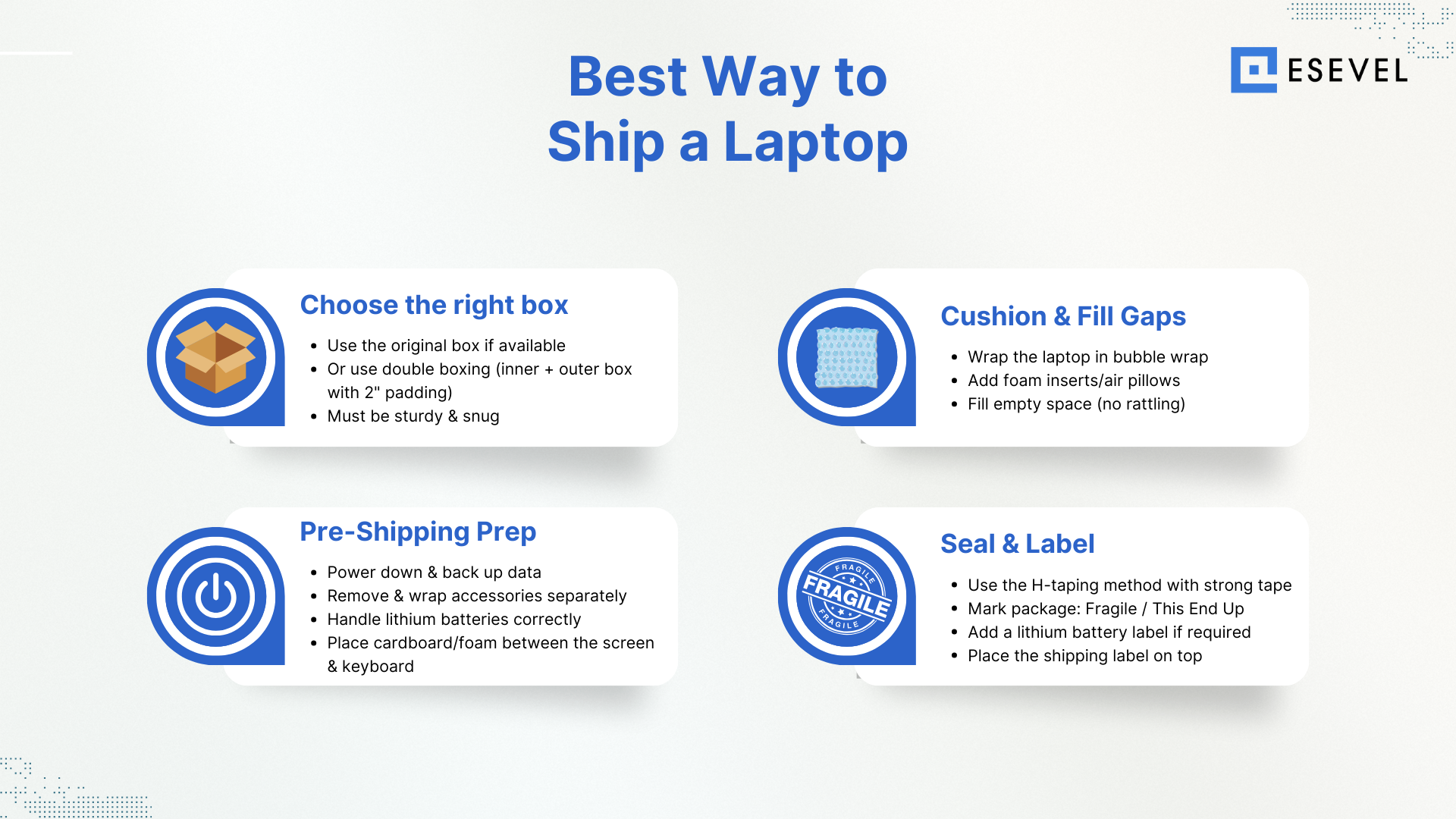
Choose the right box
The first step to shipping a laptop safely is selecting the right box. If you still have the original box, that’s often the best option since it was designed to fit your device snugly with layers of protection already built in.
If you don’t have it, consider double boxing. That means placing the laptop in its original box (or a snug inner laptop box), then placing that box inside a larger outer box with at least 2 inches of cushioning on all sides. For example, if your laptop is 15 inches wide, the outer box should be about 21 inches wide to allow for padding.
Carriers and shipping supply companies sell ready-made laptop shipping boxes if you want a packaging solution designed specifically for electronics. Just make sure the shipping box is sturdy and built for handling fragile items.
Cushion and fill space
After choosing the right box, the next step is to protect the laptop with enough cushioning. Laptops should never rattle inside their box. The goal is to fill space and absorb any shocks during transport.
The best packing material options include:
- Bubble wrap (wrap the laptop in at least two layers; a laptop in bubble wrap reduces direct impact)
- Foam inserts (cut to fit snugly around the device)
- Air pillows or packing peanuts (used to fill corners and gaps in the outer box)
Avoid using crushed paper, which can shift during shipping. Always use multiple layers of protection around the device before sealing the inner box.
Pro tip: If you’re shipping within the U.S., some users on Reddit recommend USPS flat-rate boxes as a lower-cost shipping option for smaller laptops. Just make sure you still pack and protect the device properly.
Pre-shipping prep
Before you pack a laptop, take care of the essentials:
- Power down and back up data to the cloud or an external drive.
- Remove accessories like chargers, dongles, or SD cards, and wrap them separately in a small plastic bag.
- Handle lithium-ion batteries correctly. If your laptop has a removable battery, remove the battery, wrap it separately, and label the package as required. If the battery is built-in, keep it inside the laptop, but ensure the device is completely powered down.
- Place a thin sheet of cardboard or foam between the screen and keyboard to prevent scratches.
Taking these steps reduces risk and helps prevent damage before you even touch the box.
Sealing and labeling
Even the best packaging material won’t help if the box comes open in transit. Use strong packing tape and apply the H-taping method—sealing the center seam and the two edge seams on both the top and bottom of the box. This gives maximum strength.
When labeling, make sure to:
- Mark the package as fragile
- Add a lithium-ion battery label if required
- Write “this ends up” for extra handling care
- Place the shipping label on the top of the outer box, not on the side
Taking a few minutes to label the package clearly helps carriers know what they’re handling.
Carrier comparison and cost
Shipping time for a laptop depends on several factors, including the carrier, shipping service, and destination. Domestic deliveries are usually faster, while international shipments may take longer due to customs clearance and longer transport routes.
Most major carriers such as UPS, FedEx, DHL, and USPS offer different service levels that affect delivery speed. Understanding these options helps businesses and individuals choose the right shipping method
| Carrier | Domestic | International |
|---|---|---|
| FedEx | 1–5 days | 1–5 days |
| UPS | 1–5 days | 2–5 days |
| DHL | — | 1–4 days |
| USPS | 1–3 days | 3–6 days |
Not all carriers treat electronics the same way. Here’s a quick breakdown:
- FedEx: Strongly recommends double boxing for laptops. They also offer specialty packing services at their locations.
- UPS: Has specific electronics packing guidelines, including foam inserts and cushioning to prevent movement.
- DHL: Often the choice for international shipments since they handle customs well, though the cost of shipping can be higher depending on the destination country.
- USPS: Can be cost-effective for domestic shipments, especially with flat-rate boxes, but be extra careful with packaging.
Always double-check each carrier’s rules around lithium-ion batteries and international restrictions before sending out the shipment.
Frequently asked questions about shipping a laptop
Can you ship a laptop with a lithium battery?
Yes, laptops can be shipped with lithium batteries when the battery is installed inside the device. Most carriers allow lithium ion batteries that are contained within equipment. However, loose or spare lithium batteries are usually restricted, especially for international shipments. Always check carrier guidelines before sending the package.
How do you pack a laptop for shipping safely?
To pack a laptop safely, wrap the device in bubble wrap or foam and place it inside a sturdy box with cushioning materials such as packing paper or foam inserts. Make sure the laptop cannot move inside the box during transit. Many shippers also use a double box method for additional protection.
How much does it cost to ship a laptop?
The cost to ship a laptop depends on the carrier, shipping speed, package weight, and destination. Domestic shipments are usually less expensive, while international deliveries cost more due to longer transit routes and customs processing. Optional services such as insurance and signature confirmation can also increase the total price.
Can you ship a laptop through USPS?
Yes, laptops can be shipped through USPS as long as the lithium battery is installed inside the device. USPS offers services such as Priority Mail and Priority Mail Express for domestic shipments, as well as international shipping options. Proper packaging is important to protect the device during transit.
What is the safest way to ship a laptop internationally?
The safest way to ship a laptop internationally is to use strong protective packaging, a reliable carrier, and proper labeling. The laptop should be wrapped with cushioning materials and secured in a sturdy box to prevent movement during transit. Many businesses also add shipping insurance and tracking to reduce the risk of loss or damage.
Stop DIY shipping: Simplify laptop logistics with Esevel
Shipping a laptop safely is about more than just finding a sturdy box. You need the right packaging material, enough cushioning, and a carrier that knows how to handle electronics with lithium-ion batteries. Whether you’re using bubble wrap and a laptop box for a single shipment or managing larger shipments across countries, the goal is always the same: prevent damage, reduce delays, and keep your team productive.
For individuals, carriers like FedEx, UPS, USPS, and DHL can all provide workable solutions. But if your company is scaling with a distributed workforce, handling every box and fill, customs form, and carrier requirement quickly becomes a real drain on time and resources. That’s where Esevel comes in.
Esevel takes care of the entire process—from sourcing and preparing devices to managing global delivery and ongoing IT support. Instead of worrying about how to pack a laptop or double-check shipping rules, you get peace of mind knowing every device is secure, compliant, and ready to use from day one.