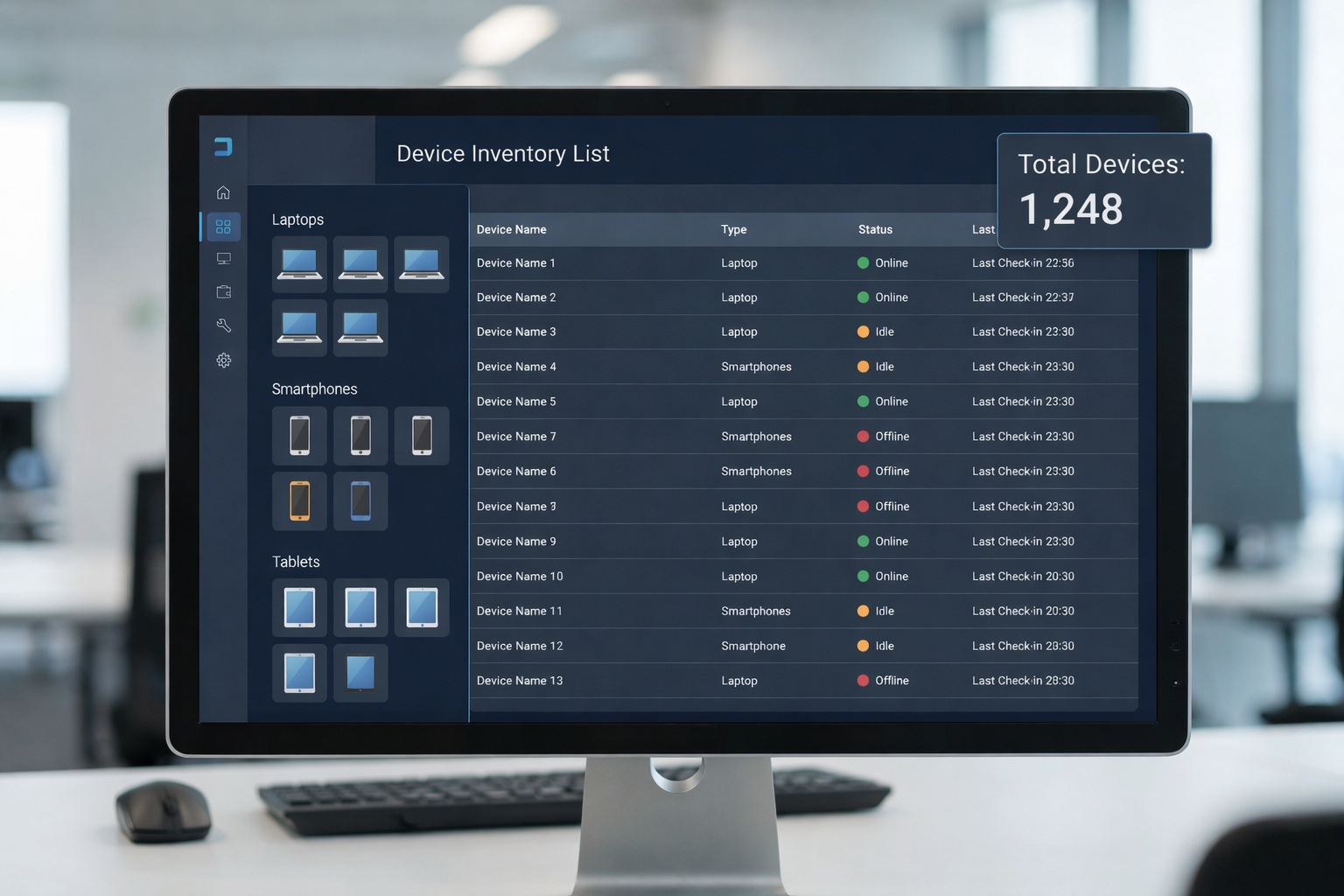
A hardware and software inventory is the foundation of every well-managed IT environment. It’s a comprehensive record of all physical devices—like laptops, desktops, servers, and network equipment—as well as software assets such as operating systems, applications, and licenses. Together, these inventories provide IT teams with detailed information about every asset they own, where it’s located, who uses it, and whether it’s secure and compliant.
The need for accurate inventories has never been greater. Modern IT environments are more complex than ever, with cloud-based tools, remote work setups, and distributed teams making visibility harder to maintain. Without a centralized system to track hardware and software, organizations risk data breaches, license non-compliance, unnecessary costs, and operational inefficiencies.
Building a central asset inventory that stays up to date helps teams proactively manage their technology stack, reduce security risks, and optimize resources. It’s not just about keeping a list—it’s about gaining control.
Why hardware and software inventory matters
Strengthening security and reducing risk
Visibility is the first step toward security. A detailed, up-to-date inventory helps identify every asset connected to your network, whether it’s a company-issued laptop or a forgotten virtual machine. Without full visibility, devices or software can go unpatched, creating vulnerabilities.
Hardware inventory management combined with software inventories allows IT teams to spot unauthorized installations, outdated firmware, or end-of-life hardware that poses risks. Maintaining real-time insight reduces the likelihood of shadow IT—those unknown applications or devices that slip under the radar and expose your network to threats.
Improving compliance and audit readiness
For many industries, regulatory compliance requires accurate records of hardware and software assets. Having a central database that includes each asset’s serial number, software version, license key, and user details makes audits faster and smoother.
Software inventories help organizations stay compliant with license agreements and avoid penalties for overuse or expired software. A centralized inventory also provides verifiable documentation for frameworks like ISO 27001, SOC 2, and GDPR.
Enhancing cost and operational efficiency
A robust inventory reduces waste. Many companies over-buy hardware or renew unused software licenses simply because they lack visibility. With a complete view of all asset types, IT can identify underutilized resources, consolidate redundant systems, and manage budgets more efficiently.
Hardware and software inventory data also supports lifecycle management—helping plan refreshes, avoid unnecessary purchases, and forecast future costs effectively.
Supporting IT asset management (ITAM)
Inventories are the backbone of asset management (ITAM). They track each piece of hardware from acquisition through use to retirement. When integrated into management systems like CMDB or ITSM platforms, inventory data powers workflows such as incident management, patch scheduling, and procurement planning.
Key components of an effective inventory program
1. Define scope and objectives
Start by deciding what assets to include. Most organizations cover:
- Physical hardware: laptops, desktops, servers, mobile devices, and network equipment.
- Software assets: operating systems, applications, licenses, and cloud subscriptions.
- Peripheral devices: printers, monitors, and accessories.
Defining the scope ensures you capture all relevant asset types while maintaining accurate focus on critical systems.
2. Discovery and data collection
Use a combination of automated tools and manual processes to identify all devices and software. Discovery tools can scan your network to collect detailed information such as:
- Serial numbers
- Model and manufacturer
- Hardware specifications
- Installed software and versions
- IP addresses and location
- Assigned users
These automated tools reduce the time and error associated with manual data entry and ensure your inventory remains current.
3. Data validation and maintenance
An inventory is only as valuable as its accuracy. Regular audits help validate information and maintain accurate records. Schedule quarterly reviews to check for missing, duplicate, or retired assets. Ensure updates occur automatically when devices are reassigned, decommissioned, or replaced.
Clean data improves decision-making and ensures compliance. When inventory data becomes outdated, IT teams lose trust in their system—and their ability to act quickly during security or operational incidents weakens.
4. Integration into broader systems
Integrating inventory data into your asset management software or ITAM system provides greater visibility across operations. Tying hardware and software inventories into your CMDB or ITSM platforms allows teams to connect assets to incidents, service requests, and maintenance schedules.
When combined with cloud-based management systems, real-time updates ensure decisions are based on the latest information. This integration simplifies workflows and helps proactively manage IT operations.
Asset prioritization and next-level value
Not all assets carry the same weight. To get the most value from your hardware and software inventory, prioritize your assets by criticality and risk.
Classify assets by importance
Categorize your inventory into tiers based on business criticality and data sensitivity:
- Tier 1: Servers, critical network devices, and security systems.
- Tier 2: Employee laptops, desktop computers, and essential software.
- Tier 3: Peripherals and non-critical applications.
This structure helps IT allocate resources where they matter most and strengthens data security across sensitive systems.
Assess vulnerability and ownership
For each asset, record the owner or department responsible for it. Knowing who is accountable improves accountability and ensures patching or updates happen on time. Cross-referencing this with vulnerability data identifies high-risk assets—those that store sensitive data or connect to external networks.
Use prioritization to mitigate risk efficiently
By combining risk assessments with inventory data, you can prioritize patching, upgrades, or decommissioning. This proactive approach reduces the likelihood of downtime or data loss caused by outdated assets.
Illustrative examples
Example 1: Discovering the unknown
A large organization conducted a full audit using an automated hardware inventory management tool and discovered 35% more devices than expected. Many were unregistered laptops and outdated network equipment. By consolidating their asset inventories, they reduced hardware waste and improved security posture significantly.
Example 2: Unlicensed software exposure
Another company found that several systems were running unlicensed software, putting them at compliance risk. After centralizing their software inventories, they implemented automated license tracking and avoided potential audit penalties.
Example 3: Preventing downtime with real-time data
A distributed team used cloud-based management software that provided real-time inventory data. When a power supply issue appeared in a set of devices, IT was able to identify all affected serial numbers instantly and replace them before any outages occurred.
These examples show how detailed information and accurate tracking can prevent hidden costs and operational disruptions.
Frequently asked questions
What qualifies as hardware vs software in an inventory?
Hardware includes physical devices such as computers, servers, network equipment, and peripherals. Software covers operating systems, licensed applications, cloud subscriptions, and utilities installed on those devices.
How often should I update my hardware and software inventory?
Ideally, updates happen in real time through automated tools. At a minimum, conduct a full audit quarterly to maintain accuracy and align with compliance requirements.
What are the main risks of not having an accurate inventory?
Without accurate records, you risk security breaches from unpatched devices, financial waste from over-licensing, and compliance failures that could result in fines or data exposure.
Do I need separate tools for hardware and software inventory?
Not necessarily. Many asset management systems combine both hardware and software tracking into a single solution. The best approach depends on your organization’s size and complexity.
How do I start if my organization already has thousands of assets?
Begin by deploying automated discovery tools that scan your network and compile initial data. From there, categorize assets, assign ownership, and integrate inventory data into your existing systems.
Building a sustainable inventory strategy
Creating and maintaining an accurate hardware and software inventory is an ongoing process, not a one-time project. When done correctly, it empowers IT teams to proactively manage assets, control costs, and enhance security.
Here’s how to move forward:
- Audit your current assets: Identify gaps in your existing systems and start with the most critical areas.
- Implement automated tools: Use discovery and tracking software for real-time updates.
- Integrate with ITAM systems: Centralize your data and align with your asset management workflows.
- Establish maintenance routines: Schedule regular audits, data validation, and staff training.
- Use your data strategically: Leverage insights to improve lifecycle planning, budgeting, and compliance efforts.
At Esevel, we help distributed teams simplify and secure their IT asset management processes. From hardware procurement and deployment to software tracking and disposal, our platform provides a single view of all assets—giving you the visibility and control needed to manage global teams effectively.Ready to bring order to your IT environment? Download our Hardware and Software Inventory Checklist, or schedule a consultation with our team to see how a centralized approach can improve efficiency, security, and compliance across your organization.