Companies rely on IT support to keep operations running, but most still treat it as a reactive function focused on fixing issues after they happen. This approach worked when teams were centralized, but it struggles to keep up as infrastructure becomes more complex and distributed.
As organizations adopt remote and global work models, IT infrastructure support needs to evolve beyond troubleshooting. Teams now require consistent support across devices, systems, and locations, which means support must be integrated into daily operations rather than handled as isolated tasks.
What is IT infrastructure support
Before exploring how support works in practice, it is important to define what IT infrastructure support actually covers and why it plays a critical role in modern operations.
IT infrastructure support definition
The definition of IT infrastructure support refers to the processes and services that ensure IT systems, devices, and networks remain functional, secure, and available for use. It includes both resolving technical issues and maintaining infrastructure over time.
In simple terms, it means the combination of technical troubleshooting and ongoing operational support that keeps infrastructure running smoothly across an organization.
What IT infrastructure support includes
This support typically covers several core areas:
- Device and endpoint support for laptops and workstations
- System and application support for business tools
- Network and connectivity support across locations
- User support and issue resolution for daily operations
While these functions seem straightforward, support is broader than most teams expect because it touches every part of infrastructure.
Core components of IT infrastructure support
IT infrastructure support is not a single function, but a combination of responsibilities across different layers of infrastructure. Each layer plays a role in maintaining system performance and ensuring users can work without disruption.
Infrastructure layers supported
It typically spans several key layers within an organization:
- Devices and endpoints, such as laptops and workstations, which need to be configured, maintained, and supported throughout their lifecycle
- Applications and systems, which must remain stable and accessible so teams can perform daily tasks without disruption
- Network and connectivity, which ensures systems, users, and locations stay connected across environments
These layers are closely connected. A disruption in one area, such as network issues, can affect system access, while device problems can prevent users from working entirely. This is why support needs to cover the full infrastructure rather than isolated components
IT infrastructure and support scope
Beyond the infrastructure layers, IT infrastructure and support includes several ongoing responsibilities that keep systems functioning over time. These responsibilities are continuous and require coordination across teams and tools:
- Monitoring, which helps detect performance issues and potential risks before they escalate
- Maintenance, including updates, patches, and configuration changes to keep systems stable
- Security, which protects devices and data through access control, policies, and compliance measures
- Support, which involves resolving issues and assisting users to minimize disruption
Together, these functions form the foundation of IT support infrastructure, where the goal is not only to fix problems, but to maintain a reliable and consistent environment for the entire organization.
IT infrastructure support lifecycle
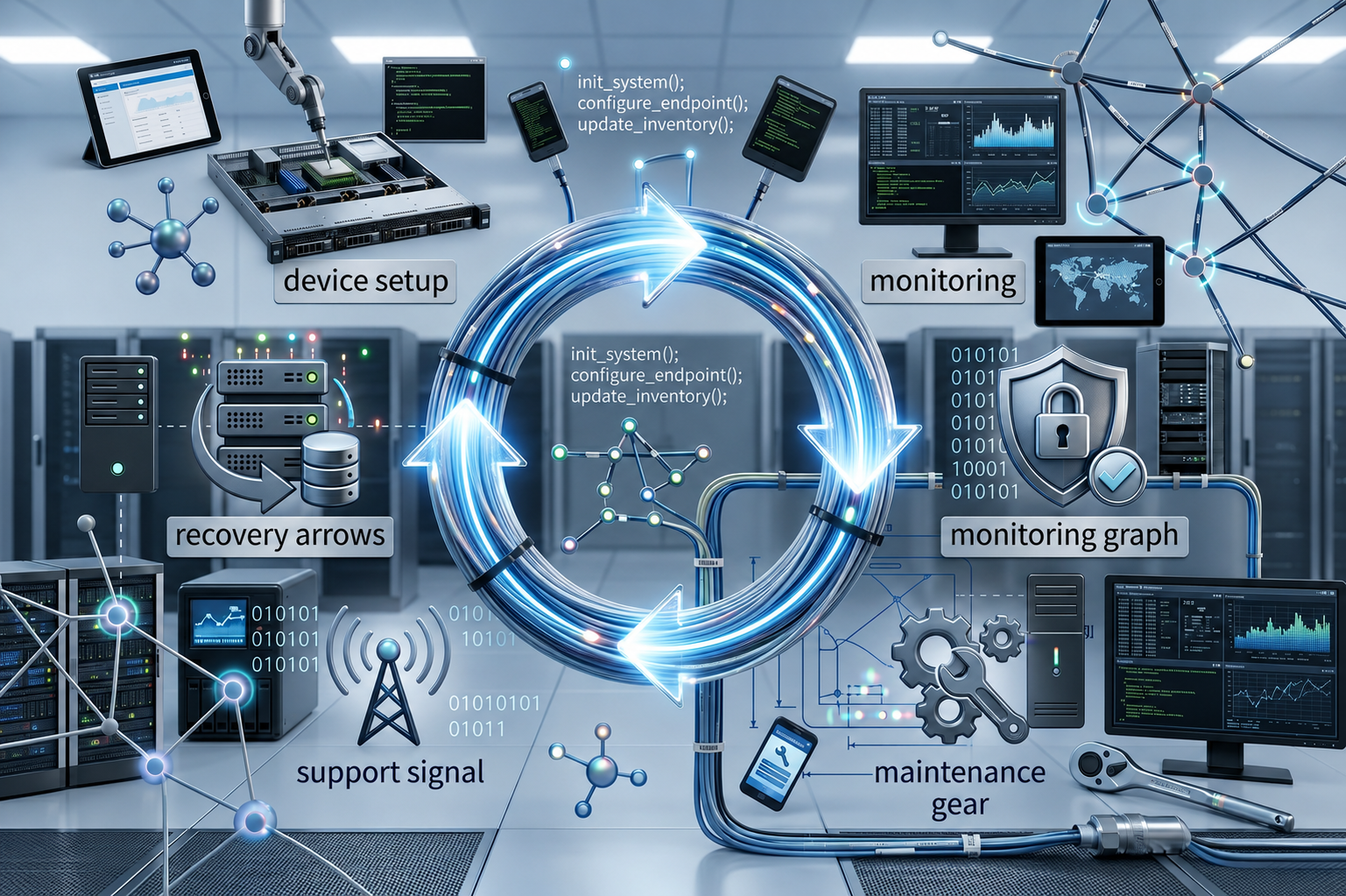
IT infrastructure support is not limited to reacting to issues as they happen. In practice, it follows a continuous lifecycle that ensures systems remain usable, secure, and aligned with business needs. Treating support as an ongoing process helps teams reduce disruptions, improve response time, and maintain consistency across operations.
A lifecycle-based approach typically includes several connected stages:
- Setup and provisioning, where devices and systems are prepared, configured, and assigned before use
- Monitoring and issue detection, which continuously tracks performance and helps identify problems early
- Maintenance and updates, ensuring systems remain stable through patches, upgrades, and configuration changes
- Support and troubleshooting, addressing user issues and technical problems as they occur
- Recovery and replacement, managing devices that need repair, reassignment, or retirement
Each stage builds on the previous one. For example, proper setup reduces future support issues, while effective monitoring allows teams to act before problems escalate.
As infrastructure grows across teams and locations, managing this lifecycle becomes more complex, especially when processes are handled across multiple tools and vendors, which is why a connected approach becomes increasingly important.
IT infrastructure support challenges for global teams
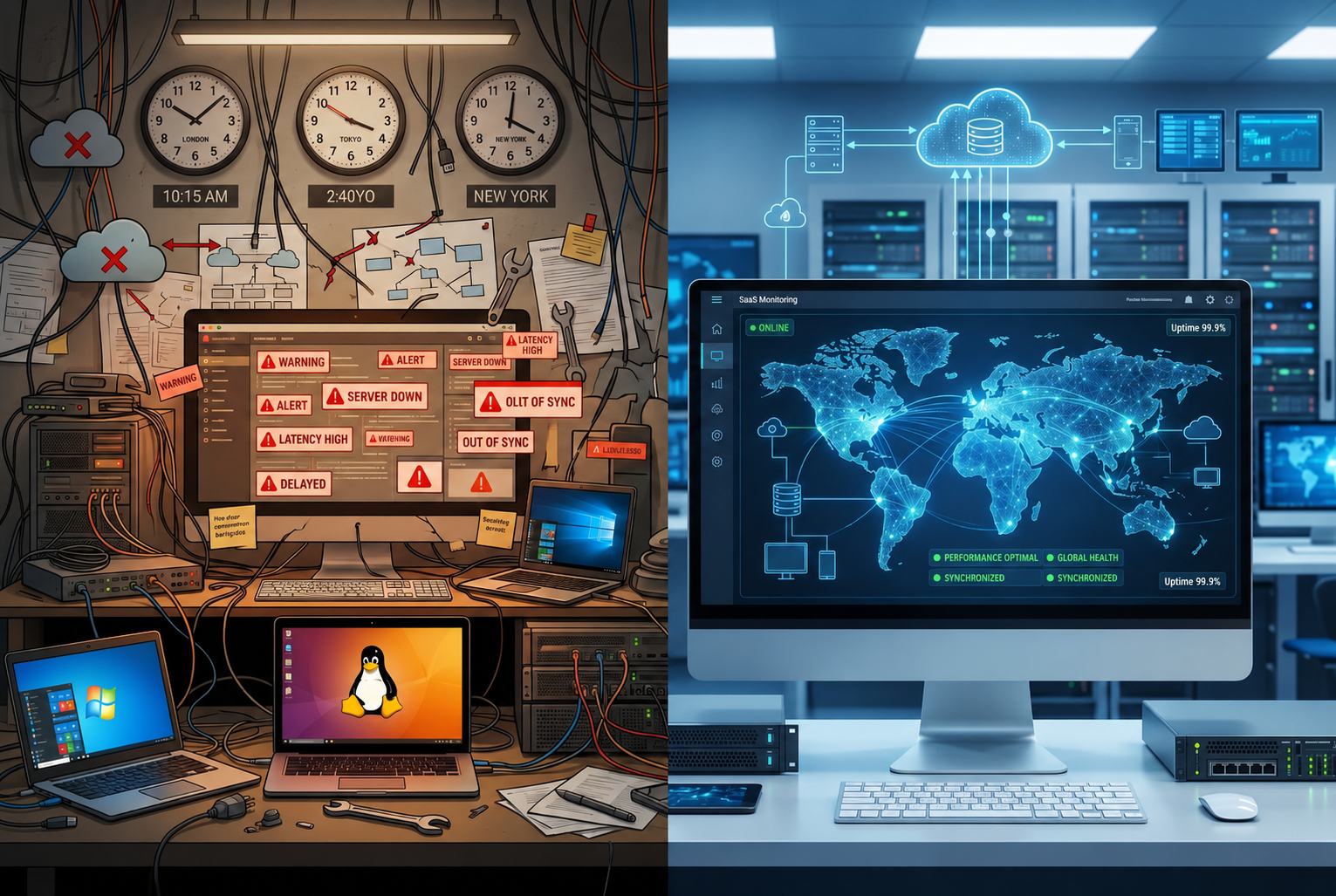
IT infrastructure support becomes more complex when teams operate across regions, time zones, and environments. What works in a centralized setup often breaks down when devices, users, and systems are distributed, requiring support teams to manage both technical issues and cross-region coordination.
Limited visibility across devices and locations
As teams become more distributed, it becomes harder to maintain a consistent view of infrastructure. Devices may operate outside corporate networks, and asset data can vary across systems, which makes it difficult to understand the current state of infrastructure.
Without reliable visibility, support teams often spend more time identifying problems than resolving them, which slows down operations.
Delayed response across time zones
Global teams introduce time zone challenges that directly affect support speed. When users and support teams are not aligned in working hours, even simple issues can take longer to resolve.
This delay creates friction in daily operations and can impact productivity, especially when critical systems are involved.
Fragmented vendors and support systems
Many organizations rely on multiple vendors for devices, networks, and support services across regions. While this approach allows local flexibility, it often leads to fragmented processes and inconsistent service levels.
Support teams must coordinate between providers, which adds complexity and increases the risk of miscommunication or delays.
Manual processes that do not scale
In many environments, support still depends on manual coordination, such as tracking issues, updating asset data, or following up with vendors. These processes may work at a smaller scale but become inefficient as infrastructure grows.
As a result, IT teams spend more time managing workflows instead of improving systems, which limits their ability to scale effectively.
These challenges explain why many organizations turn to tools to improve visibility and streamline support processes, although tools alone do not fully solve the coordination and lifecycle gaps across infrastructure.
IT infrastructure support tools
Tools are the default way companies manage IT infrastructure support today, especially as environments become more complex and distributed. They help teams track issues, monitor system performance, and provide remote assistance, reducing the need for manual coordination in daily operations.
Types of support tools
Most organizations rely on a combination of tools, each designed to support a specific function within infrastructure:
- Ticketing systems, such as service desks, which help track, prioritize, and manage user issues from request to resolution
- Monitoring tools, which provide real-time visibility into system performance, detect anomalies, and trigger alerts when issues occur
- Remote access tools, which allow IT teams to troubleshoot and resolve problems on devices without being physically present
In distributed environments, teams also use infrastructure-free remote IT support tools to assist users across locations, especially when devices are outside corporate networks.
Limitations of tools
While these tools improve visibility and response time, they are often used as separate systems rather than as part of a connected workflow. This means that information is spread across platforms, and teams must switch between tools to understand the full context of an issue.
This setup creates several challenges:
- Limited visibility across the entire infrastructure
- Slower resolution due to fragmented data
- Increased reliance on manual coordination between tools and teams
As a result, support remains largely reactive. Tools help detect and resolve problems, but they do not always prevent issues or connect processes across the infrastructure lifecycle, which limits their effectiveness as organizations scale.
Remote IT infrastructure support
Remote IT infrastructure support has become essential as teams move away from centralized offices and operate across multiple locations. Instead of relying on physical access, support teams must now manage systems, devices, and users remotely while maintaining consistent service levels.
The growth of this is driven by several changes in how organizations operate:
- Increased adoption of remote and hybrid work models
- Teams distributed across different regions and time zones
- Need for faster issue resolution without on-site support
In practice, remote support covers a wide range of activities that allow IT teams to maintain operations without being physically present. This includes:
- Troubleshooting issues and resolving user problems remotely
- Monitoring devices and systems to detect performance issues
- Providing support to users across different locations
While remote support improves accessibility and reduces response time, it does not fully address coordination challenges across systems, vendors, and processes. As infrastructure becomes more complex, teams still need a structured approach to ensure that support remains consistent and scalable across regions.
Where traditional IT infrastructure support falls short
Traditional support models were designed for centralized environments, where systems, users, and devices were located in one place and could be managed through a single team. As infrastructure becomes more distributed, these models struggle to keep up with the complexity of modern operations.
Several limitations become more visible as teams scale:
- Reactive issue resolution, where support focuses on fixing problems after they occur rather than preventing them through continuous monitoring and structured processes
- Siloed tools and services, where ticketing systems, monitoring tools, and support workflows operate independently, making it harder to maintain a complete view of infrastructure
- Limited lifecycle visibility, where support does not extend beyond troubleshooting and lacks connection to stages such as setup, deployment, and recovery
In practice, these gaps lead to inconsistent support experiences across teams and regions. Issues may be resolved in one environment but delayed in another, depending on tools, vendors, or local processes.
As infrastructure grows more complex, these limitations highlight the need for a more connected approach. This is why organizations are shifting toward models that integrate support into the full lifecycle of infrastructure rather than treating it as a standalone function.
A modern approach to IT infrastructure support
IT infrastructure support is evolving from a reactive function into a system that connects operations across the entire lifecycle of infrastructure.
From support to lifecycle management
Modern IT infrastructure support is shifting from a reactive function into a lifecycle-based system that connects every stage of infrastructure operations. Instead of focusing only on resolving issues, support becomes part of how infrastructure is planned, deployed, maintained, and replaced.
In this model, support is embedded into daily operations, which allows teams to detect issues earlier, reduce downtime, and maintain consistency across systems and locations. This approach helps move support from a reactive role into a more proactive and structured process.
By connecting support with stages such as deployment, monitoring, and recovery, teams reduce gaps between processes and avoid constant manual coordination. This becomes especially important for distributed environments, where infrastructure must remain consistent across regions.
What modern support systems include
A lifecycle-based system typically covers:
- Procurement and setup of devices and systems
- Deployment and configuration for users
- Tracking and monitoring across environments
- Support and maintenance for ongoing operations
- Recovery and replacement when needed
This approach aligns with cloud infrastructure solutions hybrid IT environment support, where systems must operate consistently across different environments.
Rethinking IT infrastructure support for distributed teams
Modern teams need to rethink IT infrastructure support as part of a broader system rather than a standalone function. As infrastructure becomes more distributed, support must extend beyond troubleshooting and integrate with how systems and devices are managed across their lifecycle.
Lifecycle-based support approach
A lifecycle-based approach ensures that support is not limited to resolving issues, but is connected to stages such as setup, monitoring, maintenance, and recovery. This creates a more structured and consistent way to manage infrastructure across teams and environments.
Global infrastructure management
Managing infrastructure across regions requires centralized visibility combined with consistent processes. Teams need to coordinate across locations, vendors, and time zones while maintaining reliability and performance.
Reducing reliance on fragmented tools
When support depends on multiple disconnected tools, coordination becomes more complex and inefficient. A more integrated approach helps reduce these gaps, allowing teams to manage infrastructure more effectively without relying on manual processes.
FAQs
What is IT infrastructure support
IT infrastructure support refers to the processes that keep systems, devices, and networks functional and secure. It includes troubleshooting issues and maintaining infrastructure over time.
What does IT infrastructure support include
It includes device support, system maintenance, network management, and user assistance. These functions ensure infrastructure remains usable and reliable.
What is remote IT infrastructure support
Remote IT infrastructure support provides assistance without physical access to devices. It enables teams to support users across different locations.
What are IT infrastructure support tools
These tools include ticketing systems, monitoring platforms, and remote access tools. They help manage support tasks but do not cover the full lifecycle.
How to manage IT infrastructure support
Managing IT infrastructure support requires a lifecycle approach that connects setup, monitoring, maintenance, and recovery. This ensures consistent operations across environments.
Build IT support that scales with your team
IT infrastructure support is no longer just about fixing issues after they occur. As teams grow and operate across regions, support must be connected to how infrastructure is deployed, used, and maintained.
What modern teams need is a system that integrates support into the full lifecycle of infrastructure. Esevel enables this by connecting procurement, deployment, tracking, support, and recovery into one approach, helping global teams operate consistently without relying on fragmented tools.