Peripheral devices are often seen as simple accessories added to a workstation. In reality, they are essential tools employees rely on for communication, collaboration, productivity, and daily operations.
For remote and hybrid teams, a laptop alone is rarely enough. Employees may need a monitor, keyboard, mouse, webcam, headset, docking station, adapter, or external drive to complete their workstation and work effectively.
As teams become more distributed, peripheral devices of computer systems need to be managed with the same visibility and structure as other IT assets. They should be procured, delivered, tracked, supported, and recovered as part of the IT lifecycle.
What are peripheral devices of computer
Peripheral devices of computer systems are external devices connected to a computer to expand what it can do. They support input, output, storage, communication, and connectivity functions that employees use throughout the workday.
Peripheral devices of computer definition
The computer peripheral devices definition is simple. Peripheral devices are external or connected devices that work with a computer but are not the main computer itself.
To define computer peripheral devices, think of tools such as keyboards, mice, monitors, printers, webcams, microphones, headsets, external drives, docking stations, and USB hubs. These devices help employees interact with computers, join meetings, view information, store files, and connect equipment.
The definition of peripheral devices of computer also includes their role in expanding functionality. A computer can run without many peripherals, but the employee may not be able to work well without them.
What are computer peripheral devices
Computer peripheral devices are the extra tools that extend a workstation beyond the core laptop or desktop. Core computer hardware includes the processor, memory, internal storage, and built in system parts. Peripherals are the add-on devices that support real work tasks.
For example, a webcam helps with video calls. A headset improves meeting quality. A monitor helps employees work across multiple apps. A docking station connects displays, keyboards, mice, and other equipment into one setup.
This is why peripheral computer devices, computer peripheral devices, and peripheral devices of computer system should not be treated as random accessories. They are now essential parts of modern work environments.
Types of computer peripheral devices
Modern employees rely on multiple types of peripherals throughout the workday. Some devices help users enter data, some help them receive information, and others support storage, connectivity, and workstation setup.
List of peripheral devices of computer
| Type | Examples | Main use |
| Input peripheral devices | Keyboard, mouse, webcam, microphone, scanner | Help users enter commands, text, audio, video, or images |
| Output peripheral devices | Monitor, printer, speakers, headset, projector | Help users view, hear, print, or present information |
| Storage peripherals | External drive, USB drive, memory card reader | Help users store, transfer, or back up files |
| Connectivity peripherals | Docking station, USB hub, network adapter | Help users connect devices, displays, and networks |
Input peripheral devices of computer
Input peripheral devices of computer help employees send information into the computer. Keyboards and mouse devices support basic daily work, while webcams and microphones support video meetings, onboarding calls, interviews, and training.
Scanners also support business workflows that still involve paper documents. They help employees convert physical documents into digital files for sharing, storage, or approval processes.
Output peripheral devices
Output peripheral devices help employees receive information from the computer. Monitors support focus and multitasking, while printers help with document handling in teams that still need physical copies.
Speakers, headsets, and projectors also support communication and presentation workflows. For remote teams, headsets are especially important because audio quality affects meetings, sales calls, support conversations, and training sessions.
Storage and connectivity peripherals
Storage and connectivity peripherals help employees move files, connect devices, and build better workstations. External drives support storage and file transfer, while docking stations and USB hubs help connect multiple devices to one laptop.
Network adapters can also matter when employees need stable connectivity. These different peripheral devices of computer may look small, but they can directly affect how employees work and collaborate.
Why peripheral devices matter in IT operations
Peripheral devices affect more than workstation setup. They influence productivity, onboarding, support quality, employee experience, and IT visibility across the company.
Operational impact of peripherals
Employees depend on peripherals for communication and productivity. A remote employee may need a headset for calls, a webcam for meetings, a monitor for focused work, and a docking station to connect everything smoothly.
Missing or incompatible peripherals slow onboarding. A new hire may receive a laptop on time, but still be unable to work well because the adapter, headset, or monitor is missing. This creates extra support tickets and delays during the first days of work.
Poor accessory visibility also creates support and replacement issues. IT teams may not know who owns which accessory, whether it is still working, or whether it should be replaced, returned, or reused.
Why peripherals become difficult to manage
Peripheral devices become harder to manage when employees work from many locations. Devices may be spread across homes, coworking spaces, regional offices, and temporary work sites.
Teams may also purchase accessories independently. One department may buy its own headsets, while another orders different monitors or adapters. Over time, this creates inconsistent equipment and more support complexity.
Inventory tracking is often inconsistent because computer equipment peripherals are sometimes seen as low value items. However, when companies manage many employees, these small assets can create real cost, visibility, and support problems.
This operational impact makes computer hardware and peripheral devices part of IT infrastructure management. They need structure, not ad hoc handling.
Peripheral devices and remote work environments
Remote and hybrid work increase dependency on peripherals because employees no longer rely on one fixed office setup. Each employee needs the right equipment wherever they work.
Why remote teams rely heavily on peripherals
Remote employees work from multiple locations. A laptop gives them mobility, but it does not always provide a complete workstation.
Video collaboration depends on webcams and audio devices. Poor camera or microphone quality can affect meetings, customer calls, team training, and interviews. For teams that work across time zones, clear communication becomes even more important.
Productivity also depends on consistent workstation setups. A monitor, keyboard, mouse, docking station, and headset can make remote work smoother and reduce daily friction for employees.
Challenges in distributed environments
Distributed environments make peripheral management harder because IT teams need to support equipment they may never see in person. They need to coordinate shipping, replacement, tracking, and recovery across different locations.
Common challenges include:
- Shipping peripherals across regions, especially when employees work in different countries or cities
- Managing replacements and upgrades, so broken or outdated accessories do not block work
- Tracking ownership and assignments, so IT knows which employee has which equipment
- Supporting multiple device setups, especially when employees use different laptops, ports, adapters, and monitors
These workflows require more structured management processes. Without them, IT teams spend more time chasing accessories, approving one-off purchases, and fixing preventable setup issues.
Peripheral procurement and lifecycle management
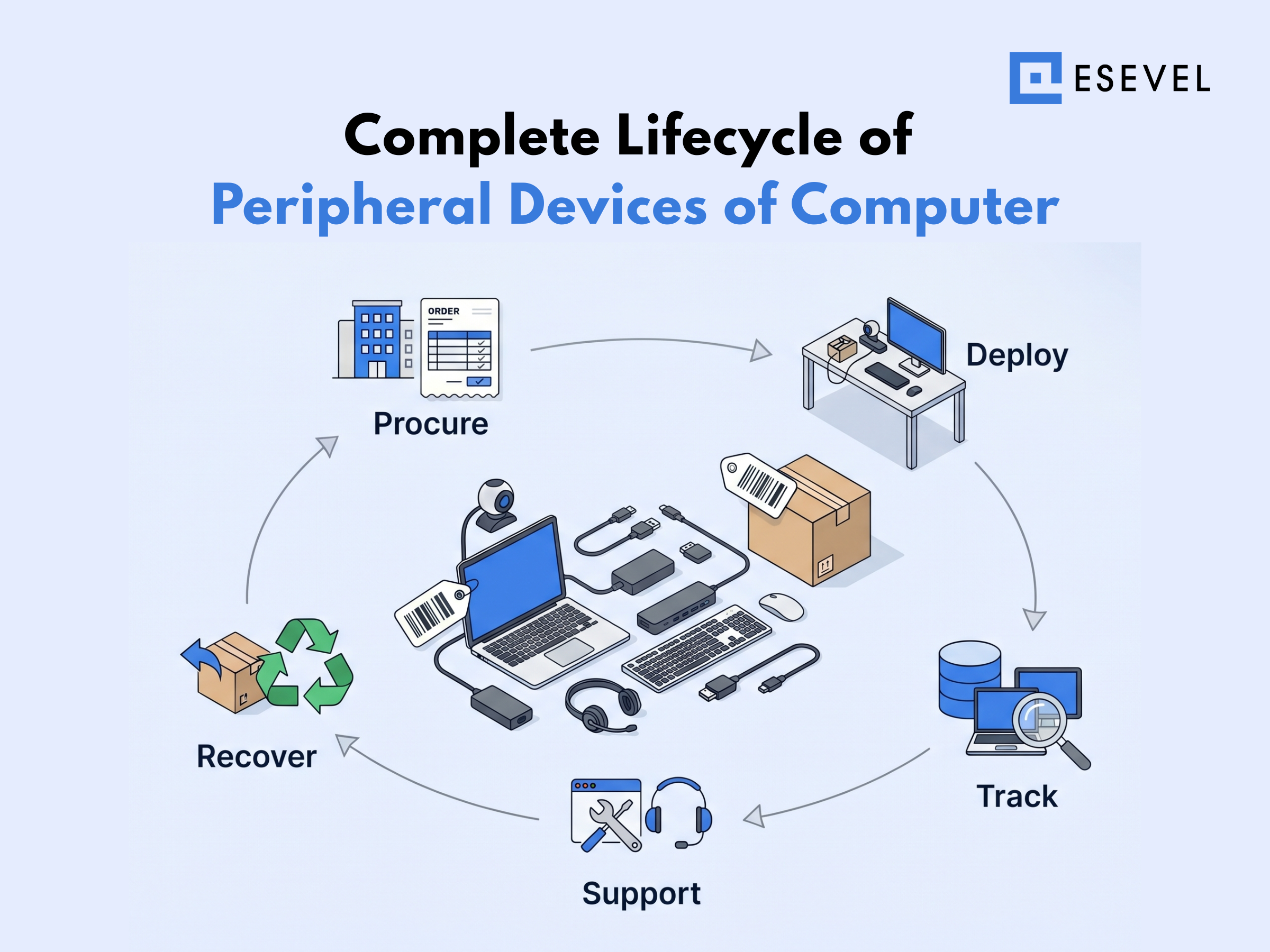
Peripheral devices should be managed throughout the full IT lifecycle, not treated as one-time purchases. IT teams need a process for planning, sourcing, delivering, tracking, supporting, replacing, and recovering accessories.
Peripheral procurement workflows
Peripheral procurement should start with clear standards. IT teams need to define which accessories are approved for different roles, locations, and work styles.
For example, a support agent may need a high quality headset. A designer may need a larger monitor. A manager may need a webcam, headset, and docking station for regular meetings. These examples of computer peripheral devices show why one setup does not always fit every role.
Procurement workflows should cover:
- Standardizing accessories across teams, so employees receive compatible and supportable equipment
- Bulk purchasing and vendor coordination, so teams can control cost and availability better
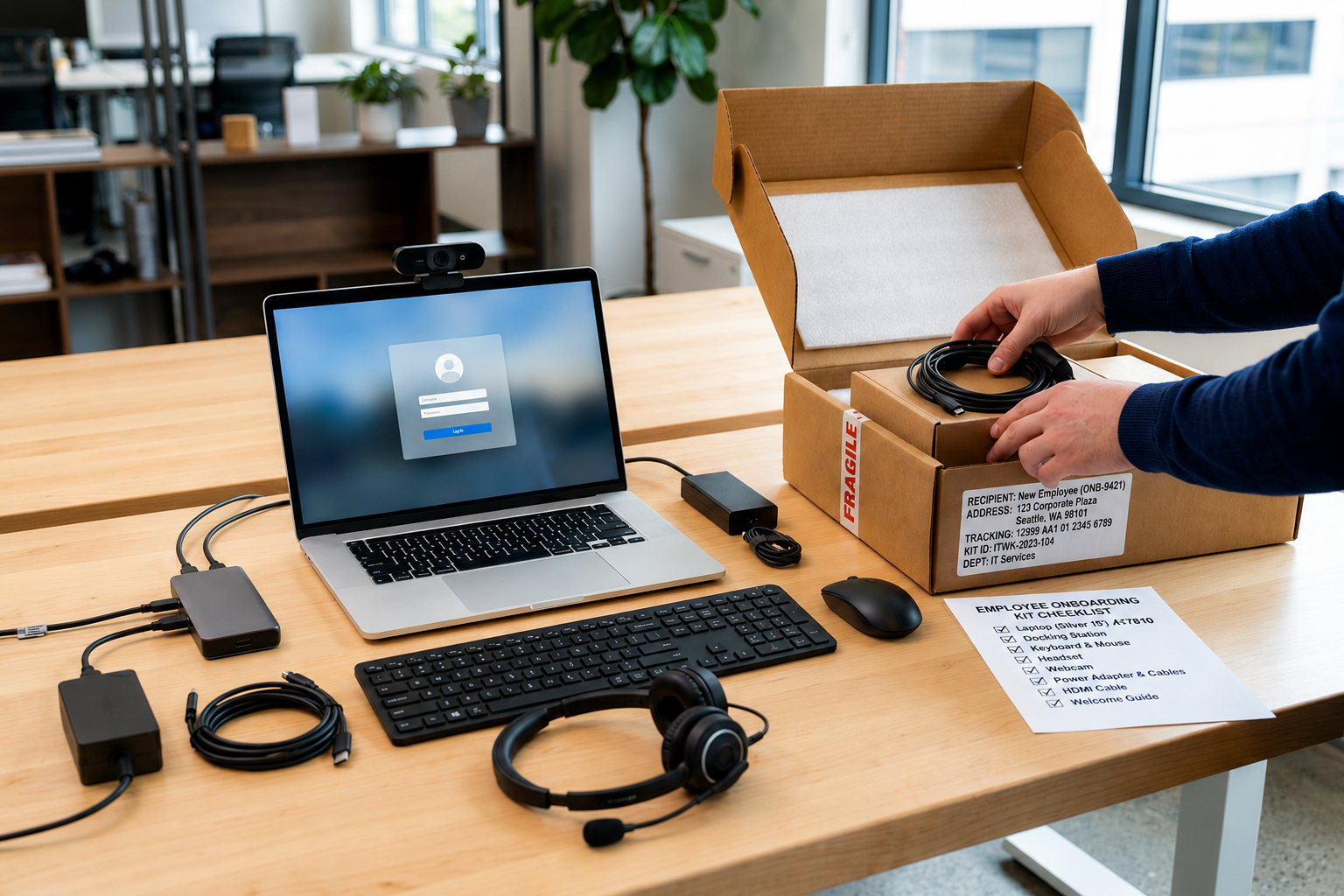
- Delivering peripherals alongside employee devices, so new hires receive complete work kits
- Managing replacements and upgrades, so damaged or outdated accessories do not slow work
When examples of peripheral devices of computer are planned as part of the employee setup, onboarding becomes smoother. Employees receive the tools they need from the start, and IT gets fewer setup-related issues.
Peripheral lifecycle stages
Peripherals should move through a clear lifecycle like other IT assets. This helps teams manage cost, ownership, support, and recovery with less manual work.
The main stages include procurement and assignment, deployment with employee devices, usage tracking and support, and replacement and recovery. Each stage gives IT a clearer view of where equipment is, who owns it, and what needs action.
This matters because peripherals often move with employees. A monitor may be assigned during onboarding, a headset may be replaced during employment, and a docking station may need to be recovered during offboarding.
Connecting peripherals with IT lifecycle management
Peripheral procurement should connect with device provisioning, so each employee receives the right laptop and accessories for their role from the start.
Tracking should include laptops and accessories together. This gives IT clearer visibility into who has each monitor, headset, adapter, or docking station.
Support and recovery workflows should also cover peripherals. Esevel helps companies manage this by connecting procurement, deployment, tracking, support, and recovery in one lifecycle-driven system.
Peripheral management tools and limitations
Some companies rely on inventory tools, but peripherals often remain difficult to track consistently. This happens when peripheral data is separated from device lifecycle data.
What management tools can help with
Peripheral management tools can help IT teams create better visibility. They can show which accessories exist, who they are assigned to, where they are located, and whether they need replacement.
These tools can support:
- Inventory visibility, so IT knows what equipment exists
- Assignment tracking, so accessories are linked to employees
- Procurement coordination, so teams can plan purchases and replacements more clearly
This is much better than relying only on spreadsheets or purchase receipts. However, tracking alone does not solve the full problem.
Limitations of disconnected tools
Disconnected tools can still leave major gaps. A tool may record that a headset or monitor was purchased, but not connect that item to onboarding, support, replacement, or recovery workflows.
Common limitations include:
- Peripheral tracking separated from device lifecycle management, which creates incomplete asset visibility
- Limited visibility into usage and replacement history, which makes it harder to know when equipment should be replaced
- Manual coordination between procurement and IT teams, which slows delivery and creates more follow up work
Peripherals work best when connected to broader IT workflows. That means procurement, deployment, support, tracking, and recovery should happen through one lifecycle view.
FAQs
What are peripheral devices of computer
Peripheral devices of computer systems are external devices connected to a computer to expand its function. They support input, output, storage, communication, and connectivity for daily work.
What are examples of computer peripheral devices
Examples of computer peripheral devices include keyboards, mice, webcams, microphones, monitors, printers, speakers, headsets, external drives, docking stations, USB hubs, and network adapters. These devices help employees complete their workstation and work more effectively.
What are input peripheral devices of computer
Input peripheral devices of computer systems are devices that send data or commands into the computer. Examples include keyboards, mouse devices, webcams, microphones, and scanners.
Why should IT teams manage peripheral devices
IT teams should manage peripheral devices because they affect onboarding, productivity, support, cost, and asset visibility. Without proper tracking, companies may lose accessories, duplicate purchases, and create inconsistent remote work setups.
How do companies track computer peripheral devices
Companies track computer peripheral devices through asset management systems, inventory records, assignment data, procurement workflows, and recovery processes. The strongest approach connects peripherals with the full IT lifecycle.
Build IT operations beyond core devices
Peripheral devices are operational assets, not small accessories. They complete the employee workstation and affect how remote teams communicate, collaborate, and stay productive.
As teams grow across locations, companies need more than one-off purchases and disconnected inventory records. They need lifecycle visibility that connects peripherals with device procurement, deployment, tracking, support, replacement, and recovery.
Esevel helps companies manage devices and peripherals together as part of one connected IT lifecycle. With procurement, deployment, tracking, support, and recovery in one system, IT teams can support remote employees better while keeping global operations more consistent.

Maytiska Omar Maytiska is an experienced content writer and blog specialist with 4+ years of expertise in creating engaging, SEO-driven content. She focuses on IT and digital topics, turning complex ideas into clear, reader-friendly insights. Her work helps position Esevel as a trusted voice in the digital space.