Managing IT assets becomes harder when teams grow across countries, vendors, and work setups. Spreadsheets may work at the start, but they quickly break down when devices move between employees, regions, support cases, and refresh cycles.
For IT leaders, managing IT assets is no longer just about tracking laptops. It requires a structured system that connects procurement, deployment, support, recovery, and refresh planning.
This is where IT asset lifecycle management becomes important. It gives companies a clearer way to manage devices, software, ownership, and status from procurement to recovery.
What is IT asset management
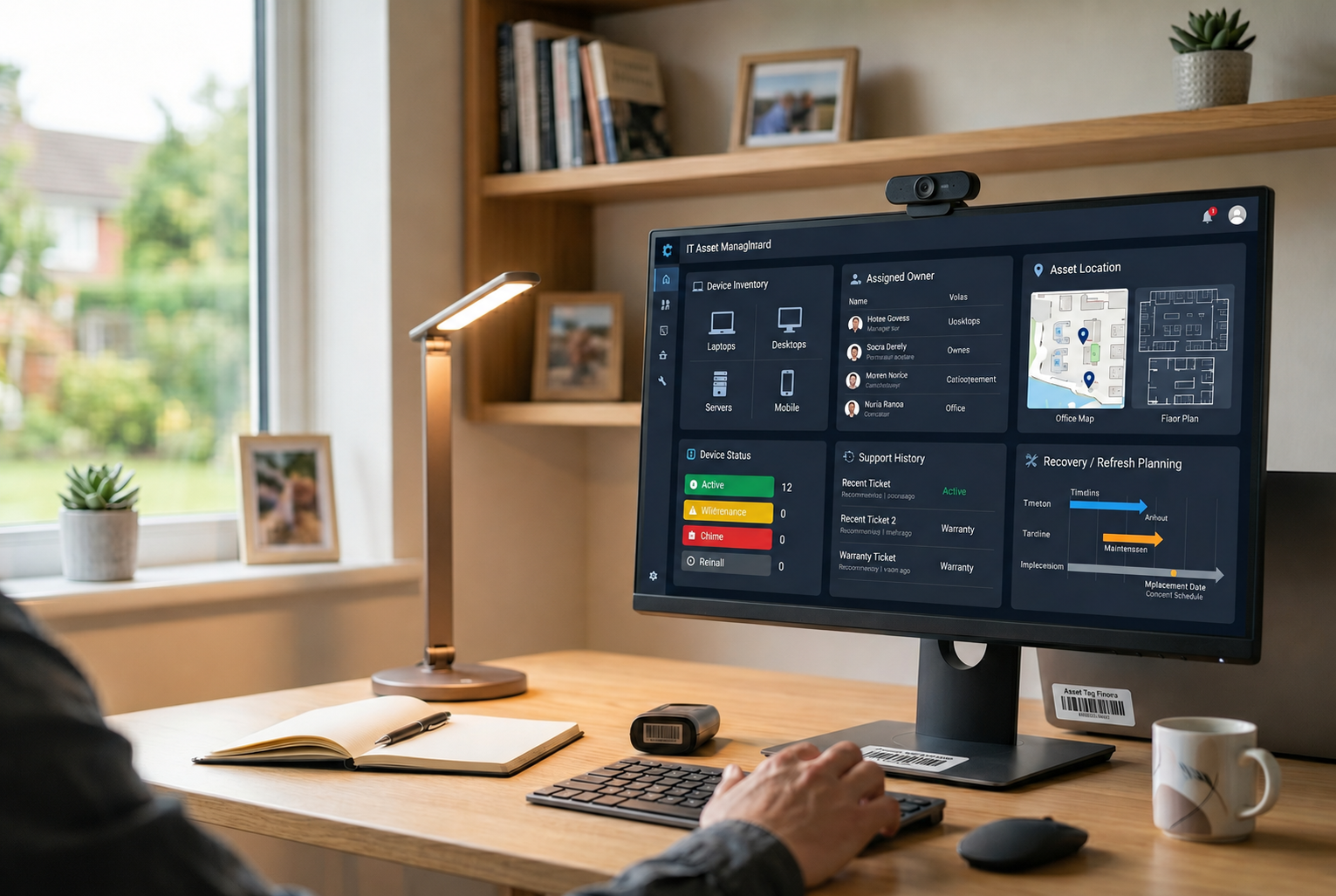
IT asset management is the process of tracking, managing, and optimizing company technology assets throughout their lifecycle. It gives IT teams visibility into what the company owns, who uses each asset, where it is located, and what actions are needed next.
IT asset management covers both physical and digital assets, including laptops, desktops, mobile devices, accessories, software, licenses, and endpoint tools. The goal is not just to maintain an inventory list but to improve visibility, reduce waste, strengthen security, and support better lifecycle decisions.
What counts as IT assets
IT assets include the technology resources employees need to work. For many companies, this starts with laptops and desktops, but the asset scope is much wider.
Common assets include:
- Employee laptops and desktops
- Mobile devices and tablets
- Monitors, docks, headsets, and accessories
- Software, licenses, and applications
- Security tools and endpoint systems
- Devices waiting for repair, redeployment, or recovery
IT assets management becomes more important as these items spread across offices, homes, coworking spaces, and countries. Once the scope is clear, the next step is understanding why basic tracking no longer works for growing teams.
Why managing IT assets breaks down at scale
Managing IT assets becomes harder when devices move across employees, locations, vendors, and lifecycle stages. A laptop may be purchased in one country, assigned to an employee in another, repaired by a local provider, and recovered during offboarding months later.
At small scale, spreadsheets may be enough to record what the company owns. At larger scale, IT leaders need more than an asset list. They need clear ownership, reliable status, and workflows that connect procurement, support, recovery, and refresh planning.
Asset ownership becomes unclear
One of the first problems is ownership visibility. IT teams need to know who holds each device, where it is located, and whether the asset is still assigned to the right employee.
Without clear ownership records, offboarding becomes harder. Devices may stay with former employees, sit unused in storage, or disappear from inventory records. This creates extra work for IT and makes asset recovery less predictable.
Asset status becomes harder to trust
Asset status visibility also becomes harder as companies scale. IT may know that a device was purchased, but not whether it is active, spare, under repair, missing, recovered, or ready for redeployment.
This creates planning problems. IT teams may buy new devices while usable assets sit idle, or delay replacement because they cannot see which devices are aging, damaged, or unsupported.
Asset workflows become disconnected
Asset data often gets split across procurement, support, finance, HR, and local vendors. Procurement may know what was purchased, support may know which device has issues, and HR may know when an employee leaves, but those records do not always connect.
This is where manual tracking starts to fail. Spreadsheets can store information, but they do not manage the workflow from procurement to deployment, support, recovery, and refresh planning.
To manage IT assets at scale, IT leaders need a lifecycle process that connects ownership, status, and next action for every asset.
What IT leaders need to manage IT assets at scale
Managing IT assets at scale requires more than an inventory list. IT leaders need visibility, connected workflows, and lifecycle control across every device, employee, location, and support action.
Key requirements include:
- Asset ownership visibility, so IT knows who holds each device and what should happen during support, transfer, or offboarding
- Asset status visibility, so teams can see whether an asset is active, spare, under repair, missing, recovered, or ready for redeployment
- Device lifecycle visibility, so IT can track each asset stage from procurement to recovery and make better decisions about support, refresh, reuse, or disposal
- Connected workflows, so procurement, deployment, support, recovery, and refresh planning do not run as separate processes
- Global device management support, so distributed teams can manage local delivery, repair, replacement, and recovery while keeping central visibility
These capabilities help IT teams move from manual tracking to distributed asset management. They also give leaders a stronger foundation for end to end asset management across countries, vendors, and employee work setups.
The IT asset lifecycle management process
A strong IT asset management process gives IT teams a clear workflow for managing assets from request to retirement. It connects daily asset tracking with IT asset lifecycle management, so every device has a clear owner, status, location, and next action.
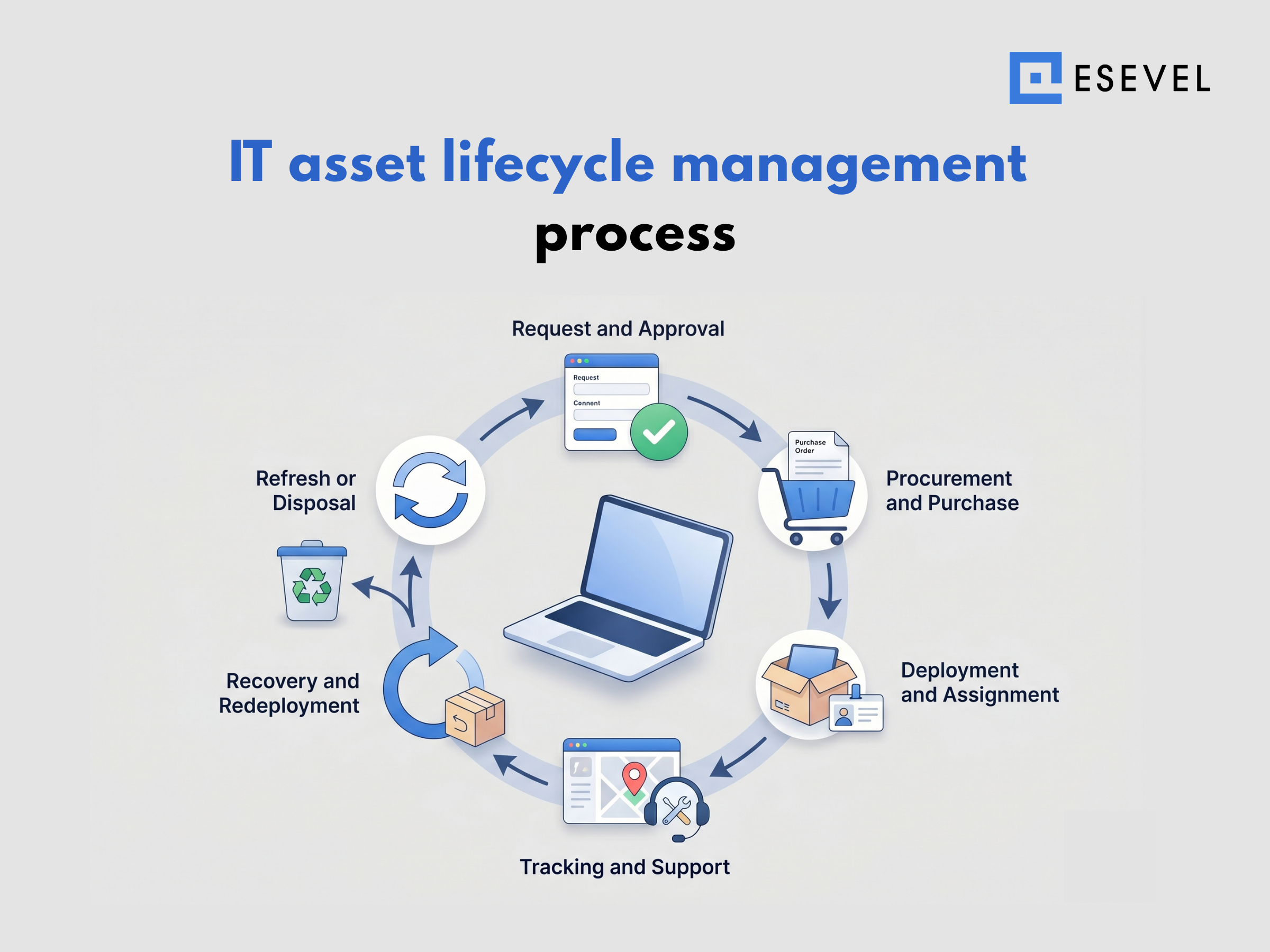
Request and approval
The process starts when an employee needs a device, software, license, or accessory. IT should review the request based on role, business need, budget, and existing inventory before approving a new purchase.
Procurement and purchase
After approval, IT can move into procurement. This stage should connect purchase records with asset records, so teams know what was bought, when it was purchased, and who the asset is intended for.
Deployment and assignment
Deployment covers setup, configuration, delivery, and assignment. Each asset should be linked to an employee, location, device status, and onboarding record before it enters active use.
Tracking and support
Once the asset is in use, IT needs ongoing visibility into ownership, condition, software access, warranty status, and support history. This gives teams better asset status visibility and helps them make faster repair or replacement decisions.
Recovery and redeployment
When an employee leaves or no longer needs the asset, IT should recover the device, update ownership records, and decide whether it can be reused. This keeps asset ownership visibility clear and reduces unused or missing devices.
Refresh or disposal
The final stage is refresh, resale, recycling, or disposal. IT should use lifecycle data to decide whether an asset should return to use, move into repair, be replaced, or leave the company’s inventory.
IT asset tracking and visibility
IT asset tracking gives teams visibility into where assets are, who owns them, and what condition they are in. Without reliable tracking, lifecycle management becomes guesswork.
What IT asset tracking should include
IT asset tracking should capture ownership, location, status, and history. Asset tracking IT teams rely on should answer simple but important questions.
Teams should know:
- Who owns the asset
- Where the asset is located
- Whether the asset is active, spare, under repair, recovered, or missing
- When the asset was purchased
- Whether warranty or repair coverage still applies
- What support history exists
- Whether the asset needs recovery or refresh
These records create stronger device lifecycle visibility. They also help IT teams support employees faster because support decisions can include device history, condition, and ownership.
Why visibility matters for IT leaders
Visibility matters because IT leaders need to make decisions before problems become urgent. Better asset ownership visibility helps teams know who has each device and what should happen during offboarding.
Asset status visibility also improves budget planning. IT can see which devices need replacement, which assets can be reused, and which items may require repair.
For distributed asset management, visibility becomes even more important. Devices sit across countries and work environments, so IT teams need a clear source of truth that supports global device management.
Tracking works best when it connects with remote device management and endpoint lifecycle operations.
Managing IT assets across distributed teams
Managing IT assets across distributed teams requires more than remote access or a shared spreadsheet. IT leaders need a connected system that gives central visibility while still supporting local procurement, delivery, repair, recovery, and refresh needs.
Keep asset data connected
Asset data should not live in separate spreadsheets, vendor records, and support tools. Procurement, deployment, tracking, support, recovery, and refresh planning should connect in one workflow so IT teams can see the full asset journey.
This gives teams stronger asset ownership visibility, asset status visibility, and device lifecycle visibility. Instead of asking different teams for updates, IT can see who owns each device, where it is, what condition it is in, and what action should happen next.
Support local execution across regions
Distributed asset management becomes harder when employees work across countries. Devices may need to be purchased locally, delivered to home addresses, repaired through regional providers, and recovered during offboarding.
A connected system helps IT teams support these local actions without losing central control. This is especially important for global device management, where teams need consistent standards but flexible execution across regions.
Connect operations from procurement to recovery
Managing IT assets at scale works best when every stage connects from procurement to recovery. Deployment should connect with onboarding, support should connect with device history, and recovery should connect with offboarding.
This approach gives IT teams lifecycle control across daily operations. It also supports end to end asset management because every asset has a clear owner, status, location, and next step.
When IT asset management services help
IT asset management services are most useful when internal teams no longer have the time or coverage to manage devices across their full lifecycle.
Common signs include:
- Devices are spread across multiple locations or countries.
- Asset records are incomplete or outdated.
- IT relies on spreadsheets and manual tracking.
- Deployments, replacements, and recoveries take too much coordination.
- Offboarding and refresh planning lack visibility.
The main benefit is better lifecycle management, not just inventory tracking. Effective services provide visibility into asset ownership, status, and lifecycle across all locations.
For distributed teams, they can simplify procurement, deployment, repairs, replacements, offboarding, recovery, and refresh planning while giving IT a more consistent way to manage assets from procurement through recovery.
IT asset lifecycle management for global teams
Global teams need asset management that supports both central visibility and local execution. A device may be purchased in one country, used in another, repaired locally, and recovered during offboarding, so IT teams need a system that keeps records, ownership, and status connected.
For global device management, IT teams need:
• Centralized asset visibility across countries
• Standardized device records
• Regional procurement and delivery support
• Local repair and replacement workflows
• Clear recovery and redeployment processes
• Asset ownership visibility across employees and locations
• Asset status visibility across the full lifecycle
This is where a connected platform becomes useful. Esevel helps distributed teams manage procurement, deployment, tracking, support, recovery, and refresh planning in one workflow, so IT leaders can see what was purchased, who received it, where it is, what support it needs, and what should happen next.
The goal is not to add another inventory tool. It is to give IT teams lifecycle control from procurement to recovery, while keeping asset management consistent across countries, vendors, and employee work setups.
FAQs
These questions help clarify how managing IT assets and IT asset lifecycle management work for growing teams.
What is IT asset management
IT asset management is the process of tracking and managing company technology assets throughout their useful life. It helps teams know what they own, who uses each asset, where it is, and when it needs support, recovery, or replacement.
What is IT asset lifecycle management
IT asset lifecycle management covers every stage of an asset’s journey, from procurement and deployment to support, recovery, and refresh planning. It helps companies manage IT assets as part of a structured operating system instead of a static inventory list.
What is the IT asset management process
The IT asset management process includes request, procurement, deployment, tracking, support, recovery, and retirement. A clear process flow helps IT teams reduce manual work and keep asset records accurate.
Why is IT asset tracking important
IT asset tracking is important because it gives teams visibility into device ownership, location, condition, and status. Without reliable tracking, companies risk losing assets, delaying support, and making poor refresh decisions.
How should companies manage IT assets across remote teams
Companies should manage remote IT assets through a lifecycle system that connects procurement, deployment, tracking, support, recovery, and refresh planning. This gives IT leaders better control than spreadsheets or disconnected tools alone.
Build IT asset management that scales
Managing IT assets is not just about keeping an inventory list. It is about building a system that gives IT teams visibility and control across the full asset lifecycle.
Esevel helps companies manage IT assets across global and distributed teams by connecting procurement, deployment, tracking, support, recovery, and refresh planning. If spreadsheets and manual tracking no longer give your team control, a lifecycle based approach can help you scale with less operational friction.

Maytiska Omar Maytiska is an experienced content writer and blog specialist with 4+ years of expertise in creating engaging, SEO-driven content. She focuses on IT and digital topics, turning complex ideas into clear, reader-friendly insights. Her work helps position Esevel as a trusted voice in the digital space.