Providing equipment for remote workers works best when companies first choose an equipment model based on security, workforce location, device value, employee type, and internal IT capacity. That model should then define who owns and pays for equipment, how it is delivered, who supports it, how company assets are tracked, and what happens when employees leave.
There is no single model for every company. Company owned equipment offers the most control, while stipends and BYOD provide more employee flexibility. Local purchasing and global equipment providers can simplify fulfillment across countries, while a hybrid model lets companies keep control of core devices and offer more choice for lower risk equipment.
This guide compares each model and explains how to choose the right approach for a distributed team. Choose the model first, then build the logistics and management process around it.
What does providing equipment for remote workers involve?
At its core, the employer decides who owns the equipment, who buys it, which devices must be standardized, how it reaches the employee, who supports it, how it’s tracked, and what happens when employment ends.
Three things worth separating:
- Equipment policy – the rules for ownership, eligibility, and standards
- Fulfillment method – how devices actually get to employees
- Ongoing responsibility – who tracks, supports, and eventually recovers the equipment
These decisions usually sit alongside the broader question of whether equipment should be provided, subsidized, or employee-owned in the first place, which is where a work from home policy comes in.
What remote employee equipment models can companies use?
Companies can use six main models. Local purchasing and global providers mainly change how equipment is fulfilled, while ownership can still remain with the employer.
| Model | Company control | Employee flexibility | Security | Global scalability | IT workload | Asset visibility and returns |
| Company provided equipment | High | Medium | High | Medium | High | Strong with central tracking |
| Reimbursement or stipend | Low to medium | High | Variable | High | Low to medium | Limited if employee owned |
| BYOD | Low | Very high | Variable | High | Medium to high | Limited |
| Local purchasing | Medium to high | Medium | High with standards | Medium to high | High without coordination | Needs central records |
| Centralized global provider | High | Medium | High with company standards | High | Lower coordination | Strong if integrated |
| Hybrid model | Selective | High | High for core devices | High | Medium | Strong for company owned assets |
Company provided equipment works well when security and asset control matter. A stipend or reimbursement gives employees more choice for lower risk equipment.
BYOD offers flexibility, but it changes the security model. NIST notes that personally owned devices create distinct cybersecurity and privacy risks because devices can vary in age, operating system, configuration, and security capabilities.
Local purchasing can solve regional availability issues. A centralized global provider can coordinate sourcing and delivery across markets. A hybrid model combines these options based on the equipment and worker type.
How should companies choose the right remote equipment model?
Start with the risk and operating needs rather than choosing the same model for every employee.
Security and data sensitivity: Roles with access to sensitive systems make a stronger case for company controlled devices. NIST guidance covers different security considerations for organization provided and personally owned devices.
Workforce distribution: A company hiring in one or two markets may manage local purchasing internally. More countries create more supplier, delivery, support, and return coordination.
Employee type: Permanent employees, contractors, temporary workers, and short term hires may need different ownership rules.
Equipment value: High value laptops and phones need stronger tracking. Lower risk accessories may work well under reimbursement.
Internal IT capacity: Consider whether IT has time to manage vendors, shipping, support, inventory, and returns.
Local requirements: Reimbursement, tax, import, and employment rules can vary by country. Companies should verify local requirements rather than apply one rule everywhere.
The greater the security risk, asset value, and need for visibility, the stronger the case for company owned equipment.
When does a hybrid equipment model make sense?
A hybrid model works well when companies want strong control over core technology without managing every home office item.
For example, the company can own and manage laptops and security sensitive devices while offering reimbursement for monitors, keyboards, mice, and other lower risk accessories. BYOD can remain limited to clearly approved use cases.
What equipment should companies standardize?
Standardize equipment that affects security, support, compatibility, and asset value.
Standardize more tightly:
• Core work devices
• Security sensitive endpoints
• Devices that need company configuration
• High value assets
• Equipment IT must repair or replace
Allow more flexibility where appropriate:
• Lower risk peripherals
• Ergonomic accessories
• Personal workspace items
• Equipment that does not store company data
Use role based standards rather than one device for everyone. Companies can also approve equivalent regional models when the same exact device is not available in every country.
How should companies manage remote equipment across different countries?
Use a central policy with controlled local execution.
Centralize ownership rules, device standards, budgets, security requirements, asset tracking, and return rules. This keeps the operating model consistent across the company.
Adapt sourcing, vendors, currencies, delivery methods, regional device options, reimbursement methods, and local requirements by market.
A simple country matrix can record the approved equipment model, fulfillment method, standard devices, support route, return method, and allowed exceptions for each country.
Companies can manage each market through local vendors or use a global equipment partner to coordinate local execution. Esevel is one example of a centralized model, combining procurement, delivery, setup, tracking, support, retrieval, and redeployment. Standard catalogue items typically have a 3 to 5 working day lead time, with an average order to delivery time of 6-8 days based on historical order data.
How should remote employee equipment be tracked, supported, and returned?
Ivanti’s 2025 Technology at Work research found that only 35% of IT professionals said their company tracks device age or location. The study surveyed more than 6,000 office workers and 1,200 IT and security professionals.
Remote equipment still needs basic controls after delivery.
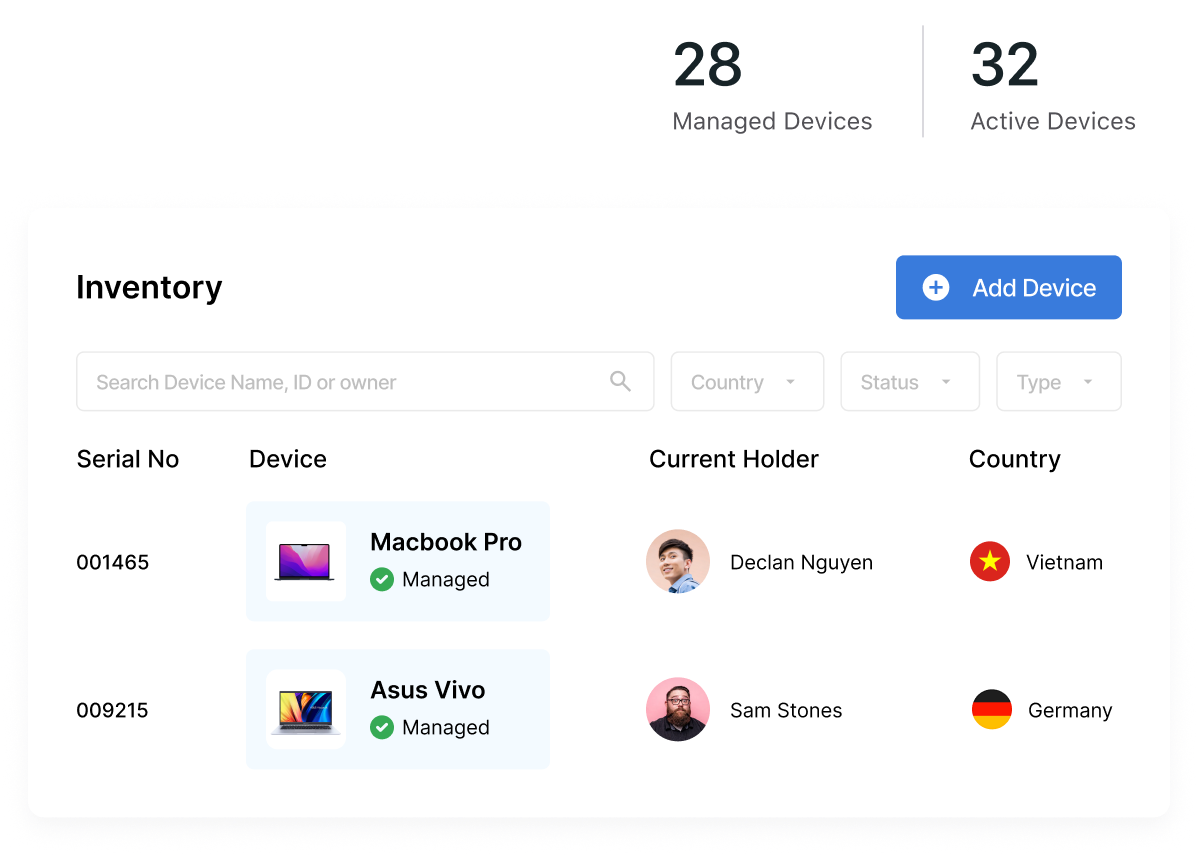
- Record ownership and assignment: Track whether the asset is company owned, who has it, its location, serial number, and status.
- Define the support model: Decide whether internal IT, a vendor, a local repair partner, or a remote helpdesk handles issues.
- Set repair and replacement rules: Define approval, damage responsibility, and temporary replacement options.
- Plan returns before offboarding: State what must be returned, who arranges collection, the deadline, and how condition will be confirmed.
- Keep records current: Update assets when they are assigned, in transit, under repair, returned, or ready for reuse.
NIST recommends considering mobile device security across deployment, use, and disposal for both organization provided and personally owned devices.
When does a global equipment provider make sense?
A global provider becomes useful when geographic complexity creates more coordination than IT, HR, or People Ops want to manage.
It can be a good fit when:
• Employees work across several countries
• Company owned equipment is preferred
• IT manages many local vendors
• Hiring and offboarding happen often
• Asset records are fragmented
• Repairs and returns are difficult to coordinate
Smaller teams in one or two markets may still work well with local suppliers or reimbursement.
Esevel is one example of a centralized model, combining procurement, delivery, setup, tracking, support, retrieval, and redeployment across 120+ countries. Standard catalogue items typically have a 3 to 5 working day lead time, with an average order to delivery time of 6-8 days based on historical data.
What should a remote work equipment policy include?
Use the policy to make ownership and responsibility clear before equipment is provided.
☐ Which workers qualify
☐ Company owned and employee owned equipment rules
☐ Approved equipment categories and standards
☐ Stipend or reimbursement limits
☐ BYOD eligibility
☐ Security requirements
☐ Purchasing and delivery responsibility
☐ Asset tracking requirements
☐ Support and repair responsibility
☐ Lost or damaged equipment rules
☐ Return requirements
☐ Country specific exceptions
☐ Policy owner and review schedule
What is the best equipment model for a distributed team?
There is no universal winner. Company provided equipment gives the most control. Stipends give employees more choice. BYOD offers flexibility but needs stronger security rules. Local purchasing supports market specific needs, while global providers reduce multi country coordination.
For many distributed teams, a hybrid approach offers the best balance. Own and standardize devices that create the most security, operational, and financial risk, while allowing more flexibility for lower risk equipment.
When providing equipment for remote workers across several countries, review the model as the workforce grows. Esevel can support companies that choose a company owned or hybrid model but want procurement, delivery, tracking, support, and retrieval coordinated through one operating model.
FAQs
Should companies provide laptops to remote employees?
Company provided laptops are often the better option when security, configuration, support, and asset control matter. Companies can still use more flexible models for lower risk accessories.
Who should pay for remote work equipment?
The payment model depends on the equipment type, ownership rules, and company policy. Employers may purchase core devices directly, reimburse approved purchases, or provide a stipend for lower risk items. Local reimbursement and employment rules should also be checked before applying one policy across countries.
Is an equipment stipend better than company provided equipment?
A stipend gives employees more choice and reduces fulfillment work, while company provided equipment gives the employer stronger control. The best option depends on equipment value, security needs, support responsibility, and ownership requirements.
How should companies provide equipment across multiple countries?
Keep policy, ownership, security, and device standards centralized. Adapt sourcing, delivery, regional alternatives, and local requirements for each country while maintaining central asset visibility.
Choose the right equipment model for your team
Providing equipment for remote workers works best when the model matches your security needs, workforce locations, device value, and internal IT capacity. Company owned equipment gives more control, while stipends, BYOD, local purchasing, and hybrid models offer more flexibility where risk is lower.
As teams expand across countries, keep ownership and policy consistent while adapting sourcing, delivery, support, tracking, and returns locally. Esevel can help distributed teams coordinate procurement, delivery, setup, tracking, support, retrieval, and redeployment through one operating model.