Asset discovery software helps companies find and track IT assets, but global teams need more than a list of devices. They need ownership data, remote visibility, onboarding links, recovery workflows, and lifecycle reporting.
For distributed teams, the real goal is not just discovery. It is knowing where every asset is, who owns it, how it is used, and what should happen next.
This matters because devices now move across countries, homes, offices, repair paths, and offboarding workflows. Without connected visibility, IT teams may know that a device exists, but not whether it is active, unused, missing, under repair, or ready for recovery.
What is asset discovery software
Asset discovery software identifies and records IT assets such as laptops, mobile devices, servers, software, and network connected systems. It helps IT teams understand what assets exist and supports broader IT asset management by improving inventory accuracy.
Discovery answers, “what assets do we have?” IT asset management answers, “who owns them, where are they, what status are they in, and what should happen next?”
This distinction matters when teams ask how to manage IT assets inventory. A one time scan can create a list, but inventory management requires ongoing updates across procurement, deployment, support, recovery, and refresh planning.
What to look for in asset discovery software
The best asset discovery software should help IT teams manage assets through real workflows. It should connect discovery with ownership, remote visibility, onboarding, recovery, and lifecycle reporting.
Device ownership tracking
Device ownership tracking helps IT know who holds each asset. This includes linking assets to employees, teams, locations, and status records.
A useful system should show whether a device is active, spare, under repair, recovered, missing, or ready for redeployment. This helps IT avoid unclear ownership during support, audits, employee transfers, or offboarding.
Remote visibility
Global teams need visibility into assets outside the office network. This includes laptops assigned to remote employees, devices in coworking spaces, equipment in transit, and assets held by local support providers.
Remote visibility reduces dependence on office based checks. It also helps hybrid and global teams understand where devices are and what action each one needs.
Onboarding connection
Asset discovery should connect with onboarding because every new employee needs the right equipment at the right time. New device records should link to employee onboarding, procurement, deployment, and assignment data.
This helps IT confirm whether a device has been assigned before the employee starts. It also helps teams connect procurement and deployment data instead of treating discovery as a separate inventory task.
Recovery workflows
Recovery workflows help IT track which assets need to be returned. This becomes especially important when employees leave, move roles, or receive replacement devices.
A strong IT asset discovery solution should help teams identify reusable, missing, retired, or recovered assets. It should also connect returned devices with redeployment planning, secure wiping, repair, resale, or disposal steps.
Lifecycle reporting
Lifecycle reporting helps IT leaders understand asset status across procurement, deployment, support, recovery, and refresh. This turns discovery data into useful planning information.
Reports should help teams identify aging devices, unused assets, repair patterns, and replacement needs. This supports better budget planning and gives IT leaders a clearer view of asset health and usage.
These capabilities turn discovery from a static inventory task into a practical asset management workflow.
Asset discovery software features that matter
After defining what to look for, IT teams should review the actual features that support those criteria. The goal is to choose asset tracking inventory management software that improves visibility, ownership, and lifecycle control across locations.
| Feature area | What it should include | Why it matters |
| Automated asset discovery | Detects and records laptops, mobile devices, servers, software, and connected systems | Helps IT maintain a more accurate inventory without relying only on manual updates |
| Ownership records | Links each asset to an employee, team, department, or location | Gives IT clearer accountability during support, audits, transfers, and offboarding |
| Asset status tracking | Shows whether a device is active, spare, under repair, missing, recovered, or ready for redeployment | Helps IT know what action each asset needs next |
| Location tracking | Records asset location by country, city, office, employee address, or region | Supports asset tracking across locations for remote and global teams |
| Hardware and software inventory | Tracks device specifications, installed software, licenses, and endpoint details | Helps IT manage support, security, and software planning more effectively |
| Procurement connection | Connects asset records with purchase and vendor data | Keeps procurement and inventory records aligned after devices are ordered |
| Onboarding and deployment tracking | Shows whether devices have been assigned, shipped, configured, and delivered | Helps new hires receive the right equipment on time |
| Support and repair history | Records tickets, repair status, warranty details, and replacement needs | Gives support teams more context before they make repair or replacement decisions |
| Offboarding and recovery workflows | Tracks which devices need to be returned, wiped, repaired, reused, or retired | Reduces lost assets and improves recovery planning |
| Lifecycle reporting | Shows aging devices, unused assets, recovery status, and refresh needs | Helps IT leaders plan budgets, replacements, and lifecycle actions |
These features help IT teams move from discovery to action. Instead of only finding assets, the software should help teams understand ownership, status, location, support needs, and lifecycle next steps.
Why global teams need more than basic asset discovery
Asset discovery becomes more complex when employees work across countries, use remote devices, and rely on different vendors or local support paths. Devices may sit outside office networks, move between employees, or remain unreturned after offboarding.
Common visibility gaps
Global and remote teams often lose visibility because assets do not stay in one controlled environment. A laptop may start in an office, move to a home address, go through a repair provider, then return to inventory for redeployment.
Common visibility gaps include:
• Devices sit outside the office network
• Employees move locations without updating asset records
• Inventory data becomes outdated quickly
• IT teams cannot easily confirm ownership or status
• Devices may be active, unused, lost, under repair, or ready for recovery
Remote IT asset management needs more than discovery scans. It needs asset tracking across locations, users, and lifecycle stages so IT can see what is happening after deployment.
Why manual inventory tracking fails
Manual inventory tracking fails because asset data changes too often. Spreadsheets can hold records, but they do not automatically reflect employee moves, repairs, device handovers, offboarding, or redeployment.
Teams may also create duplicate or missing records when procurement, IT support, finance, and HR all manage separate files. Over time, asset ownership becomes unclear and teams spend more time checking records than solving the actual problem.
This is why global teams need asset discovery software that supports more than asset detection. They need a connected process that keeps discovery, ownership, support, and recovery data aligned.
Asset discovery software comparison
An asset discovery software comparison should not only compare tool names. It should compare how well each option supports the way your company manages IT assets.
What to compare
When comparing options, IT teams should look beyond whether the tool can find devices. Discovery quality matters, but so does the ability to support remote work, ownership records, and lifecycle workflows.
Compare these areas:
• Discovery method
• Remote visibility
• Ownership tracking
• Inventory accuracy
• Workflow integration
• Reporting quality
• Support for multiple locations
A strong comparison should show whether the software helps IT manage assets after discovery. This is especially important for companies with remote employees, multiple offices, or regional vendors.
Discovery only tools vs lifecycle platforms
Discovery only tools help identify assets. They can be useful when teams need basic visibility into devices, endpoints, or software.
Asset tracking tools go further by recording ownership, location, status, and inventory changes. They help teams maintain records after discovery.
Lifecycle platforms connect discovery with procurement, deployment, support, recovery, and refresh planning. For global teams, this often provides more operational value than choosing only from the best IT asset discovery tools by feature count.
The right IT asset discovery solution should match how your team works. If discovery does not connect with ownership, onboarding, support, and recovery, IT may still need manual processes to manage the full asset lifecycle.
Free asset discovery software and its limits
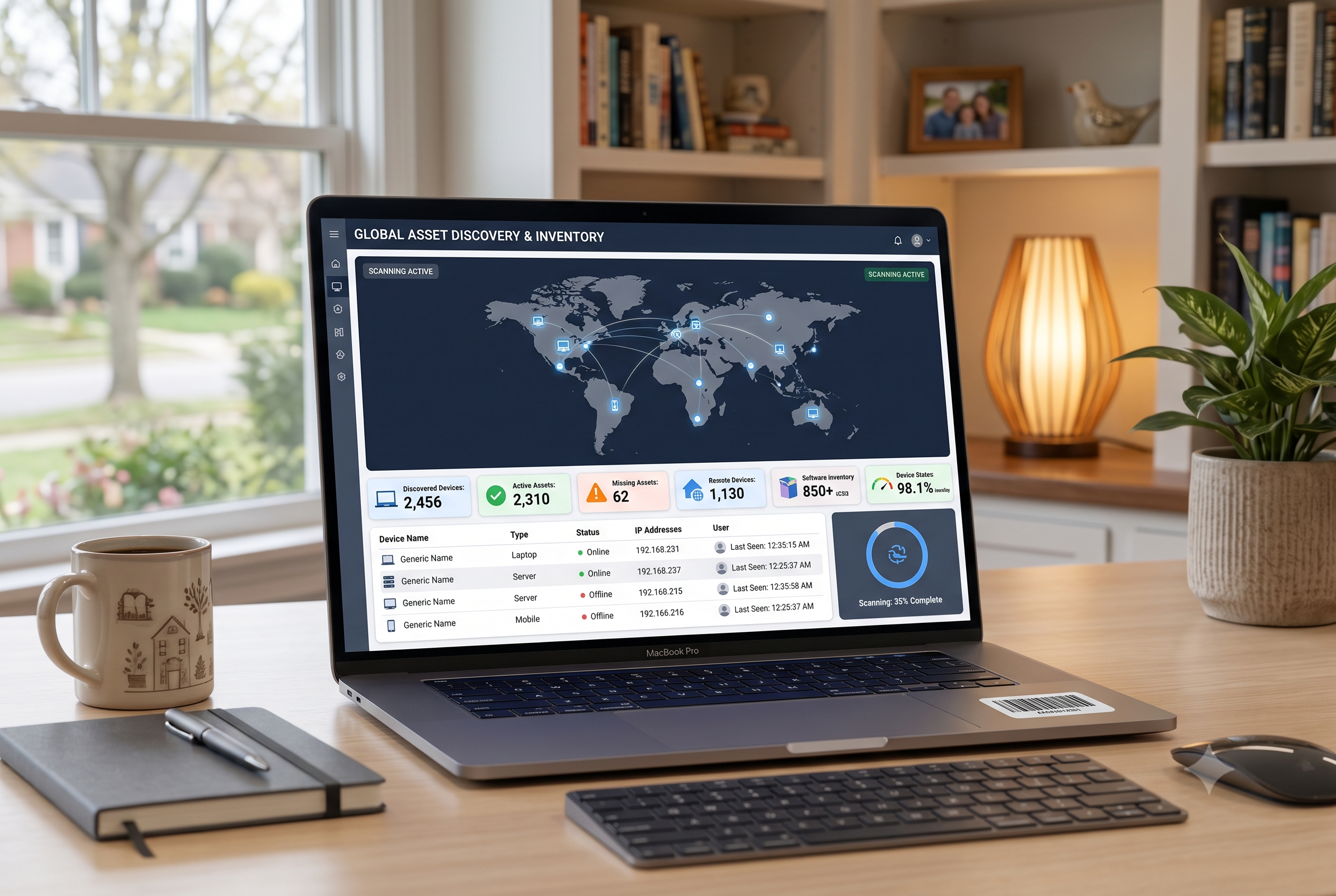
Free tools can help teams start with basic inventory visibility, especially when asset needs are simple. However, asset discovery software free options may not be enough when teams need remote visibility, lifecycle workflows, and reporting across locations.
When free software can help
Free software can work for small teams that need a simple way to understand what assets exist. It can also help teams test basic discovery workflows before moving to a larger system.
This is useful when devices stay in limited locations and IT only needs basic inventory records. For early stage teams, free tools can provide a starting point before asset management becomes more complex.
Where free tools may fall short
Free tools may fall short when companies need remote IT asset management, onboarding links, recovery workflows, or lifecycle reporting. They often require more manual setup and may not connect discovery data with support, procurement, or offboarding.
For growing and global teams, basic discovery is usually not enough. IT teams need asset discovery connected to wider operations, so they can track ownership, status, location, recovery, and refresh planning.
Asset discovery for multiple locations
Asset tracking across locations requires more than knowing where a device was last recorded. IT teams need current ownership, status, and workflow visibility.
What multi location tracking should include
Multi location tracking should show where assets are, who owns them, and what action each asset needs. This applies to company devices, shared equipment, and rental assets.
For teams asking how to track rental assets across multiple locations, the same principles apply. IT needs clear location records, ownership records, condition updates, return timelines, and recovery status.
A strong process should include:
• Location records by country, city, office, or employee address
• Owner and department assignment
• Shipment and deployment status
• Support and replacement history
• Recovery status during offboarding
These records help IT maintain asset tracking across locations without relying on scattered notes or outdated spreadsheets.
Why this matters for global teams
Multi location tracking matters because devices move between employees and regions. Local repair and replacement paths may vary, and recovery becomes harder when teams work remotely.
Inventory accuracy affects cost, security, and planning. If IT cannot confirm where an asset is or who owns it, teams may buy unnecessary replacements, delay support, or miss recovery opportunities.
Multi location tracking becomes stronger when asset discovery connects with the full IT lifecycle.
Asset discovery as part of IT lifecycle management
Asset discovery should be the starting point for lifecycle control, not the final goal. Once IT finds a device, teams still need to assign ownership, track status, connect it to onboarding, manage support, and plan recovery or refresh.
A connected lifecycle process helps IT teams:
• Discover assets across locations
• Assign ownership and status
• Connect devices to onboarding and deployment
• Track support and repair history
• Manage recovery, redeployment, and refresh planning
This is where platforms like Esevel can help distributed teams. By connecting procurement, deployment, tracking, support, recovery, and refresh planning, the platform helps IT teams turn asset visibility into operational control across global teams.
FAQs
These questions help clarify how asset discovery software supports inventory, tracking, and lifecycle management.
What is asset discovery software
Asset discovery software identifies and records IT assets such as laptops, endpoints, software, and connected devices.
What is the best asset discovery software for global teams
The best asset discovery software for global teams should support remote visibility, ownership tracking, asset tracking across locations, and lifecycle reporting. It should connect discovery data with onboarding, support, recovery, and refresh planning.
Is there free asset discovery software
Yes, free asset discovery software can help teams start with basic inventory visibility. However, free tools may have limits around remote IT asset management, workflow integration, and lifecycle reporting.
How do you manage IT assets inventory
To manage IT assets inventory, teams should track ownership, location, status, support history, and lifecycle stage. A structured system gives better control than spreadsheets or one time discovery scans.
How does asset discovery support IT asset management
Asset discovery helps identify what assets exist, while IT asset management controls how those assets are assigned, supported, recovered, and replaced. Discovery works best when it connects with a full IT lifecycle workflow.
Build asset visibility that leads to control
Asset discovery software should help IT teams do more than find devices. It should help them understand ownership, location, status, support needs, and lifecycle next steps.
Esevel helps distributed teams connect asset discovery with procurement, deployment, tracking, support, recovery, and refresh planning. If your team manages assets across countries, a lifecycle based approach can turn visibility into real operational control.

Maytiska Omar Maytiska is an experienced content writer and blog specialist with 4+ years of expertise in creating engaging, SEO-driven content. She focuses on IT and digital topics, turning complex ideas into clear, reader-friendly insights. Her work helps position Esevel as a trusted voice in the digital space.