Every organization relies on physical equipment—servers, network switches, HVAC systems, manufacturing lines. But each of those devices has a life span. Eventually, they’ll reach lifecycle end, and that moment carries serious consequences for business operations.
If you ignore this turning point, you risk unexpected downtime, security gaps, escalating maintenance costs, and obsolescence. Equipment that’s past its prime can drag performance, frustrate users, and expose you to compliance risks.
This article will walk you through what “end of life” really means (EOL, EOSL, etc.), the dangers of letting equipment cross that threshold, the decision paths you can take, and how to build a robust equipment lifecycle management process. You’ll come away with practical steps to optimize equipment transitions instead of reacting to crisis.
Definitions: EOL, EOSL, EOD
Before we dive deeper, let’s clarify some key terms. Distinguishing these phases helps you make smarter decisions.
- End-of-Life (EOL): The point when the manufacturer stops producing or marketing a product. Support is reduced, parts availability begins to shrink.
- End-of-Service-Life (EOSL): When official support, software updates, repairs, and patches fully cease. After EOSL, the risk of security vulnerabilities and failures increases sharply.
- End-of-Development (EOD) / End-of-Updates: Sometimes even before EOSL, the vendor may stop issuing feature updates or enhancements. It’s a softer sunset but signals declining support.
Why distinguish them? Because decisions differ: you might extend use during EOL, but continuing past EOSL is far riskier. A sharp lifecycle management strategy depends on knowing where your equipment stands.
Risks and consequences of crossing the lifecycle threshold
When equipment reaches lifecycle end, the question isn’t if it will fail — it’s when. Continuing to operate end-of-life systems may seem cost-effective in the short term, but the hidden risks can multiply quickly and impact every corner of your organization.
Let’s break down what really happens when a piece of equipment quietly slips past its supported life cycle.
1. Loss of manufacturer support and spare parts
Once a system reaches EOL, manufacturers typically stop offering parts, repairs, or firmware updates. This means no official assistance when something goes wrong. Even basic replacement components become scarce and expensive.
Without OEM support, organizations must rely on grey-market resellers or third-party maintenance providers — both of which come with varying levels of reliability. What once was a simple maintenance task can turn into a multi-day scramble for compatible parts.
2. Increased downtime and repair costs
Older systems are naturally more prone to failure. As maintenance costs rise and performance degrades, downtime becomes more frequent and unpredictable.
Every hour of unexpected downtime affects business operations — production halts, customer support stalls, and data access delays ripple through the company.
Even when repairable, these assets often demand repeated interventions, leading to a cycle of diminishing returns. At some point, the cost of keeping equipment alive exceeds the cost of replacement.
3. Security vulnerabilities and data risk
When vendors stop releasing software updates and security patches, end-of-life systems become magnets for cyber threats. Unpatched vulnerabilities can open the door to data breaches, malware infections, or compliance violations — especially in industries bound by data protection laws.
Once your hardware or software is no longer supported, even minor vulnerabilities can escalate into major incidents.
4. Compatibility and integration degradation
Technology ecosystems evolve. When legacy systems linger, they often fail to integrate with newer management systems, cloud environments, or analytics tools.
This creates a chain reaction: limited interoperability reduces visibility, asset tracking becomes inconsistent, and automation efforts stumble. It’s the digital equivalent of running modern software on a rotary phone — technically possible, but practically inefficient.
5. Hidden costs and operational disruption
Outdated equipment doesn’t just threaten uptime — it eats away at efficiency. Energy consumption tends to rise, spare parts become boutique-priced, and maintenance staff spend hours troubleshooting obsolete platforms.
There’s also the unseen toll on morale and productivity. Employees working with slow, unreliable tools can’t perform at their best — and that directly impacts customer experience.
Ignoring lifecycle thresholds turns predictable refresh cycles into costly emergencies. The smart move? Anticipate the tipping point and act before downtime or risk forces your hand.
Decision paths: what to do next
When your equipment reaches lifecycle end, you stand at a crossroads. Do you keep using it, repair it, or replace it altogether? There’s no one-size-fits-all answer — the right decision depends on budget, criticality, and your overall lifecycle management strategy.
Below are the main options organizations typically consider, along with their trade-offs.
1. Continue using with increased maintenance
Some businesses choose to continue operating their end-of-life assets for a while longer — especially if the equipment still meets performance requirements.
This can work temporarily, but only with enhanced monitoring and preventive maintenance. Keep in mind, you’ll be operating without manufacturer support, so in-house expertise and reliable spares become essential.
Pros
- Defers capital expenditure
- Buys time for planning replacements
Cons
- Higher failure and maintenance costs
- Growing security risks without software updates
- Potential for unexpected downtime
Best for: Non-critical systems where short-term continuation won’t disrupt business operations.
2. Repair or replace components
If most of a piece of equipment still performs well, replacing only faulty components can extend its useful life cycle.
This approach works best when you can source affordable parts and when failure rates are predictable. However, partial repairs often lead to diminishing returns — newer components may not integrate well with older systems, creating instability.
A common rule of thumb is the “50% repair cost rule”: if repairs cost more than half of the price of a new replacement, it’s time to upgrade.
3. Engage third-party maintenance (TPM) providers
Third-party maintenance (TPM) is a popular solution for extending asset life after the manufacturer’s warranty or support ends. These providers specialize in keeping end-of-life equipment operational — offering maintenance contracts, spare parts, and expert technicians at a fraction of OEM pricing.
Pros
- Significant cost savings compared to OEM renewals
- Extended operational life with professional support
- Flexibility in scheduling updates and repairs
Cons
- Potential lack of official firmware or driver access
- May not cover compliance-related requirements
Best for: Companies with mature asset management processes that can balance cost with performance.
4. Full replacement or refresh
Sometimes, the most cost-effective long-term option is to invest in new equipment. Modern systems often come with improved energy efficiency, stronger security, and advanced analytics capabilities — all of which enhance equipment performance and scalability.
Pros
- Reduces unexpected downtime
- Improves integration with modern management systems
- Lower maintenance and energy costs
Cons
- Higher upfront investment
- Requires procurement planning and staging
Best for: Mission-critical or compliance-sensitive infrastructure where reliability is non-negotiable.
5. Dispose, recycle, or repurpose
When equipment is beyond recovery or usefulness, proper disposal or recycling is the responsible move. Many organizations now partner with IT Asset Disposition (ITAD) providers for secure data destruction and environmentally sustainable recycling.
Pros
- Ensures compliance with data privacy and environmental standards
- Frees up storage and energy resources
- May recover residual value through resale or parts reclamation
Cons
- Logistics and certification processes can add overhead
Best for: Fully obsolete systems that reached EOL and offer no operational or resale value.
Choosing your path
Ultimately, your decision depends on balancing risk, cost, and continuity. A strong equipment lifecycle management framework helps make this decision data-driven, not emotional — relying on real-time metrics like performance degradation, repair history, and cost projections to determine the right move for each asset.
Best practices and strategies for transition planning
Handling equipment reaching lifecycle end shouldn’t feel like an emergency — it should be a predictable and well-managed transition. That’s where an effective lifecycle management strategy comes in. With the right planning and visibility, businesses can optimize equipment usage, minimize downtime, and replace assets smoothly without disrupting operations. Here are the key strategies to get it right.
1. Monitor equipment performance and predictive indicators
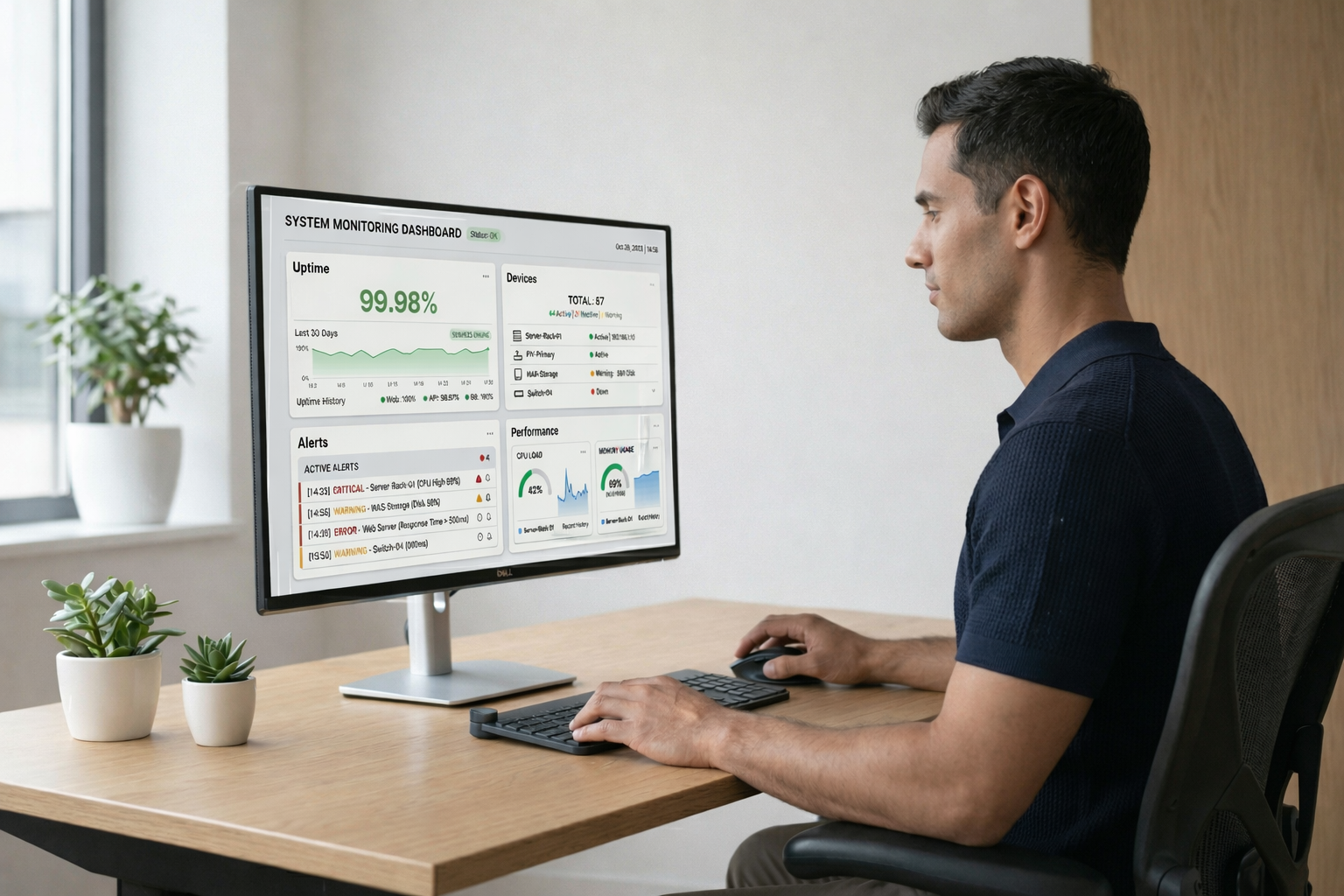
Don’t wait for equipment failure to tell you something’s wrong. Use sensors, telemetry, and health dashboards to monitor equipment performance in real time. These tools can flag anomalies such as rising temperatures, declining throughput, or error spikes — early warning signs that an asset is nearing the end of its life cycle.
Predictive analytics takes this a step further by identifying trends that forecast future breakdowns. Instead of reacting to failure, IT and operations teams can schedule preventive maintenance or replacements proactively.
2. Maintain accurate lifecycle asset tracking
Without accurate visibility, it’s impossible to plan effectively. Centralized asset tracking allows organizations to record equipment age, condition, warranty status, and vendor support timelines in one place.
Integrating this data with your management systems or CMDB (Configuration Management Database) ensures you always know which assets are nearing EOL, which are under warranty, and which need evaluation.
This approach helps prevent equipment from quietly aging into obsolescence and turning into hidden liabilities.
3. Build partnerships with OEMs, vendors, and TPM providers
Good lifecycle management is collaborative. Stay in touch with your equipment manufacturers and third-party maintenance (TPM) providers to understand when products will reach EOL or end-of-service-life (EOSL).
Establish long-term maintenance or support contracts, so you’re never caught off guard by sudden end-of-support announcements. Having trusted TPM and ITAD (IT Asset Disposition) partners also ensures continuity — extending asset life when appropriate and managing safe disposal when necessary.
4. Plan phased replacements instead of mass refreshes
Replacing all your end-of-life assets at once can cause major financial and operational strain. Instead, adopt a phased refresh approach — staggering upgrades over time based on priority, usage, and criticality.
This ensures business operations continue smoothly while avoiding budget spikes. It also lets teams test and validate new systems before deploying them company-wide, improving stability and user experience.
5. Focus on sustainability and responsible disposal
When an asset truly reaches EOL, disposal should be handled with care. Partner with certified ITAD providers that ensure secure data erasure, environmentally responsible recycling, and proper documentation for compliance audits.
This approach reduces e-waste and may even allow you to recover value from reusable components — making your lifecycle management both cost effective and sustainable.
Beyond compliance, sustainable disposal aligns with corporate social responsibility (CSR) goals and growing global emphasis on the circular economy.
6. Document, communicate, and align stakeholders
Transitioning from one generation of equipment to another affects multiple teams — IT, operations, finance, and procurement. Create clear documentation for every stage: evaluation, approval, procurement, deployment, and decommissioning.
Regular communication ensures everyone understands timelines, budgets, and responsibilities. This prevents confusion, duplication, or missed deadlines when executing a refresh.
7. Use data and analytics for long-term planning
Lifecycle management is an ongoing cycle, not a one-time project. Leverage analytics from your management systems to evaluate trends in maintenance costs, equipment performance, and downtime.
By understanding which assets consistently underperform, you can identify areas for improvement and plan smarter equipment purchases in the future.
This data-driven approach transforms equipment replacement from reactive spending into strategic investment — a key element of strong asset management.
By combining proactive monitoring, solid partnerships, and sustainable practices, organizations can move from firefighting mode to foresight — replacing or retiring equipment on their own terms, not under pressure.
How to implement: next steps
Building a proactive approach to equipment reaching lifecycle end takes structure and foresight. Whether you’re managing IT infrastructure, manufacturing systems, or office hardware, having a repeatable plan helps you act before problems surface.
Here’s a step-by-step guide to put your lifecycle management strategy into motion.
1. Audit your current assets and map their lifecycle status
Start by knowing what you have. Conduct a full inventory of all your equipment purchases, including hardware models, install dates, and warranty expiration.
Feed this data into your asset management or management systems to categorize each piece of equipment by its age, health, and manufacturer support status (active, EOL, or EOSL).
This visibility is your foundation — you can’t manage what you can’t see.
2. Define thresholds for action
Set clear rules for when assets should be repaired, replaced, or retired. Common thresholds include:
- Age: Number of years since deployment or warranty expiration
- Failure rate: Frequency of breakdowns or equipment maintenance calls
- Repair cost ratio: When repairs exceed 50% of replacement cost
- Performance degradation: Decline in speed, output, or reliability
These thresholds remove guesswork and help you make consistent, cost-effective decisions across the organization.
3. Pilot your replacement or disposal strategy
Before rolling out lifecycle transitions at scale, test your process with a pilot group. Select a small batch of assets nearing end-of-life, document the decision process (repair vs. replace), and track the results.
Did you reduce downtime? Were costs as expected? Pilots help fine-tune your equipment lifecycle management workflows before company-wide deployment.
4. Build vendor and partner relationships
Lifecycle transitions rely heavily on strong partnerships. Engage your OEMs early for visibility into upcoming EOL timelines and available trade-in programs.
At the same time, develop contracts with third-party maintenance (TPM) and ITAD (IT Asset Disposition) providers to bridge the gap between end-of-support and full replacement. TPM providers can help optimize equipment performance beyond vendor timelines, while ITAD ensures safe, compliant disposal once an asset truly reaches EOL.
5. Plan logistics and execution
Replacing or retiring assets requires careful coordination. Establish clear workflows for:
- Procurement and staging of new hardware
- Data migration and system testing
- Secure data erasure and certified recycling
- Redeployment or redecommissioning of equipment
Each step should minimize unexpected downtime and maintain business continuity during the transition.
6. Document and communicate every step
Transparency is key to success. Maintain detailed documentation of every asset transition — including approvals, vendor contracts, and final disposal certificates.
Share progress with all stakeholders: IT, operations, procurement, and finance. Regular updates ensure alignment across departments and help justify future lifecycle budgets.
7. Continuously improve using data insights
Finally, treat lifecycle management as a feedback loop. Use analytics from your management systems to measure outcomes like reduced maintenance incidents, lower total cost of ownership (TCO), and fewer unplanned failures.
Over time, this data will help refine your replacement cycles, strengthen preventive maintenance, and drive smarter equipment purchases aligned with your business operations.
Taking these steps turns lifecycle transitions from reactive firefighting into strategic, repeatable processes that support stability and growth.
Illustrative examples and mini scenarios
The best way to understand how to handle equipment reaching lifecycle end is to see how it works in practice. Here are a few short scenarios showing how smart planning and lifecycle management strategy turn potential crises into opportunities for optimization.
1. Using telemetry to flag equipment before failure
A regional logistics firm used real-time monitoring sensors to track its warehouse servers and cooling units. Telemetry data revealed one piece of equipment consistently running hotter than expected. Instead of waiting for it to fail, the IT team scheduled preventive maintenance and replaced a failing fan unit.
By acting early, the company avoided two days of unexpected downtime and thousands of dollars in lost orders. This proactive step reinforced the value of continuous monitoring in equipment lifecycle management.
2. Comparing repair versus replacement
A financial institution had an aging firewall appliance that had officially reached EOL. A repair quote came in at $2,400 — half the cost of a new model. Applying the 50% repair cost rule, the IT team determined replacement was more cost-effective in the long run.
The new device came with three years of vendor support, automatic software updates, and improved energy efficiency. Over time, it reduced maintenance costs by nearly 30%.
This case highlights how structured asset management principles help teams make rational decisions — not emotional ones.
3. Extending life through third-party maintenance (TPM)
A healthcare provider relied on legacy imaging equipment that was no longer supported by the manufacturer. Instead of replacing it immediately, the IT department partnered with a third-party maintenance (TPM) vendor to extend support for two additional years.
This temporary solution allowed them to maintain compliance and functionality while budgeting for newer technology. By blending TPM with a forward-looking lifecycle management strategy, they balanced cost control and reliability.
4. Sustainable ITAD and residual value recovery
A global software company decommissioned several hundred end-of-life laptops. Instead of simply discarding them, they partnered with an IT Asset Disposition (ITAD) provider.
The ITAD team ensured full data erasure, provided environmental recycling certificates, and resold usable parts. The company not only avoided environmental penalties but also recovered residual value — funding part of its next equipment purchases.
This approach demonstrated that responsible disposal isn’t just ethical; it’s good business.
5. Phased refresh for business continuity
A manufacturing company planned a phased replacement of its production controllers over 18 months. Instead of swapping all devices at once, they replaced 10% per quarter.
This staggered strategy kept business operations running smoothly, allowed training on new systems, and spread costs across fiscal years. By the time the last batch was installed, there had been zero downtime, proving that a steady life cycle refresh can be both stable and sustainable.
These scenarios show that managing equipment reaching lifecycle end isn’t just about avoiding failure — it’s about creating a process that saves money, reduces risk, and supports long-term operational growth.
Frequently asked questions
When equipment reaches lifecycle end, organizations often face similar questions about safety, compliance, and cost. Here are some clear, practical answers to the most common ones.
1. Can you keep using equipment after EOL safely?
In some cases, yes — but only for a limited time and with strict safeguards. If a piece of equipment is still meeting performance needs, you can extend its use through preventive maintenance, close monitoring, and strong cybersecurity controls.
However, continuing past end-of-service-life (EOSL) — when manufacturers stop releasing patches or parts — exposes your organization to higher maintenance costs, security vulnerabilities, and unexpected downtime.
When in doubt, calculate the total cost of ownership (TCO). If ongoing support and risk mitigation exceed replacement costs, it’s time to upgrade.
2. What is the role of third-party maintenance (TPM) and when should you engage it?
Third-party maintenance (TPM) providers are ideal for bridging the gap between EOL and full replacement. They deliver technical support, spare parts, and repairs for equipment that vendors no longer service.
You should engage TPM providers before your hardware officially reaches EOL — ideally six months in advance — to secure contracts, verify part availability, and ensure coverage continuity.
3. How do you ensure secure data erasure and compliance in disposal?
When decommissioning end-of-life assets, data security must be your first concern. Partner with a certified IT Asset Disposition (ITAD) provider that guarantees:
- Complete data destruction or encryption wipe
- Chain-of-custody documentation
- Environmentally responsible recycling
This approach ensures compliance with privacy laws and corporate sustainability goals while preventing data leaks.
4. When should you replace rather than repair?
If maintenance costs exceed 50% of replacement costs, or if the hardware can no longer integrate with modern management systems, it’s time to replace. Replacement also makes sense when older models no longer receive software updates or when performance limitations begin to impact business operations.
Repairs make sense only when parts are available, downtime is minimal, and the system still aligns with your equipment lifecycle management roadmap.
5. How far ahead should you plan for lifecycle transitions?
A good rule of thumb is to plan at least 12 to 24 months before your equipment’s expected EOL. This window gives you time to assess alternatives, secure budgets, and coordinate procurement.
Early planning also helps you schedule preventive maintenance, negotiate vendor contracts, and test replacements before deployment — all critical steps to optimize equipment and avoid service interruptions.
Proper planning turns EOL management from a costly scramble into a smooth, data-driven process that extends asset value and safeguards performance.
Conclusion and future trends
When your equipment reaches lifecycle end, it’s more than a maintenance issue — it’s a strategic decision point. How you handle that moment determines whether your organization stays efficient and resilient or gets bogged down by downtime, spiraling maintenance costs, and security risks.
By planning ahead, monitoring assets closely, and following a structured lifecycle management strategy, you can make every transition smooth, sustainable, and cost-effective. Instead of reacting to failures, your team can anticipate them — turning risk into opportunity.
The bigger picture: where lifecycle management is headed
Technology is evolving faster than ever, and so is the way organizations manage it. Here are the trends shaping the future of equipment lifecycle management:
AI-powered predictive maintenance: Artificial intelligence and analytics are redefining how we handle equipment maintenance. Machine learning models can now predict hardware failures weeks in advance, helping teams act before unexpected downtime occurs.
Real-time visibility and automation: Next-generation management systems integrate telemetry and IoT sensors to track performance in real time. This visibility enables automated alerts, preventive actions, and smarter asset management decisions.
Sustainability and the circular economy: Organizations are moving toward greener practices — recycling end-of-life hardware, refurbishing components, and minimizing e-waste. Sustainable life cycle management not only protects the environment but also recovers residual asset value.
Stronger compliance and data governance: With stricter data privacy laws emerging worldwide, secure disposal and traceable asset tracking are becoming non-negotiable. Compliance will increasingly shape how companies retire and replace technology.
The takeaway: act before the deadline
Don’t wait for your assets to fail before acting. Every piece of equipment in your organization has a clock — and when it ticks down to EOL, you need a clear plan.
Start with a lifecycle audit:
- Identify which systems are nearing EOL or EOSL
- Assess their business impact and replacement costs
- Partner with OEMs, third-party maintenance (TPM), and ITAD providers
- Schedule replacements or retirements ahead of time
Taking these steps today will save you from costly downtime tomorrow — and give you the confidence that your infrastructure is ready for the future.
How Esevel helps
Esevel makes managing the equipment lifecycle simple, secure, and scalable. Through its full-stack IT platform, Esevel helps businesses:
- Track and manage IT assets across regions
- Automate onboarding, offboarding, and equipment maintenance
- Ensure security and compliance through centralized controls
- Support distributed teams with fast repairs, replacements, and sustainable disposal
Whether you’re replacing laptops for remote teams or managing data center hardware, Esevel gives you full visibility and control from deployment to retirement — all in one unified platform.
So when your equipment reaches lifecycle end, you’ll already know your next move — backed by data, strategy, and Esevel’s expert support.