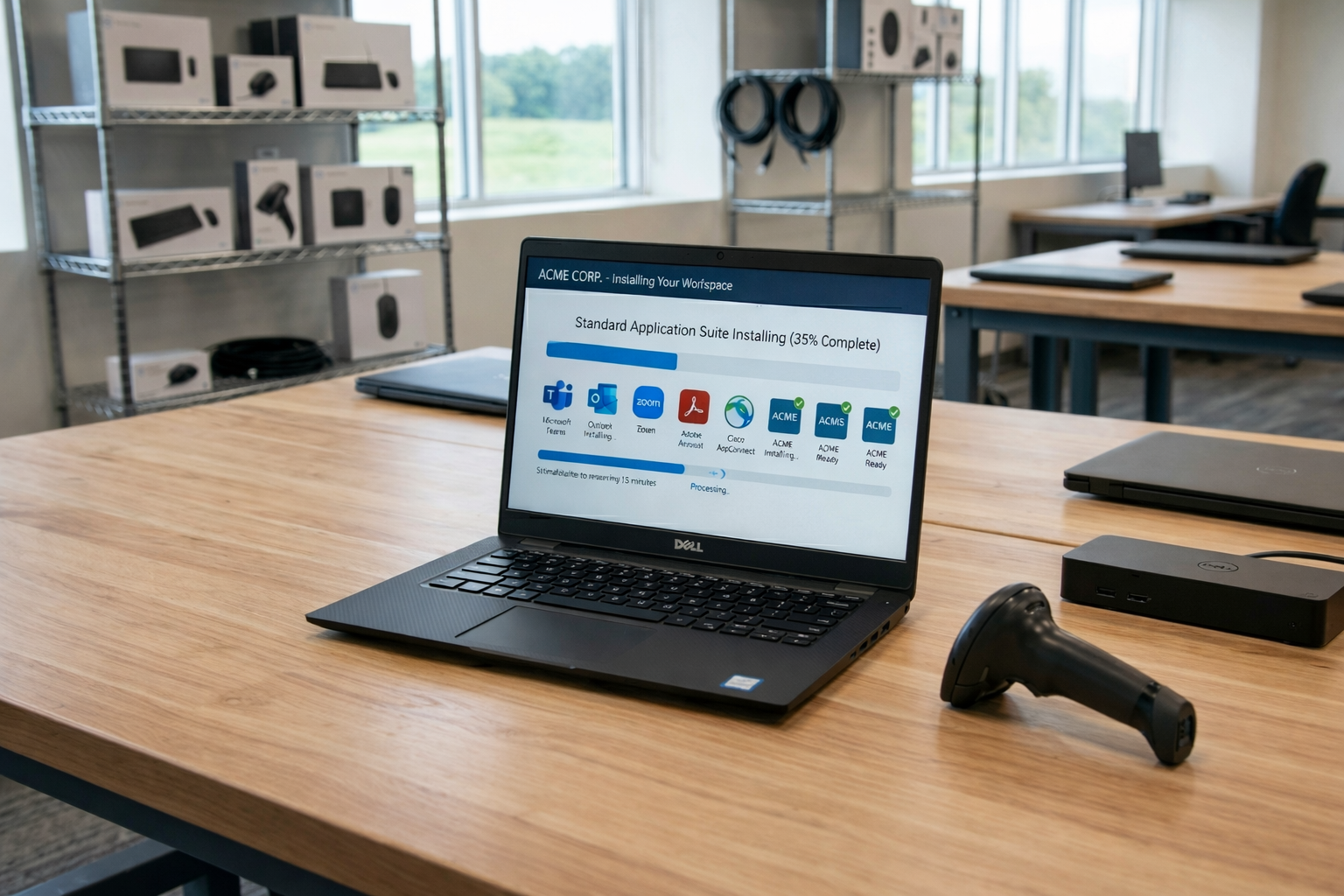
Hardware deployment covers the entire process of acquiring, configuring, shipping, and setting up devices and peripherals for a distributed or remote workforce. Each step is important, from choosing hardware and installing operating systems to delivering devices to remote locations and onboarding users without being onsite.
With the rise of hybrid work, global hiring and remote operations, hardware deployment has become a strategic priority rather than a back-office task. Teams expect ready-to-use devices out of the box. Logistics span countries, customs regulations and time zones. Security risks increase when devices leave the office network. Companies that get the deployment process right gain an edge in productivity, cost control and user experience.
Why hardware deployment matters for distributed teams
Productivity and user experience
When hardware deployment is done well, new hires or remote employees get their devices pre-configured, with the right software deployment, credentials and settings. That means less setup time and faster ramp-up. Consistent hardware configurations reduce support tickets because there are fewer unexpected hardware issues or performance gaps.
Logistics & cost
Deploying devices globally is complex and costly. Tracking shipments, dealing with customs, sourcing regional variants and managing return logistics all add to the deployment process. Efficient deployment requires a well-designed deployment plan that minimises delays and reduces asset loss or damage. Device tracking and asset management help control costs and improve visibility.
Security & risk
Devices that leave the office may connect from home networks, public WiFi or coworking spaces. That increases the risk of unauthorized access or data breaches. Studies show many companies lose a portion of their corporate assets during off-boarding or deployment. A strong deployment process will include secure shipping, encrypted hardware, and a clear off-boarding and retrieval policy.
Employee experience
When remote workers receive a device that is ready to go—with hardware components installed, operating systems and business applications configured—they feel valued and productive from day one. This improves morale and helps with retention. Poor deployment delays and inconsistent hardware cause frustration and hinder user adoption.
Key steps in the hardware deployment process
Procurement
The first stage of hardware deployment requires careful selection of devices that meet your organisation’s needs. You must choose hardware components with the right performance, security features and compatibility with your software stack. Multi-region shipping, vendor logistics and stock planning all go into the procurement phase.
Configuration & imaging
Once devices arrive, the deployment requires configuration of the operating systems, company applications, security policies and device imaging. Standardising images ensures consistency across the fleet. Zero-touch provisioning or automated imaging helps scale deployments and reduces reliance on manual IT work.
Shipping & delivery
The hardware deployment process then moves into shipping and delivery. Devices may travel across borders, so customs, regional power outlets and variants must be considered. Secure packaging, tracking and estate visibility are key to preventing damage or loss. Remote employees should receive a device that arrives ready to use.
Remote setup & onboarding
After delivery, remote setup is critical. IT must handle user account configuration, enroll the device into mobile device management (MDM) or endpoint management systems, provide user documentation or training, and ensure the device meets security policies. This step completes the deployment and ensures the user can start working without friction.
Off-boarding & asset retrieval
A full deployment plan also includes off-boarding and retrieval for end-of-life or departing employees. The deployment requires tracking devices, arranging return shipment, wiping data, and managing secure disposal or refurbishment. Up-to-date asset management ensures you know who has what, where it is and when it needs renewal.
Best practices and considerations for distributed hardware deployment
- Adopt zero-touch deployment to minimise manual setup and speed deployment across remote locations.
- Standardise device images/configurations so each deployment delivers the same user experience and reduces support burden.
- Secure the delivery of devices with encryption, tracking, asset tagging and roles in your deployment plan that cover shipping, delivery and receipt.
- Plan for retrieval and off-boarding from day one: build in policies and logistics for device returns and secure data wiping.
- Monitor and audit the life-cycle of devices: location, usage, service history and disposal. Good asset management supports cost control and compliance.
- Consider global logistics: regional device variants, customs, shipping delays, and time zones all impact the deployment process.
- Align hardware deployment with IT and security policies: remote networks, home office environments, and devices must meet your compliance and security standards.
Frequently asked questions
1. How can I deploy hardware globally and still maintain IT control and consistency?
You maintain control by standardising images/configurations, using automated provisioning tools, tracking devices with asset management systems, and collaborating with logistics partners to handle multi-region shipping and customs.
2. What are the main logistics challenges of shipping devices to remote employees and how can I mitigate them?
Challenges include customs and import duties, shipping delays, regional power/adapter differences, device variants, and secure packaging. To mitigate, select global vendor partners, build regional stock, use tracked shipping, assign asset tags, and standardise packaging.
3. What is zero-touch hardware deployment and how does it benefit distributed teams?
Zero-touch deployment means devices arrive at the user already set up—logged in, configured and ready to work—and IT completes setup remotely without physical presence. It benefits distributed teams by reducing IT time, speeding user productivity and limiting setup errors.
4. How should I handle off-boarding and device retrieval in a distributed workforce?
Plan for retrieval from the start: track the asset, provide prepaid return shipping, wipe data securely, update asset management records, and recycle or refurbish the hardware. Establish clear policies and automate steps wherever possible.
5. How many devices do we need to pre-configure vs customise based on role/region?
It depends on your organisation. A common approach is to pre-configure a standard image for general roles and maintain a few role-specific or region-specific variants for specialised functions. Having a base image reduces complexity while allowing flexibility for local requirements.
Building your hardware deployment roadmap
Hardware deployment is more than shipping laptops—it’s a strategic process that supports productivity, cost efficiency, security and employee experience across a distributed workforce.
Here’s how to get started:
- Audit your current deployment process: map shipping times, device recovery rates, asset tracking and setup delays.
- Identify gaps: are devices delayed, delivered unconfigured, or support heavy? Is off-boarding inconsistent?
- Build a deployment plan: define procurement, configuration, shipping, onboarding and off-boarding steps aligned to business needs.
- Select or review tools: decide on provisioning software, device imaging tools, asset management systems and logistics partners.
- Pilot the process: try a zero-touch deployment for a small group, measure results, and refine your process.
- Scale the deployment: apply across more employees, regions and device types, track performance and asset lifecycles.
- Review regularly: monitor hardware deployment metrics, user feedback, loss or theft rates, and iterate your plan.
At Esevel, we specialise in equipping distributed teams worldwide with devices and managing the full hardware deployment lifecycle—from procurement and global delivery to setup and off-boarding. Our platform helps you deploy hardware in over 88 countries while maintaining visibility, security and cost-control in every step of the deployment process.