Computer peripherals are often treated as small accessories instead of important business assets. Yet for remote and distributed teams, missing or unmanaged peripherals can affect productivity, onboarding, support, and operational costs.
A laptop alone is not always enough for an employee to work well. Many roles depend on monitors, keyboards, mice, webcams, headsets, docking stations, adapters, and other accessories to stay productive.
As companies scale across locations, computer peripherals become part of the larger IT lifecycle. They need to be planned, purchased, tracked, supported, and recovered with the same care as laptops and other company devices.
What is a peripheral computer
A peripheral computer device is any device connected to a computer to add extra function. It helps the main computer system receive input, produce output, connect to other systems, or store data.
Peripheral computer definition
To define peripheral computer clearly, a peripheral is a device that connects to a computer but is not the main computer itself. It supports the computer by adding functions that users need for daily work.
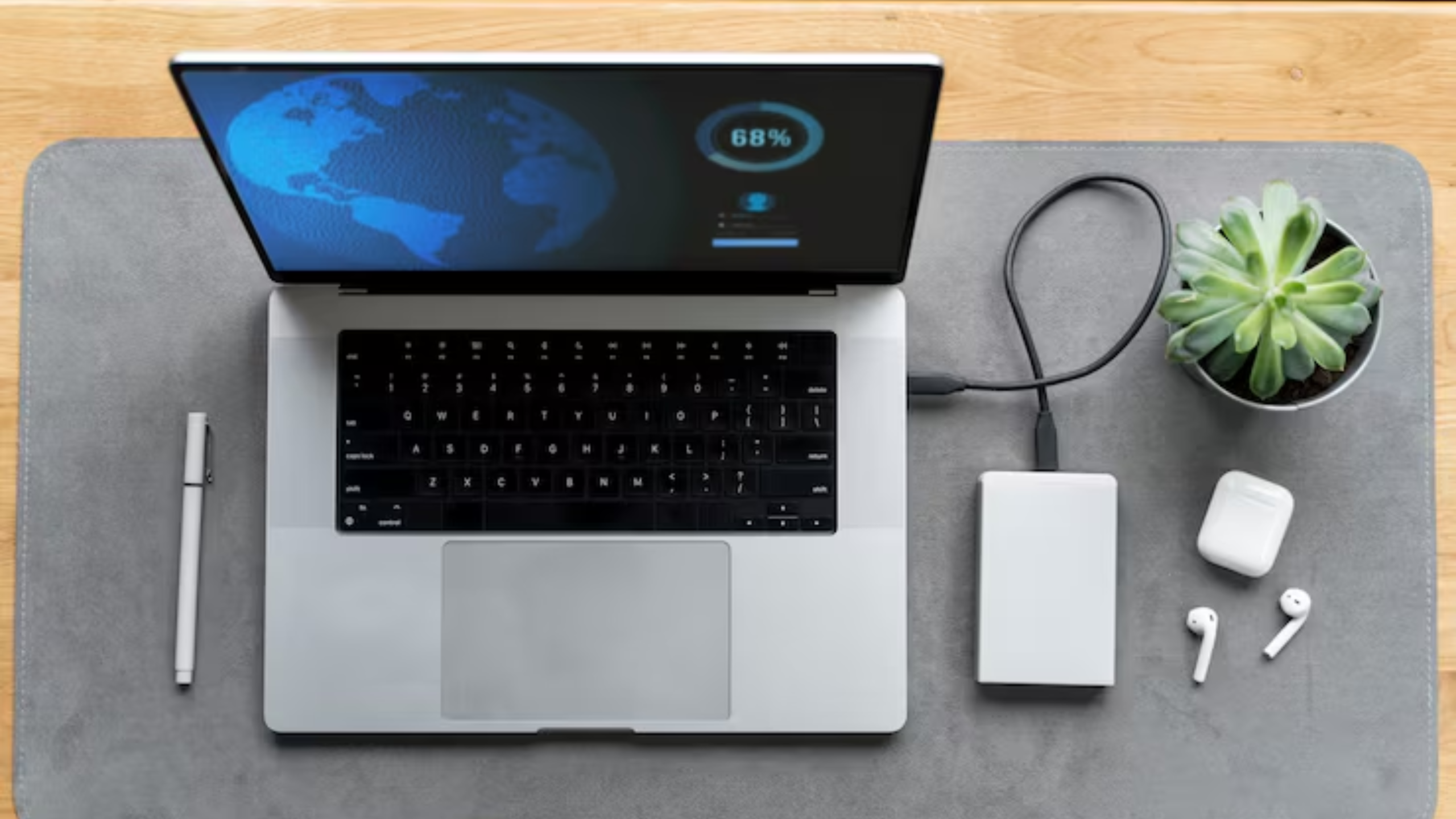
So, what is the computer peripheral? A keyboard, mouse, monitor, webcam, printer, external drive, or docking station can all be a peripheral of a computer. These devices help employees interact with computers, share information, join meetings, store files, or connect to other equipment.
The definition of peripherals in computers is simple. They are additional devices that support input, output, communication, storage, or connectivity. Without them, many work tasks become slower or harder to complete.
What are peripherals in computing
Peripherals in computing are devices that work with a computer system but are not the core system. The main computer includes parts like the processor, memory, storage, and operating system. Peripherals are external or add-on components that extend what the computer can do.
This answers common questions like what are peripherals of computer and what are peripherals in a computer. They are the supporting devices that help users type, click, view, print, speak, listen, connect, or store information.
Peripherals may seem small, but they play a major role in daily operations. When they are missing, broken, incompatible, or unmanaged, employees feel the impact quickly.
Types of computer peripherals
Computer peripherals cover a wide range of devices used across modern workplaces. Some support input, some support output, and others help with storage, connectivity, or workstation setup.
List of common computer peripherals
| Type | Examples | Main use |
| Input peripherals | Keyboard, mouse, webcam, microphone | Help users send data or commands to the computer |
| Output peripherals | Monitor, printer, speakers | Help users see, hear, or receive information from the computer |
| Storage peripherals | External hard drive, USB drive | Help users store or transfer files |
| Connectivity peripherals | Docking station, USB hub, adapter, networking accessory | Help users connect devices, displays, and networks |
Input peripherals help employees interact with their devices. A keyboard and mouse support basic work. A webcam and microphone support video meetings, interviews, training, and customer calls.
Output peripherals help employees receive information from the computer. Monitors support focused work and multitasking. Printers still matter in some business settings. Speakers and headsets support calls, media, and collaboration.
Storage and connectivity peripherals are also important. External drives, USB hubs, adapters, docking stations, and networking accessories help employees connect equipment and manage files across different work setups.
These computer devices and peripherals are now part of daily operational workflows. That means IT teams need a clear way to manage them, not just purchase them when someone asks.
Why computer peripherals matter for IT teams
Peripherals affect more than employee convenience. They shape how people work, how smoothly onboarding runs, and how quickly IT can solve support issues.
Operational impact of peripherals
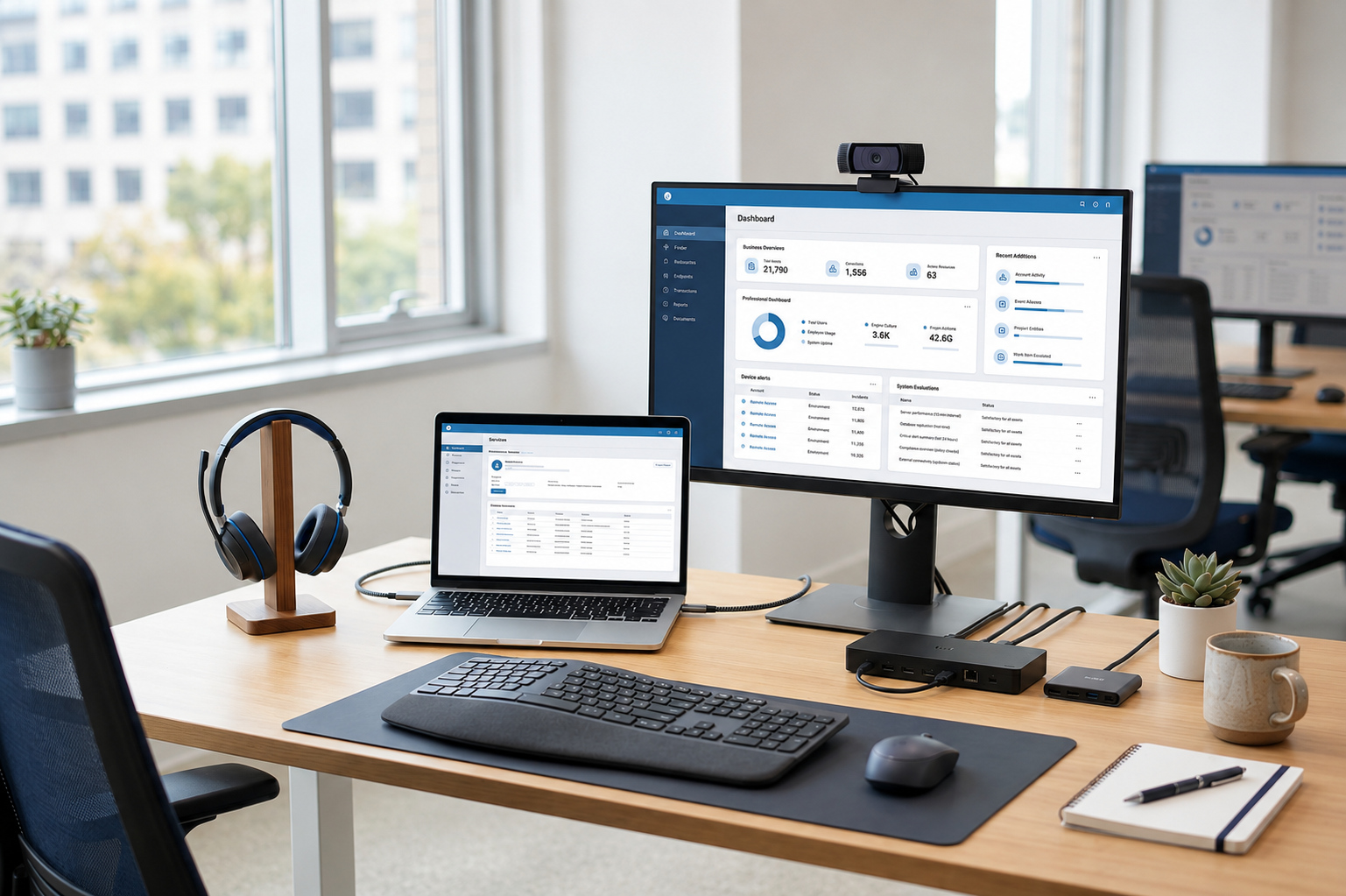
Employees rely on peripherals for productivity and collaboration. A second monitor can help employees work across multiple apps. A proper headset can improve meeting quality. A docking station can make the workstation easier to use.
Peripherals also affect onboarding. If a new employee receives a laptop but not the monitor, adapter, keyboard, or headset they need, day one productivity drops. The employee may need to wait for extra shipments or buy equipment independently.
Poor visibility also creates replacement and support issues. IT teams may not know who has which accessory, where it was shipped, whether it still works, or whether it should be recovered when the employee leaves.
Why peripherals become difficult to manage
Peripherals become harder to manage when teams grow across locations. Devices are spread across homes, offices, coworking spaces, and regional hubs. This makes tracking much more difficult than managing equipment in one office.
The problem grows when teams purchase peripherals independently. One department may order different monitors. Another may buy different adapters or docking stations. Over time, the company ends up with inconsistent equipment, unclear ownership, and more support requests.
Inventory tracking is often incomplete because peripherals are seen as low value items. However, when dozens or hundreds of accessories go missing, the cost and operational impact add up quickly.
This is why peripherals should be treated as managed IT assets, not random office extras.
Peripheral management as part of IT operations
Many companies track laptops but overlook peripherals. This creates blind spots in IT operations because employees often need both the main device and the right accessories to work effectively.
What IT teams need to manage
IT teams need visibility into who owns each peripheral, where it is located, and whether it is still in use. This includes computer peripheral accessories such as monitors, keyboards, mice, webcams, headsets, docking stations, adapters, and storage devices.
Important areas to manage include:
- Ownership and assignment tracking, so IT knows which employee has which accessory
- Inventory visibility across teams, so equipment does not disappear or sit unused
- Standardization of accessories and equipment, so employees receive compatible setups
- Replacement and support workflows, so broken or missing peripherals can be handled quickly
This applies to both computer accessories and peripherals used in offices and those shipped to remote employees. A managed process helps IT reduce confusion and avoid repeated one-off purchases.
Common management challenges
Peripheral management becomes messy when teams rely on spreadsheets, chat messages, or purchase records alone. These methods may work for a small office, but they break down when employees are spread across regions.
Common challenges include:
- Lost or unused peripherals
- Inconsistent equipment across employees
- Manual inventory tracking
- Procurement coordination across regions
- Limited recovery when employees leave
These challenges increase as companies scale globally. Without a connected process, IT teams spend more time chasing equipment, replacing missing items, and handling support issues caused by inconsistent setups.
Peripheral procurement and lifecycle management
Peripheral management starts long before devices reach employees. IT teams need to plan, source, deliver, track, support, and recover peripherals as part of the same lifecycle used for laptops and other company devices.
Peripheral procurement workflows
Peripheral procurement should start with standardization. IT teams need to decide which accessories are approved for different roles, teams, and work setups. For example, a designer may need a larger monitor, while a customer support employee may need a high quality headset.
Buying bulk desktop computer peripherals can help companies keep setups consistent. It can also reduce repeated one-off purchasing and make it easier to plan inventory for onboarding, replacements, and regional team growth.
Procurement workflows should cover:
- Selecting standardized accessories for different employee roles
- Buying peripherals in bulk when teams need consistent setups
- Coordinating vendors, delivery, and replacements across locations
- Shipping peripherals with laptops so employees receive complete work kits
Computer peripheral accessories should not be treated separately from laptops. When laptops and accessories arrive together, employees can start work faster and IT receives fewer setup-related support tickets.
Peripheral lifecycle stages
Peripherals should move through a clear lifecycle, just like laptops and other IT assets. This helps teams manage cost, ownership, support, and recovery more effectively.
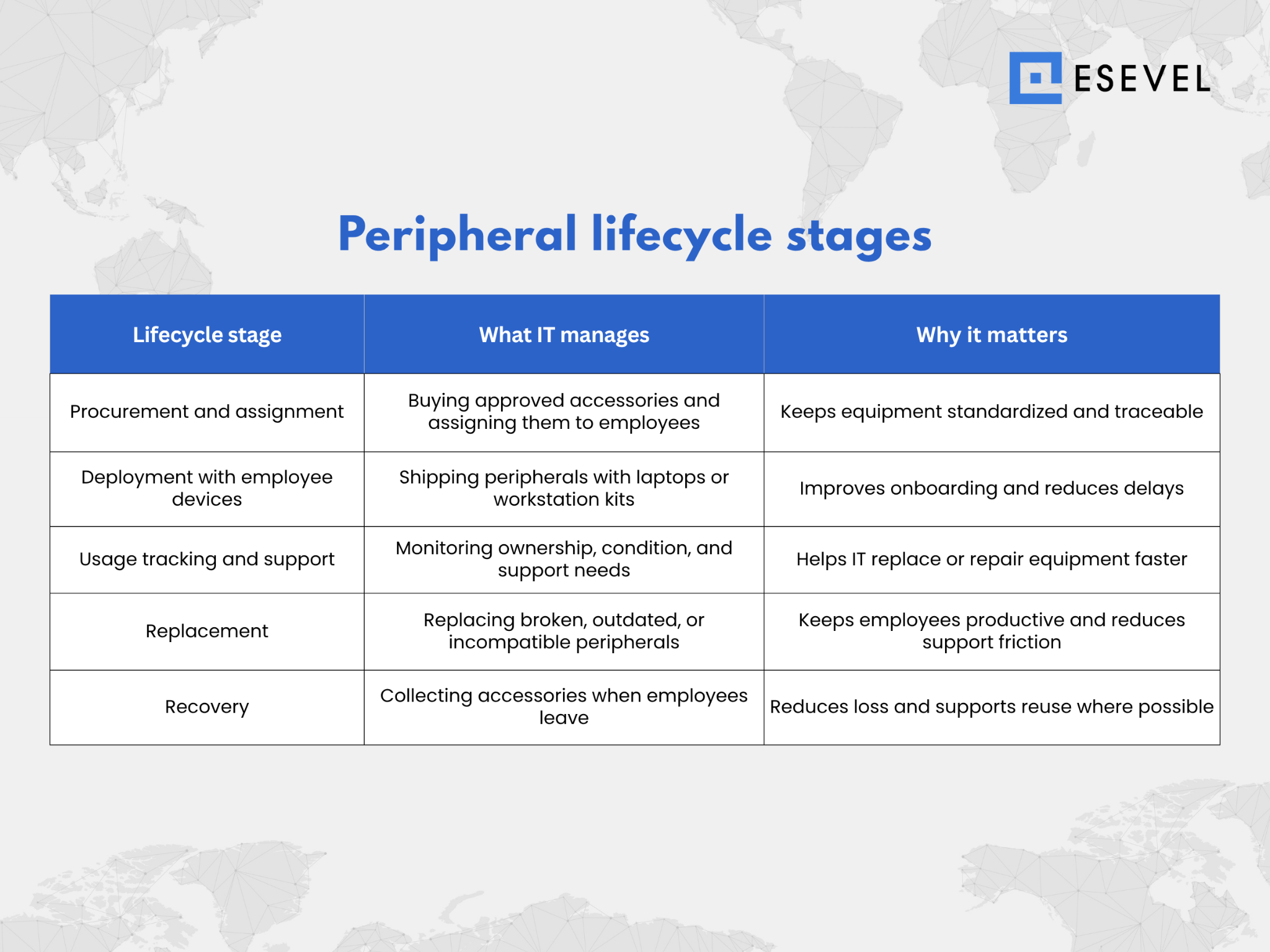
Peripheral procurement should connect with device provisioning. When an employee joins, IT should know which laptop, monitor, headset, adapter, and docking station are needed for that role and location.
Support workflows should also cover broken or missing peripherals. A headset failure or missing adapter may seem small, but it can block meetings, delay work, or create repeated helpdesk requests.
Recovery should include accessories, not only main devices. When employees leave, companies should know which peripherals need to be returned, replaced, reused, or retired.
Esevel helps companies manage devices and peripherals together by connecting procurement, deployment, tracking, support, and recovery. This creates lifecycle-driven IT operations instead of disconnected inventory tracking.
Managing peripherals through the same lifecycle improves consistency across distributed teams. It also gives IT better control over cost, visibility, and employee readiness.
Computer peripherals and remote work environments
Remote and hybrid work increase dependency on peripherals. Employees no longer use one standard office setup, so IT teams need to support many different work environments.
Why remote teams rely heavily on peripherals
Remote employees work from home offices, coworking spaces, temporary locations, and regional offices. A good work setup depends on more than a laptop.
Collaboration depends on audio and video devices. Poor microphones, webcams, or headsets can affect meetings, onboarding, sales calls, and support conversations. Productivity also depends on consistent setups, especially for employees who need monitors, docking stations, or adapters to work efficiently.
When employees do not receive the right peripherals, they may buy their own. This creates more inconsistency and makes support harder for IT teams.
Challenges in distributed environments
Managing peripherals in distributed teams is harder because equipment moves across many locations. IT teams need to coordinate shipping, ownership, replacement, and support without seeing the equipment in person.
Common challenges include:
- Shipping peripherals across locations
- Tracking ownership and replacements
- Supporting multiple device setups
- Managing returns when employees leave
- Keeping equipment standards consistent across regions
This is why managing peripherals requires more than spreadsheets and ad hoc purchasing. IT teams need a lifecycle process that connects procurement, deployment, support, and recovery.
Peripheral management tools and limitations
Some teams rely on inventory tools, but peripherals are often still managed manually. This creates gaps because accessory data may not connect with the full device lifecycle.
What management tools can help with
Peripheral management tools can help IT teams track inventory, assign devices, and maintain visibility across teams. They can also support procurement coordination by showing what equipment is available, assigned, missing, or ready for replacement.
These tools can help with:
- Inventory tracking
- Assignment visibility
- Procurement coordination
- Replacement planning
- Basic reporting
This gives IT teams more structure than spreadsheets alone. However, inventory visibility is only one part of the problem.
Limitations of disconnected tools
Disconnected tools often separate peripheral data from device lifecycle data. A system may show that a monitor exists, but it may not connect that monitor to the employee’s laptop, onboarding workflow, support ticket, or recovery plan.
This creates limited visibility into usage and replacement. IT may know an accessory was purchased, but not whether it is still used, assigned, broken, or sitting unused in storage.
Manual coordination between procurement and IT teams also creates delays. If the procurement process does not connect to onboarding, employees may receive incomplete work setups. If recovery does not include accessories, peripherals may be lost when employees leave.
Peripherals work best when connected to the broader IT lifecycle. That gives teams a clearer view of equipment, ownership, support needs, and recovery across the business.
FAQs
What is a computer peripheral
A computer peripheral is a device connected to a computer to add extra function. Examples include keyboards, mice, monitors, webcams, printers, headsets, adapters, docking stations, and external drives.
What are peripherals in computing
Peripherals in computing are devices that support input, output, storage, communication, or connectivity. They work with the main computer system but are not the core computer itself.
What are common computer peripherals
Common computer peripherals include keyboards, mice, webcams, microphones, monitors, printers, speakers, external drives, USB hubs, adapters, and docking stations. These devices help employees work, communicate, connect equipment, and manage files.
Why should IT teams manage peripherals
IT teams should manage peripherals because they affect productivity, onboarding, support, cost, and asset visibility. Without tracking, companies can lose equipment, create inconsistent work setups, and spend more time on avoidable support issues.
How do companies track computer peripherals
Companies can track computer peripherals through asset management systems, inventory records, assignment data, and lifecycle workflows. The best approach connects peripherals with procurement, deployment, support, and recovery.
Build IT operations beyond laptops alone
Computer peripherals are operational assets, not small accessories. They affect how employees work, how smoothly onboarding runs, and how well IT teams can support distributed teams.
As companies grow, peripheral management should not depend on spreadsheets, ad hoc purchases, or disconnected inventory records. IT teams need lifecycle visibility that connects laptops, accessories, procurement, support, and recovery.
Esevel helps companies manage devices and peripherals as part of one connected IT lifecycle. With procurement, deployment, tracking, support, and recovery in one system, teams can give employees complete work setups while keeping better control over global IT operations.

Maytiska Omar Maytiska is an experienced content writer and blog specialist with 4+ years of expertise in creating engaging, SEO-driven content. She focuses on IT and digital topics, turning complex ideas into clear, reader-friendly insights. Her work helps position Esevel as a trusted voice in the digital space.