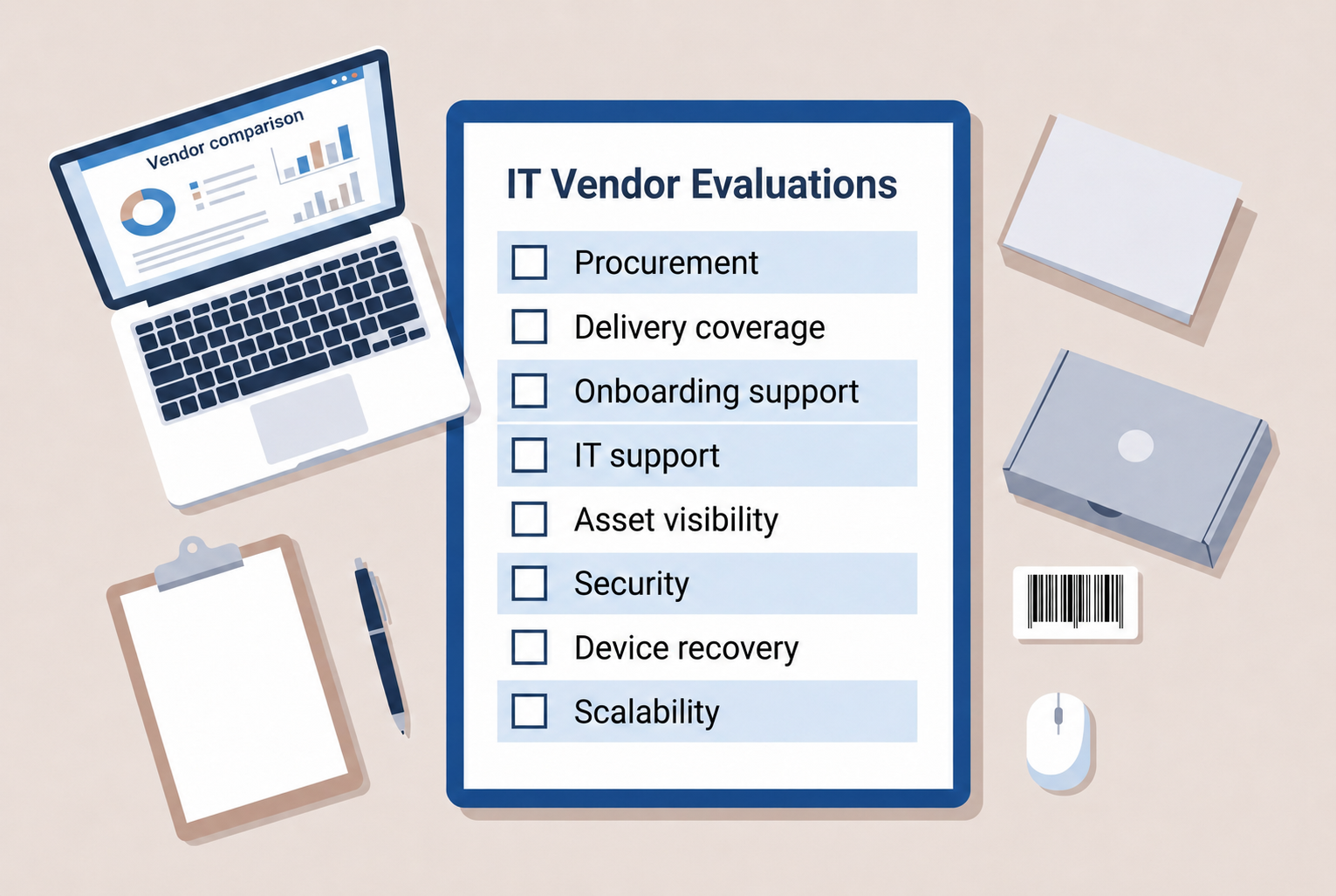
Remote work changed how companies manage employee devices. Laptops no longer stay in one office. They move between homes, coworking spaces, and cities. This shift makes remote team hardware management much harder for IT teams.
When devices operate outside company offices, visibility becomes limited. IT teams may struggle to track assets, plan the hardware refresh cycle, or provide support when devices fail. Over time, poor visibility increases operational risk and makes it difficult to manage asset depreciation or understand the real TCO of company hardware.
A structured device lifecycle helps solve this challenge by giving companies better control over hardware usage and visibility. It allows IT teams to track devices, monitor repair needs, and plan replacements across distributed teams.
A structured device lifecycle helps solve this challenge by giving companies better control over hardware usage and visibility. It allows IT teams to track devices, monitor repair needs, and plan replacements across distributed teams.
What managing device lifecycle means for distributed teams
Managing device lifecycle describes how companies control devices from purchase to retirement. Each device moves through several stages during its time in the company. IT teams must track these stages to maintain security, performance, and cost control.
For distributed companies, this process becomes more complex. Devices move across homes, cities, and countries. IT teams cannot always access the hardware physically. A structured lifecycle allows teams to manage devices remotely while maintaining clear visibility.
Typical lifecycle stages include procurement, provisioning, active use, maintenance and repair, retrieval, and retirement or disposal. When organizations manage these stages consistently, remote team hardware management becomes more predictable.
Procurement
The lifecycle begins when the company purchases a device. IT teams select hardware based on employee roles, performance needs, and compatibility with company systems. Careful planning helps ensure that devices support long term operational needs.
Procurement planning also influences the hardware refresh cycle. A clear refresh strategy helps organizations avoid sudden device failures and maintain reliable equipment. It also helps finance teams track asset depreciation and understand the long term TCO of company hardware.
Provisioning
Provisioning prepares the device before the employee receives it. IT teams configure the operating system, install company software, and apply security policies so the device follows company standards.
This step ensures employees receive devices that are ready for work. It also ensures the device enters the company environment with the correct security settings and management controls.
Active use
Active use represents the longest stage in the device lifecycle. Employees rely on the device for daily work while IT teams monitor its performance and security.
During this stage, IT teams maintain the system through updates, patch management, and performance monitoring. Regular maintenance helps extend the lifespan of devices and helps teams plan the next hardware refresh cycle.
Maintenance and repair
Hardware problems can appear during daily use. Batteries degrade over time, storage components may fail, and devices sometimes experience physical damage.
Distributed organizations must support employees even when they work in different regions. Many companies rely on a global repair network so employees can access service providers locally and return to work faster.
Retrieval
Retrieval occurs when an employee leaves the company or receives a replacement device. IT teams must recover the device to maintain asset control and protect company data.
Once the device returns, IT teams check its condition, remove company data, and update asset records. Devices that remain in good condition may return to the device pool and support future employees.
Retirement or disposal
The final stage occurs when the device reaches the end of its useful life. Performance may decline, or the hardware may no longer meet company security requirements.
IT teams securely wipe the data before retiring the device. Retirement may involve recycling, resale, or responsible disposal through approved service providers. Proper retirement helps organizations maintain accurate records and complete the device lifecycle responsibly.
Why remote team hardware management is more complex
Remote work changed how companies manage employee devices. In traditional offices, IT teams could inspect hardware, repair devices, and replace equipment quickly. Distributed teams remove that level of direct control. As a result, remote team hardware management requires more coordination, visibility, and structured processes.
Several factors make managing devices for distributed teams more complex.
Devices operate outside the office
Employees often work from home, coworking spaces, or while traveling. IT teams cannot easily inspect hardware in person. Organizations must rely on remote monitoring tools to maintain device visibility and security.
Global device logistics
Shipping laptops to remote employees introduces logistical challenges. Delivery delays, customs procedures, and cross region shipments can slow employee onboarding.
Limited asset visibility
Devices may move between locations or employees during their lifecycle. Without accurate asset records, companies may lose track of hardware or miss important hardware refresh cycle planning.
Remote technical support
Employees cannot visit an office IT desk when problems occur. IT teams must troubleshoot remotely or coordinate repairs through external providers. Many organizations rely on a global repair network so employees can access local repair support and reduce downtime.
Key stages of managing device lifecycle for distributed staff
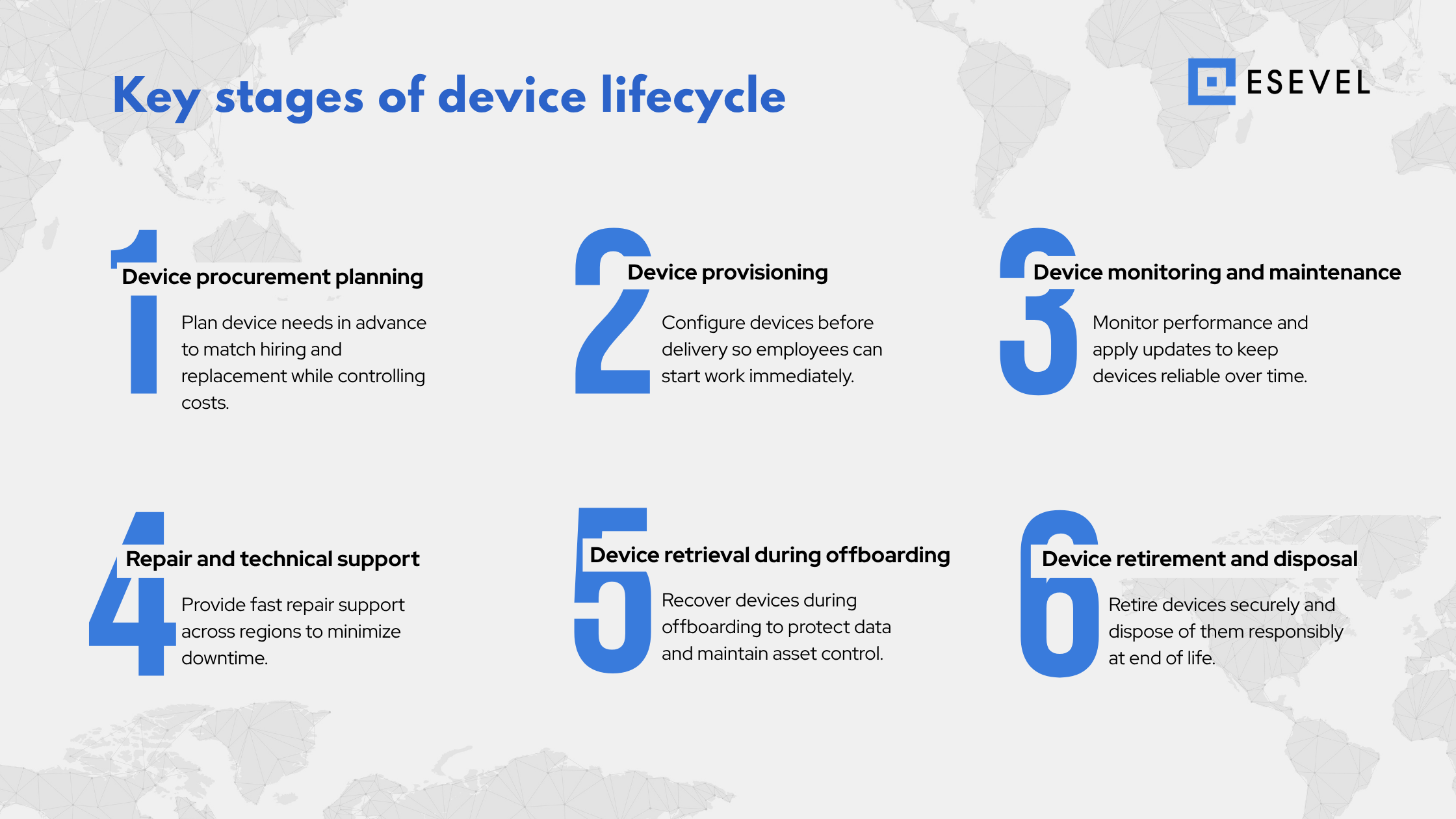
Managing device lifecycle requires clear operational steps. For distributed teams, each stage must work even when employees are in different locations. A structured process helps IT teams maintain visibility, security, and reliable device performance.
Many organizations use lifecycle management platforms such as Esevel to coordinate procurement, provisioning, tracking, and support across distributed teams. This approach allows companies to maintain consistent remote team hardware management even as their workforce grows across regions.
The following stages help organizations manage devices throughout their lifecycle
Device procurement planning
Procurement planning ensures that employees receive the right hardware at the right time. IT teams estimate device demand based on hiring plans and replacement needs. Planning also helps companies avoid emergency purchases that increase costs.
Procurement decisions influence the hardware refresh cycle. A clear refresh strategy helps organizations maintain reliable devices while controlling asset depreciation and long term hardware spending.
Device provisioning for remote employees
Provisioning prepares devices before employees receive them. IT teams configure the operating system, install required software, and apply security policies during this stage.
Proper provisioning ensures that employees can begin work immediately after receiving their devices. It also ensures that every device follows company security and management standards.
Device monitoring and maintenance
After deployment, devices enter the active use phase. IT teams monitor performance and system health during this stage to maintain reliability.
Regular monitoring allows IT teams to install updates, apply security patches, and identify potential issues early. Continuous monitoring also helps teams plan the next hardware refresh cycle before devices become unreliable.
Repair and technical support
Hardware failures can occur during daily use. Distributed organizations must support employees even when they work in different regions.
Many companies rely on a global repair network to resolve hardware issues quickly. Local repair access allows employees to restore device functionality without long shipping delays.
Device retrieval during offboarding
Retrieval occurs when an employee leaves the company or receives a replacement device. IT teams must recover the device to maintain asset control and protect company data.
Once the device returns, IT teams verify its condition, remove company data, and update asset records. Devices that remain in good condition may return to the inventory pool for future employees.
Device retirement and disposal
The final stage occurs when a device reaches the end of its useful life. Older devices may experience performance problems or fail to meet security requirements.
IT teams securely wipe company data before retiring the device. Retirement may involve recycling, resale, or responsible disposal through approved service providers. Proper retirement helps organizations complete the device lifecycle responsibly.
How lifecycle management improves hardware cost control
Managing device lifecycle helps organizations control hardware spending over time. When companies track devices across their lifecycle, they gain better visibility into how hardware is used, maintained, and replaced. This visibility allows IT and finance teams to make better decisions about device investments.
Lifecycle management also connects operational device data with financial planning. By monitoring device condition, maintenance needs, and replacement timelines, organizations can manage hardware budgets more effectively.
Understanding total cost of ownership
Total cost of ownership, often called TCO, represents the full cost of a device during its lifecycle. The purchase price is only one part of the cost. Organizations must also consider maintenance, repairs, operational support, and replacement expenses.
When companies manage device lifecycle carefully, they can track these costs more accurately. This helps IT teams compare device models, plan budgets, and avoid unexpected hardware spending.
Tracking asset depreciation
Company devices gradually lose value as they age. This reduction in value is known as asset depreciation. Tracking depreciation helps organizations understand how hardware value changes throughout the lifecycle of a device.
Lifecycle visibility allows IT teams to monitor device age, usage patterns, and performance. When depreciation data is combined with lifecycle monitoring, organizations can identify when devices approach the end of their useful life.
Planning the hardware refresh cycle
A hardware refresh cycle defines when organizations replace employee devices. Refresh planning helps prevent sudden hardware failures that disrupt productivity.
By analyzing device performance and depreciation trends, IT teams can schedule replacements at the right time. Many organizations also use lifecycle management platforms to monitor device status, track asset depreciation, and plan hardware refresh cycles for distributed teams.
Many organizations manage these financial insights through lifecycle management platforms such as Esevel. By combining asset tracking, lifecycle visibility, and hardware planning in one system, IT teams can better understand device TCO, monitor asset depreciation, and plan hardware refresh cycles more effectively.
Why distributed teams need multi regional support
Distributed companies rarely operate from a single location. Many organizations now hire employees across several countries and regions. As teams expand internationally, IT departments must support devices across different locations, time zones, and service environments. This makes remote team hardware management more complex.
Multi regional support helps organizations maintain consistent device operations regardless of where employees work. When IT teams can coordinate procurement, repair, and device logistics across regions, they can support distributed staff without delays or operational gaps.
Supporting device procurement across regions
Hiring across multiple regions often requires sourcing devices locally. Shipping hardware from one country to another can create delays due to customs procedures and long delivery times.
Multi regional procurement allows companies to source devices closer to employees. This approach speeds up onboarding and helps ensure that employees receive devices aligned with company hardware standards.
Maintaining reliable repair coverage
Hardware failures can occur during normal use. When employees work across different countries, sending devices back to a central office for repair may take weeks.
Organizations with distributed teams often rely on a global repair network to support local repairs. Access to regional service providers allows employees to resolve hardware issues faster and return to work with minimal disruption.
Coordinating device logistics across locations
Distributed teams require devices to move between locations during hiring, role changes, and employee offboarding. Managing these logistics across regions requires structured coordination.
Multi regional support allows IT teams to manage shipping, retrieval, and replacement devices across different regions. This coordination helps organizations maintain device visibility while supporting employees across global locations.
How lifecycle visibility strengthens IT operations
Lifecycle visibility helps IT teams understand where devices are, how they are used, and when they need maintenance or replacement. When organizations manage device lifecycle with clear visibility, they can maintain stronger control over hardware operations across distributed teams.
Clear lifecycle tracking improves operational coordination across several areas:
- Maintaining accurate asset inventory across the organization\
- Monitoring device status during active use
- Identifying devices that require maintenance or replacement
- Supporting remote team hardware management across multiple locations
- Improving device retrieval during employee offboarding
- Planning hardware refresh cycles based on device age and performance
When lifecycle visibility is maintained, IT teams can respond to operational issues faster and maintain consistent device standards. This visibility also helps organizations support distributed teams without losing control over device operations.
Many organizations rely on lifecycle management platforms such as Esevel to maintain this level of visibility. By combining asset tracking, lifecycle monitoring, and device management in one system, IT teams can maintain operational control while supporting employees across different regions.
Frequently asked questions about managing device lifecycle
What is managing device lifecycle
Managing device lifecycle refers to the process of controlling company devices from procurement to retirement. The lifecycle typically includes provisioning, active use, monitoring, repair, retrieval, and secure disposal. Organizations use lifecycle management to maintain asset visibility, protect company data, and ensure devices remain reliable throughout their operational use.
Why is managing device lifecycle important for remote teams
Managing device lifecycle is important for remote teams because devices operate outside office environments where IT teams cannot inspect them directly. A structured lifecycle helps organizations track hardware, maintain security standards, support employees across locations, and retrieve devices when employees leave the company.
What is a hardware refresh cycle
A hardware refresh cycle is the planned schedule for replacing company devices after a defined period of use. Organizations establish refresh cycles to maintain device performance, support security updates, and avoid unexpected hardware failures that could affect employee productivity.
How do companies support remote employees when devices fail
Companies support remote employees through remote troubleshooting tools and regional repair services. Many organizations rely on a global repair network so employees can access local repair providers, which helps reduce downtime and restore device functionality more quickly.
What role does TCO play in device lifecycle planning
Total cost of ownership, or TCO, helps organizations understand the full financial impact of company devices throughout their lifecycle. TCO includes the purchase cost, maintenance expenses, repair costs, and replacement planning, which allows IT teams to make better decisions about procurement and hardware refresh strategies.
Building a reliable device lifecycle for distributed teams
Managing device lifecycle is essential for organizations with distributed teams. IT departments must coordinate procurement, monitoring, repair, and retrieval while devices operate across different locations. A structured lifecycle helps organizations maintain visibility, security, and reliable hardware operations.
Remote team hardware management becomes easier when companies track asset records, monitor device performance, and plan hardware refresh cycles based on device age and usage.
Many organizations simplify these operations with lifecycle management platforms such as Esevel. By combining asset tracking and lifecycle visibility in one system, Esevel helps companies manage devices consistently across distributed teams.