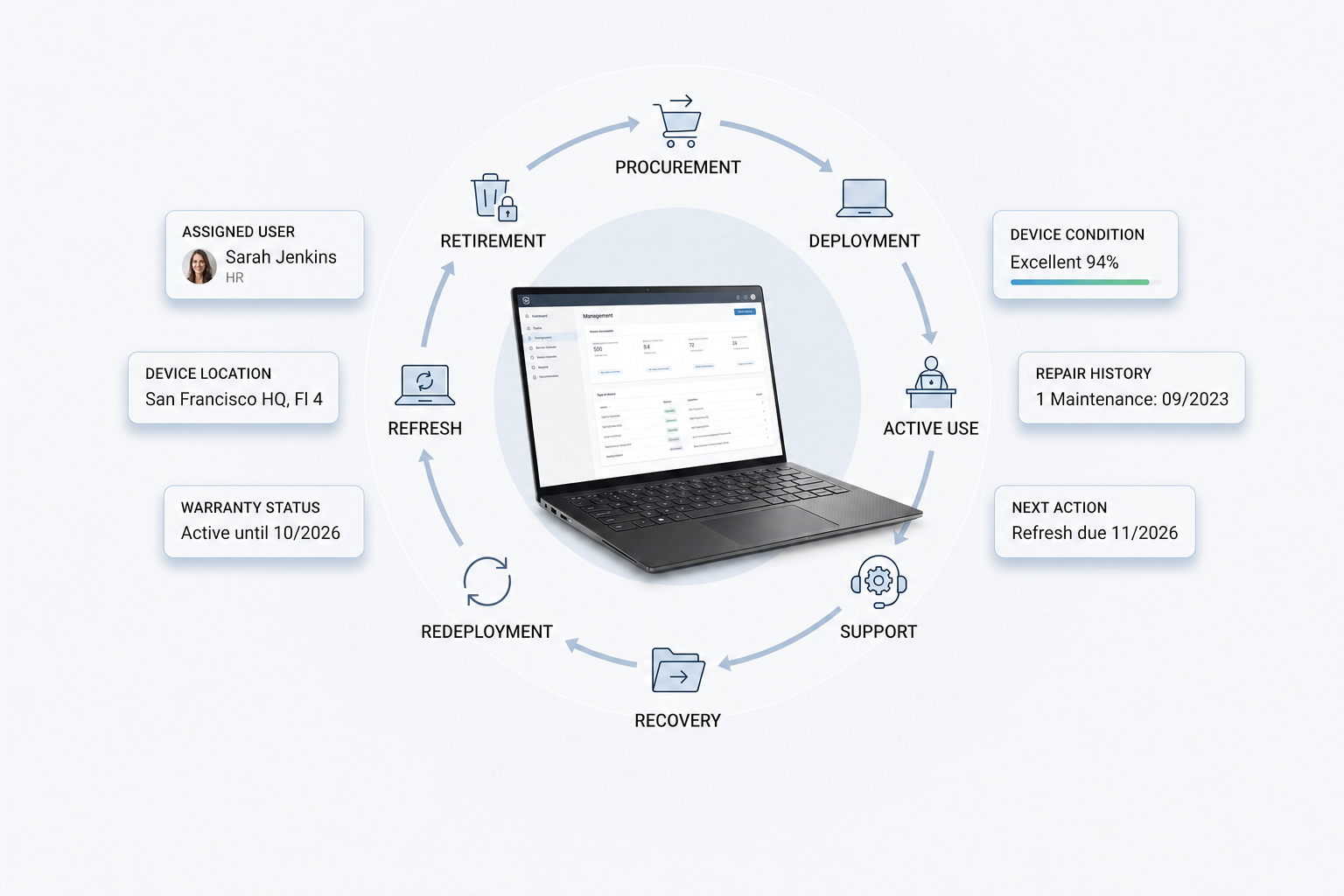
A computer inventory management software should not be a place to keep a list of devices. It should specify the location of each laptop, who is using it, its condition, and what actions need to be taken next.
As computers move through procurement, deployment, support, recovery, refresh and retirement, this visibility across the entire device lifecycle is essential for distributed teams. By connecting inventory to these stages, IT teams can reduce the need for manual tracking and gain more control over devices.
Spreadsheets and basic inventory tools may work when devices sit in one office. Once employees work across homes, offices, coworking spaces, and countries, IT needs stronger visibility. The goal is not only to record computers, but to know what should happen to each device next.
What is computer inventory management software
Computer inventory management software helps IT teams track company computers in one system. This includes laptops, desktops, serial numbers, owners, locations, warranty status, device condition, and inventory status.
For distributed teams, the software should do more than store device records. It should support device inventory management by showing what action each computer needs next, whether that means setup, support, recovery, redeployment, refresh, or retirement.
Why basic computer inventory is not enough
Basic computer inventory can show what exists, but it may not show whether each device is ready, useful, supported, or recoverable. This creates gaps between asset records and daily IT work.
What basic inventory usually shows
Most basic inventory records focus on static device details, such as the device name, serial number, asset tag, assigned owner, purchase date, and warranty status. This information helps with audits and basic computer inventory management, but it does not show the real condition or readiness of each device.
A laptop may have an assigned owner in the database, but the employee may have left the company. A device may show as active, but it may be damaged, unused, or waiting for recovery. This is why basic inventory often gives IT a record, but not enough context to make a decision.
What IT teams still need to know
IT teams need inventory data that supports action. They need to know whether each computer is ready for use, still with the right employee, or waiting for repair, recovery, redeployment, or refresh.
Useful questions include:
- Has the employee received the device
- Has IT completed setup
- Is the device ready for work
- Does the device need repair or replacement
- Has the laptop been returned after offboarding
- Can the device be reused for another employee
This is where IT asset management, IT asset tracking, and IT asset tracking software become important. Computer inventory should not be a passive record. It should help IT decide what should happen next.
Why distributed teams need better computer inventory management
Computer inventory gets harder when employees work remotely, devices move across regions, and IT teams cannot inspect every laptop in person. Distributed teams need inventory that works across locations, not only inside one office.
Where distributed teams lose visibility
Distributed teams lose visibility when devices move faster than inventory records. A laptop may be shipped to a new hire, sent to a local repair vendor, stored in another country, or left with a former employee after offboarding.
These gaps become harder to manage when employees work from homes, offices, and coworking spaces. IT cannot always inspect laptops in person, and device updates may depend on different vendors, local teams, or employee follow up.
Without clear tracking, unused devices can sit outside the company’s active inventory, damaged devices may stay unresolved, and recovered devices may not return to the right workflow. This makes computer inventory management harder because IT cannot rely on office based checks or informal updates.
What distributed teams need from computer inventory software
Distributed teams need computer inventory management software that gives IT one clear view of devices across locations. The software should show who owns each computer, where it is, whether it is active or unused, and what action should happen next.
It should also support remote device visibility, employee assignment tracking, location updates, shipment status, recovery status, and refresh planning based on real device data. This helps IT manage computers even when employees, devices, vendors, and support teams sit in different places.
Mobile device inventory management and hardware inventory software can support the same goal when companies manage phones, tablets, accessories, and employee devices together. The point is not only to track devices, but to help IT control device movement and decisions across distributed teams.
Basic computer inventory software vs lifecycle driven inventory
A comparison helps IT leaders see the difference between software that stores records and software that supports action.
The difference between basic inventory and lifecycle driven inventory is not the amount of data stored. The difference is whether IT can act on that data.
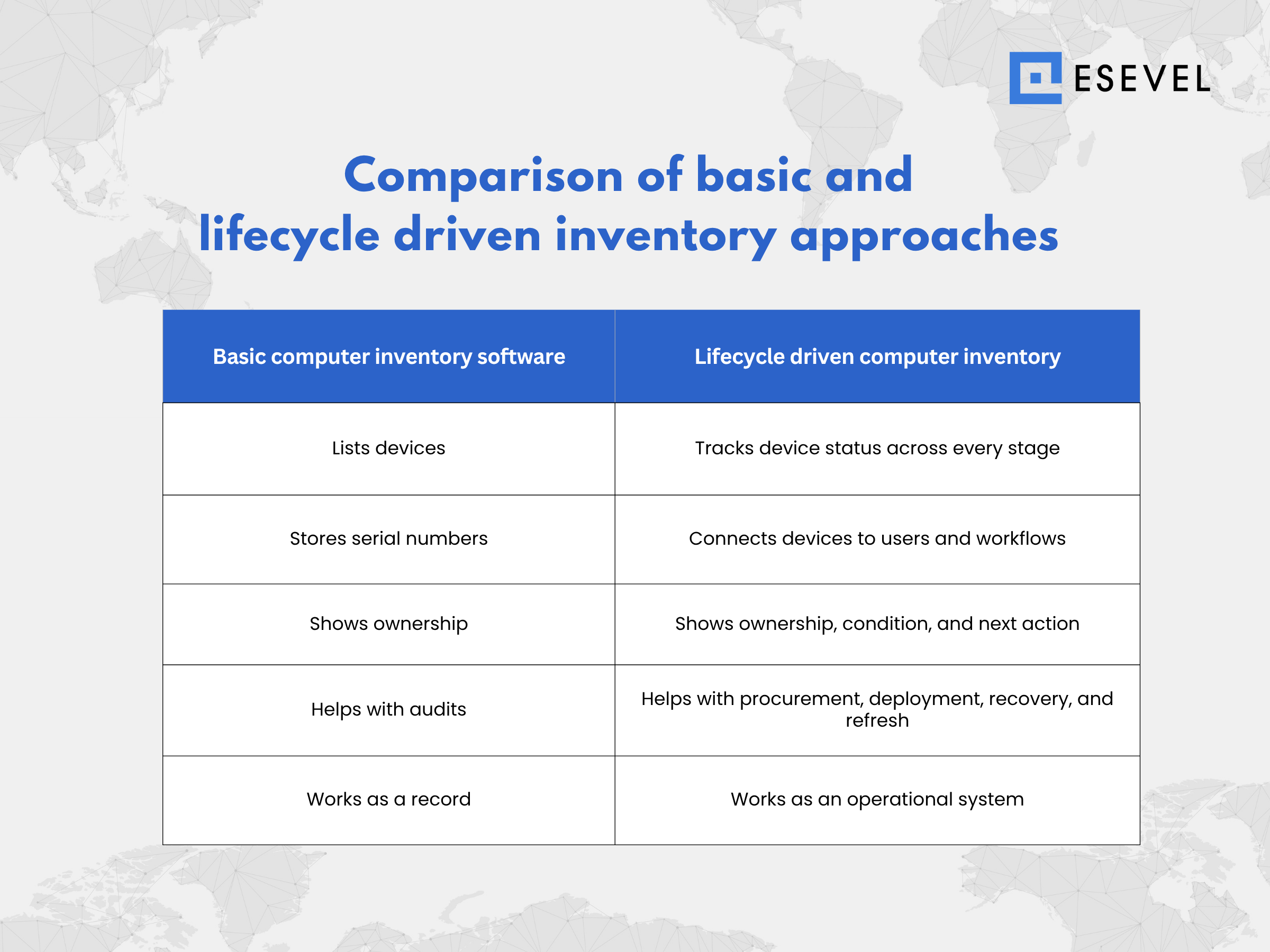
Basic inventory can answer what the company owns. Lifecycle driven inventory helps IT decide what should happen next. That difference becomes more important when teams no longer work from one office.
When free computer inventory management software is not enough
Free computer inventory management software can help small teams record laptops, desktops, serial numbers, owners, and warranty details. It can be useful when devices stay in one location and inventory updates are simple.
For distributed teams, free tools may not be enough when IT needs remote visibility, support history, recovery workflows, refresh planning, and lifecycle reporting. The more devices move across employees, locations, vendors, and offboarding workflows, the more important it becomes to connect inventory with daily IT operations.
A free tool can help teams start tracking computers, but lifecycle control usually requires a system that shows ownership, condition, status, and next action for every device.
Features that matter in computer inventory management software
The best computer inventory management software should help IT teams act on device data. It should not only store computer records, but also show ownership, location, condition, support needs, recovery status, and lifecycle next steps.
| Feature | What it should help IT do | Why it matters |
| Centralized device records | Track laptops, desktops, asset tags, serial numbers, owners, and locations in one system | IT can find reliable device data without checking spreadsheets or separate tools |
| Employee assignment tracking | Connect each computer to an employee, team, role, and location | Support, onboarding, offboarding, and recovery become easier to manage |
| Device condition tracking | Show whether a device is active, spare, damaged, under repair, missing, recovered, or retired | IT can decide whether to repair, replace, redeploy, or retire each device |
| Support and repair history | Record tickets, repairs, warranty status, and recurring issues | Support teams get better context before deciding the next step |
| Recovery workflow tracking | Track whether laptops have been returned after offboarding or role changes | Teams can reduce lost devices and recover usable assets faster |
| Refresh planning reports | Review device age, condition, repair history, and employee needs | IT can plan replacements before devices slow down work |
| Hardware and software visibility | Connect computer hardware records with operating system and software data | IT gets a clearer view of each endpoint, not only the physical device |
A strong computer inventory management system should make these records easy to search, update, and report on. For growing teams, the same system should also support remote visibility, mobile devices, and reporting for IT, People Ops, and finance.
These features help teams judge whether a basic tool is enough or whether they need a more complete system for lifecycle control.
Device lifecycle control in computer inventory management
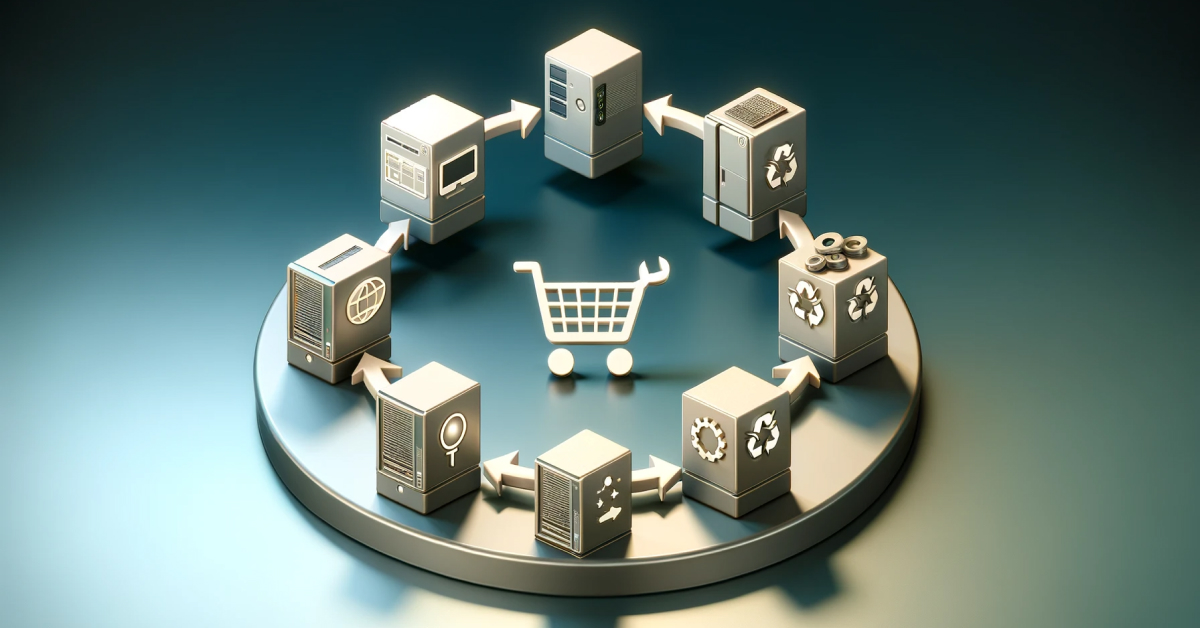
Computer inventory becomes more useful when it connects with the full device lifecycle. IT teams need to know not only what devices exist, but what should happen to each one next.
A lifecycle inventory process should support:
- Procurement: track when a computer is requested, ordered, purchased, and assigned to a future employee
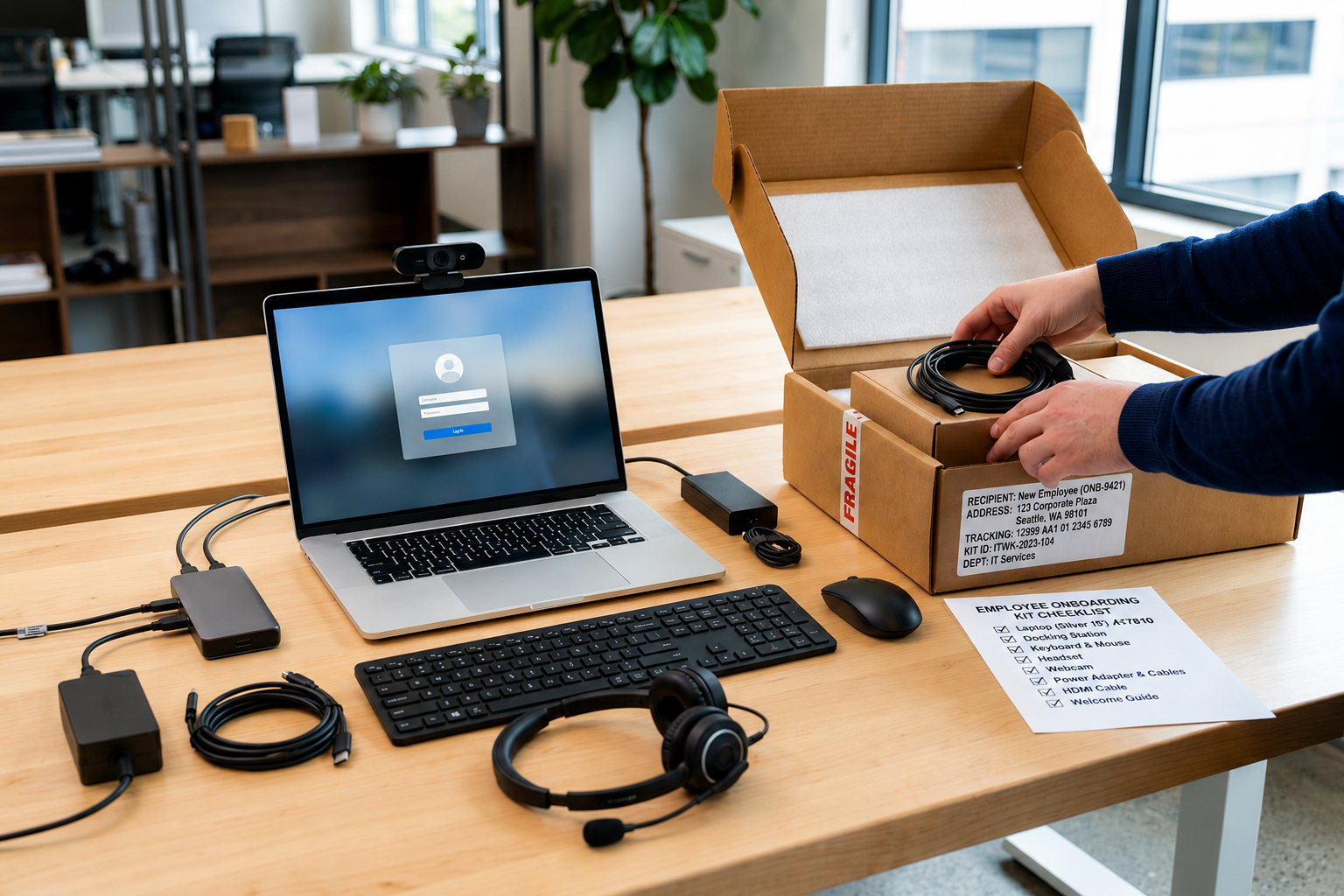
- Deployment: confirm whether the device is configured, shipped, delivered, and ready to use
- Usage and support: record ownership, location, condition, support history, and repair needs
- Recovery: show whether a device must be returned after offboarding or role changes
- Redeployment: identify recovered devices that can be wiped, repaired, and reassigned
- Refresh and retirement: plan replacement, resale, recycling, or secure disposal based on age, condition, repair history, and role needs
This turns inventory into device control. Procurement data helps IT plan deployment, ownership data helps support teams respond faster, condition data helps teams decide whether to repair or replace, and recovery data helps reduce lost devices.
Distributed teams need this connected view across procurement, deployment, tracking, support, recovery, and refresh. Without it, device records can become separate from the real work of managing computers across employees, locations, and vendors.
Platforms like Esevel help teams manage computer inventory as part of the wider device lifecycle. Esevel connects device procurement, deployment, tracking, support, recovery, and refresh planning in one workflow, so inventory becomes a source of action, not just a record.
When inventory connects with lifecycle workflows, IT teams move from basic tracking to better device control.
FAQs
These questions help clarify how computer inventory management software supports device tracking and lifecycle control.
What is computer inventory management software
Computer inventory management software helps IT teams track laptops, desktops, ownership, location, condition, warranty status, and device status. It becomes more useful when it connects inventory data with procurement, deployment, support, recovery, and refresh planning.
What is the best computer inventory management software
The best computer inventory management software should support hardware records, software data, employee assignments, location tracking, support history, and lifecycle status. For distributed teams, it should also support remote device visibility, recovery workflows, and refresh planning.
What is computer hardware inventory management software
Computer hardware inventory management software tracks physical devices such as laptops, desktops, tablets, monitors, and accessories. It helps IT teams manage ownership, condition, location, warranty, repair history, and replacement planning.
Is free computer inventory management software enough
Free computer inventory management software can work for small teams with basic tracking needs. Growing or distributed teams usually need stronger lifecycle visibility, support history, recovery tracking, and remote device management.
How does computer inventory management support IT asset management
Computer inventory management supports IT asset management by giving teams accurate device data they can act on. It helps IT manage computers from procurement and deployment to support, recovery, refresh, and retirement.
Build computer inventory that supports lifecycle control
Computer inventory management software should not only record which laptops and desktops a company owns. It should help IT teams manage every device through procurement, deployment, support, recovery, refresh, and retirement.
Esevel helps distributed teams manage computer inventory as part of the wider device lifecycle. With the right lifecycle approach, IT teams can move from basic inventory tracking to better device control across every location.

Maytiska Omar Maytiska is an experienced content writer and blog specialist with 4+ years of expertise in creating engaging, SEO-driven content. She focuses on IT and digital topics, turning complex ideas into clear, reader-friendly insights. Her work helps position Esevel as a trusted voice in the digital space.